Applies to: IT Financial Management Foundation, IT Planning Foundation, Project Financial Planning, and/or Service Demand Planning as noted below.
Release date: 11/02/2020
In this release:
Department Level 1 and Level 2 Dimensions in Self-Service Reporting (SSR)
You can now select 2 new dimensions (Level 1 and Level 2) from the IT Planning data sources in Self-Service Reporting. The Level 1 and Level 2 are the top and next top level department roll-up associated with the line item's cost object. The Level 1 is the first list of departments that appear in the "All Departments" drop-down list in IT Planning while selecting the department to view the plan. The Level 2 is the second list of departments that would appear under the Level 1 in the "All Departments" drop-down list. This will allow the user to create a visualization that aggregates the plan for the executive and senior manager's department levels in order to produce executive reports.
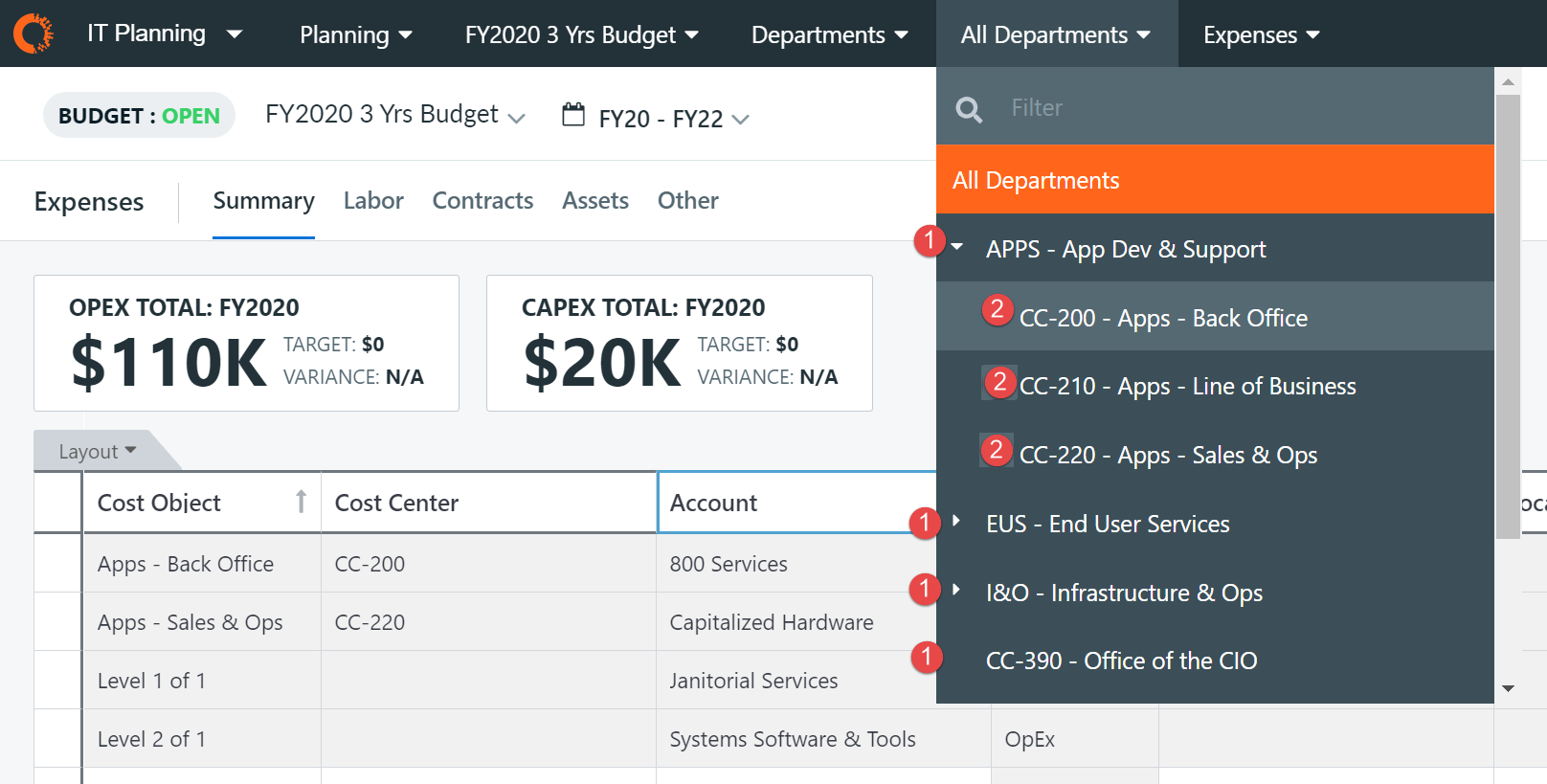
Figure 1: Level 1 and Level 2 values in IT Planning's "All Departments" drop-down list. 1 indicates Level 1 value while 2 indicates Level 2 value.
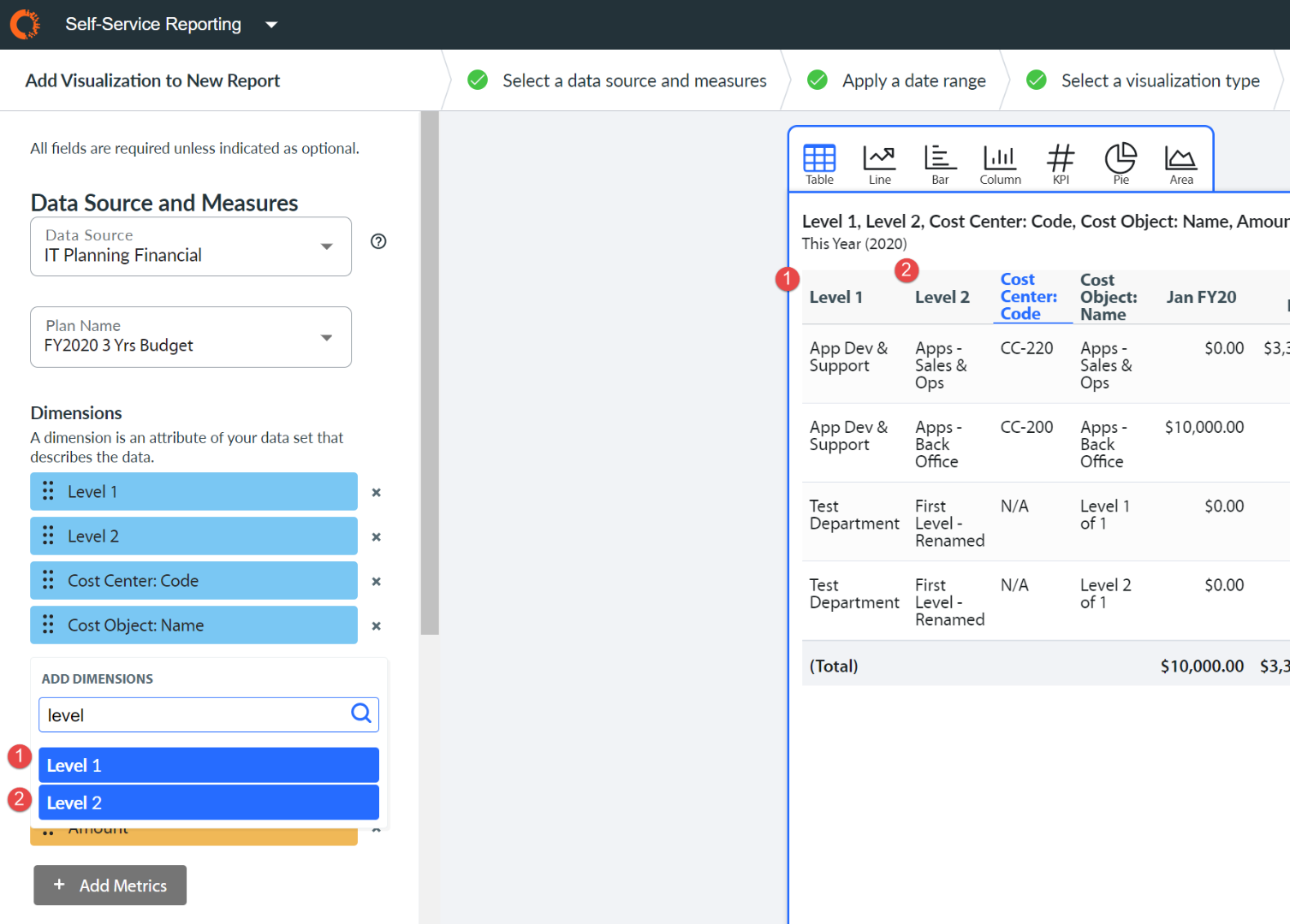
Figure 2: Level 1 and Level 2 dimensions can be found in SSR visualization configuration, under "Add Dimensions" drop-down list.
SEE ALSO:
Stay informed about product updates
To be notified when this page is updated, click the Actions (gear) menu in the upper right corner of this screen, and then click Follow. A link to the updated topic will appear in your Apptio Community Inbox. You can also see all historical product release details; see IT Planning and Financial Management: What's New (Cumulative) and Upcoming Releases.
MORE RESOURCES:
This topic is open for your feedback. At the bottom of this screen, click Add a comment.