IBM Apptio

Apptio

A place for Apptio product users to learn, connect, share and grow together.


#Aspera
#Apptio
#Automation
 View Only
  • 1.  [+] STUMPER: Fine-tune KPI in report

    Posted Thu March 12, 2015 10:53 AM

    STUMPER: Pre-solved Q&A to sharpen your TBM and Apptio skills.

    Solution posted in 7 days if nobody submits a correct answer.

    See title for rating: [+] Easy   [++] Moderate   [+++] Challenging


    Here is a small section of a Cloud Service Provider Summary report I'm building (click to enlarge):

    KPI orig.PNG


    I like the eight KPI components, but with so many, it would be nice to format the first one in each row (the Cost YTD) such that it stands out a bit from the other three in the row.


    But when I edit the report, select the KPI, and examine the Ribbon options and the KPI's Properties, I'm not seeing this type of flexibility.


    Is it possible for me to somehow override the default KPI display characteristics (font size/color, border size/color) or otherwise create a KPI that looks a bit different?


    #CostingStandard(CT-Foundation)


  • 2.  Re: [+] STUMPER: Fine-tune KPI in report

    Posted Thu March 12, 2015 04:05 PM

    hmm... is this a trick question? or maybe I'm way over thinking it... Are you saying you can't see the KPI option on the ribbon or that when you click on the KPI in the ribbon the options to change colors are grayed out?


    If you select the KPI group on the reporting surface you have to click on the KPI in the group in order to edit the color and background.


    kpi.jpg


    #CostingStandard(CT-Foundation)


  • 3.  Re: [+] STUMPER: Fine-tune KPI in report

    Posted Thu March 12, 2015 04:34 PM

    It turns out this is a trick question of sorts: the options you're seeing were added in version 11.4 of the software, but some customers may still be using a previous version. When they select KPI, they don't see color options.


    Still though, the options you cite include border toggle (on/off) and text color, but not border color/width or text size. Any ideas on whether or how those characteristics can somehow be altered?


    #CostingStandard(CT-Foundation)


  • 4.  Re: [+] STUMPER: Fine-tune KPI in report
    Best Answer

    Posted Thu March 12, 2015 08:09 PM

    This may or may not be what you were looking for, but it definitely will work:


    Apptio is a SaaS application, and we interact with the product through the medium of an internet browser. Because of that, everything that we see is ultimately displayed through HTML, which is completely customizable. Apptio's reporting surface allows for HTML to be inserted, which facilitates creating "KPI's" to our liking.


    Example below:


    In the reporting surface, first click on the "HTML" icon in the insert tab to add an HTML-editable frame.
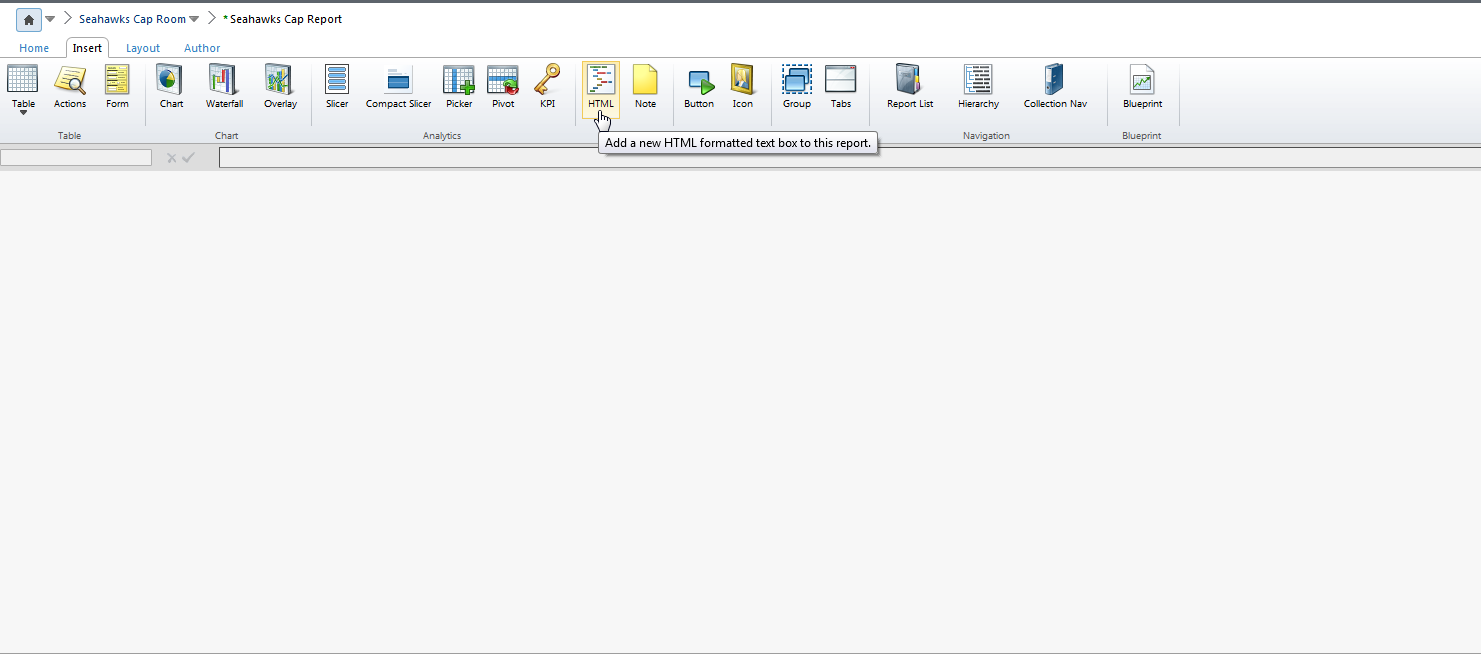
    2015-03-12 15_42_53-Apptio - (mverkruyse.apptio.com) Seahawks - Seahawks Cap Room _ Seahawks Cap Rep.png


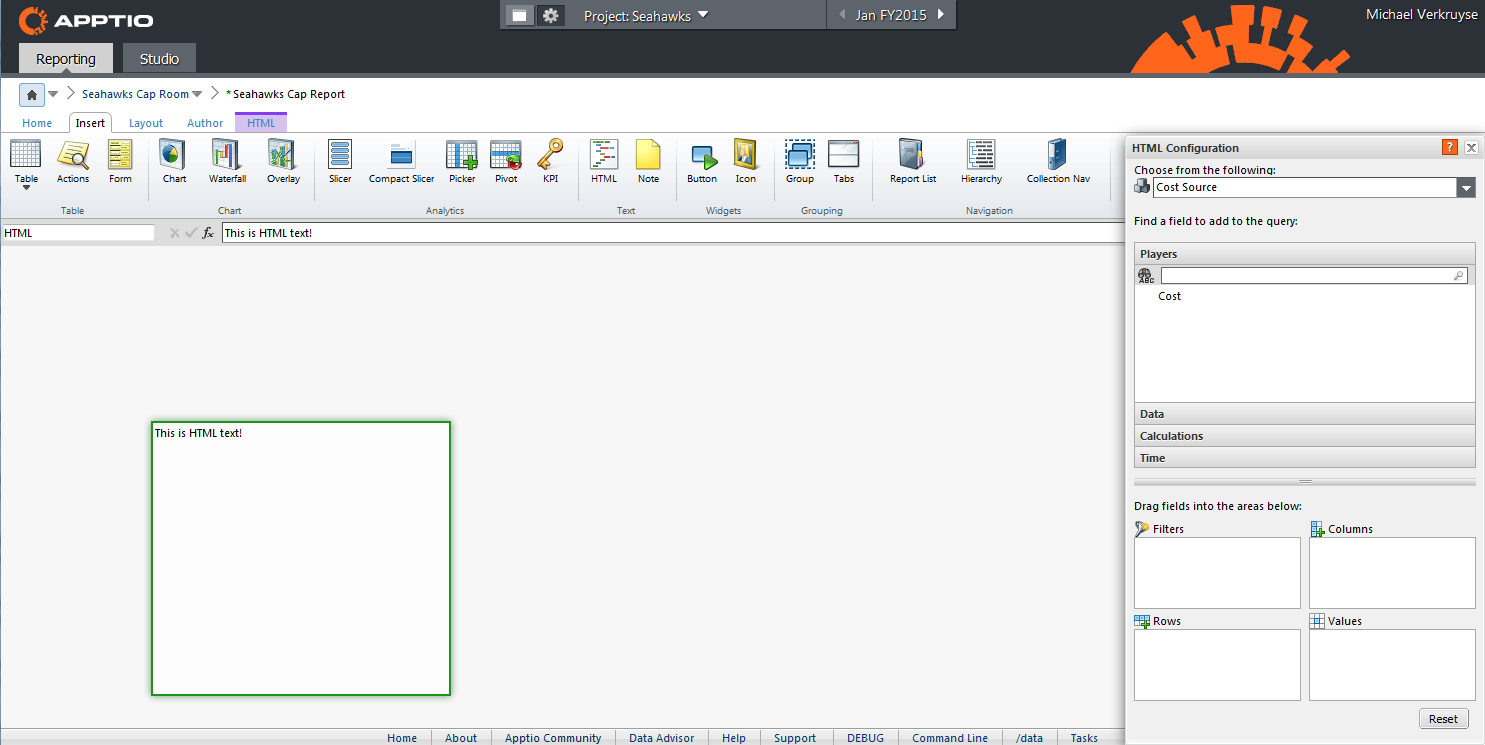
    You can add plain text to the content box, and Apptio will interpret it as normal text:
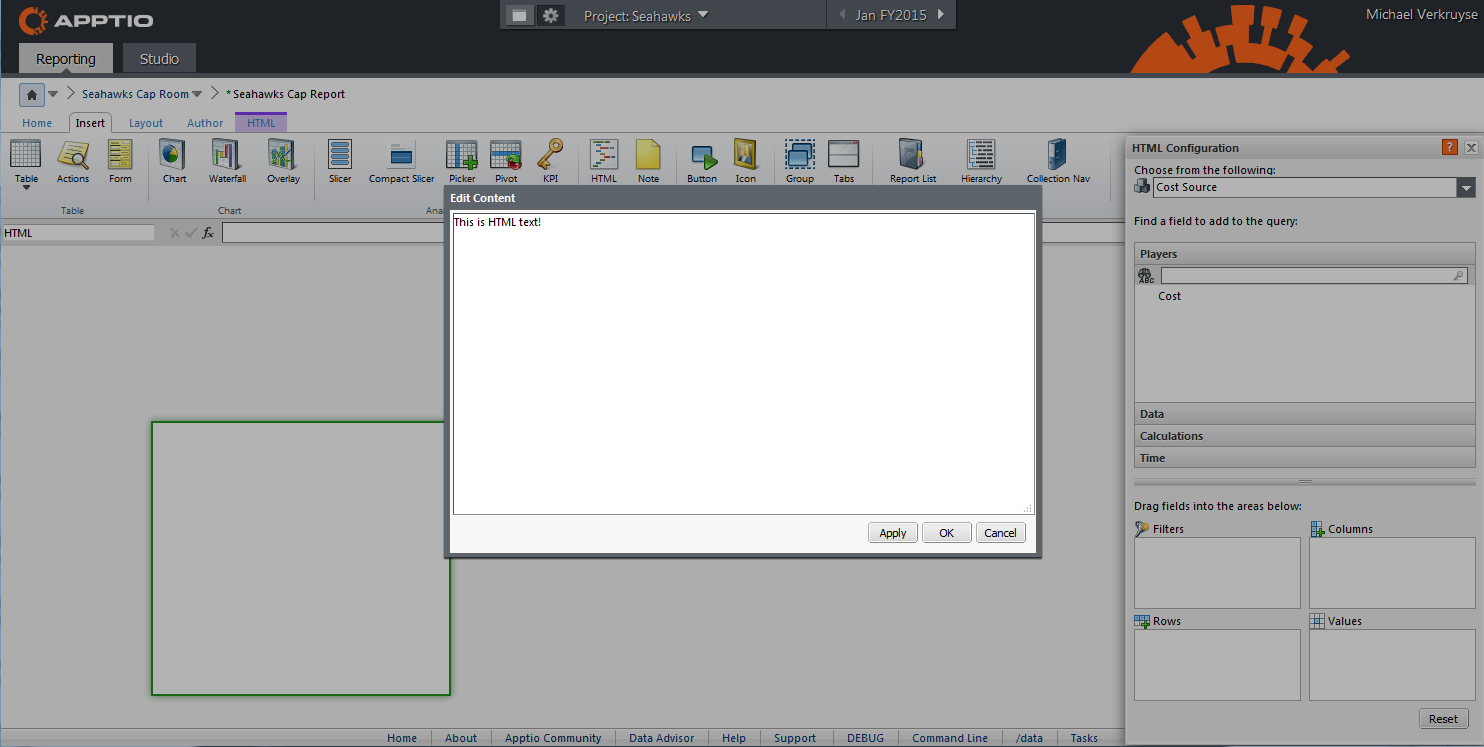
    2015-03-12 15_43_41-Apptio - (mverkruyse.apptio.com) Seahawks - Seahawks Cap Room _ Seahawks Cap Rep.png

    2015-03-12 15_43_56-Apptio - (mverkruyse.apptio.com) Seahawks - Seahawks Cap Room _ Seahawks Cap Rep.png


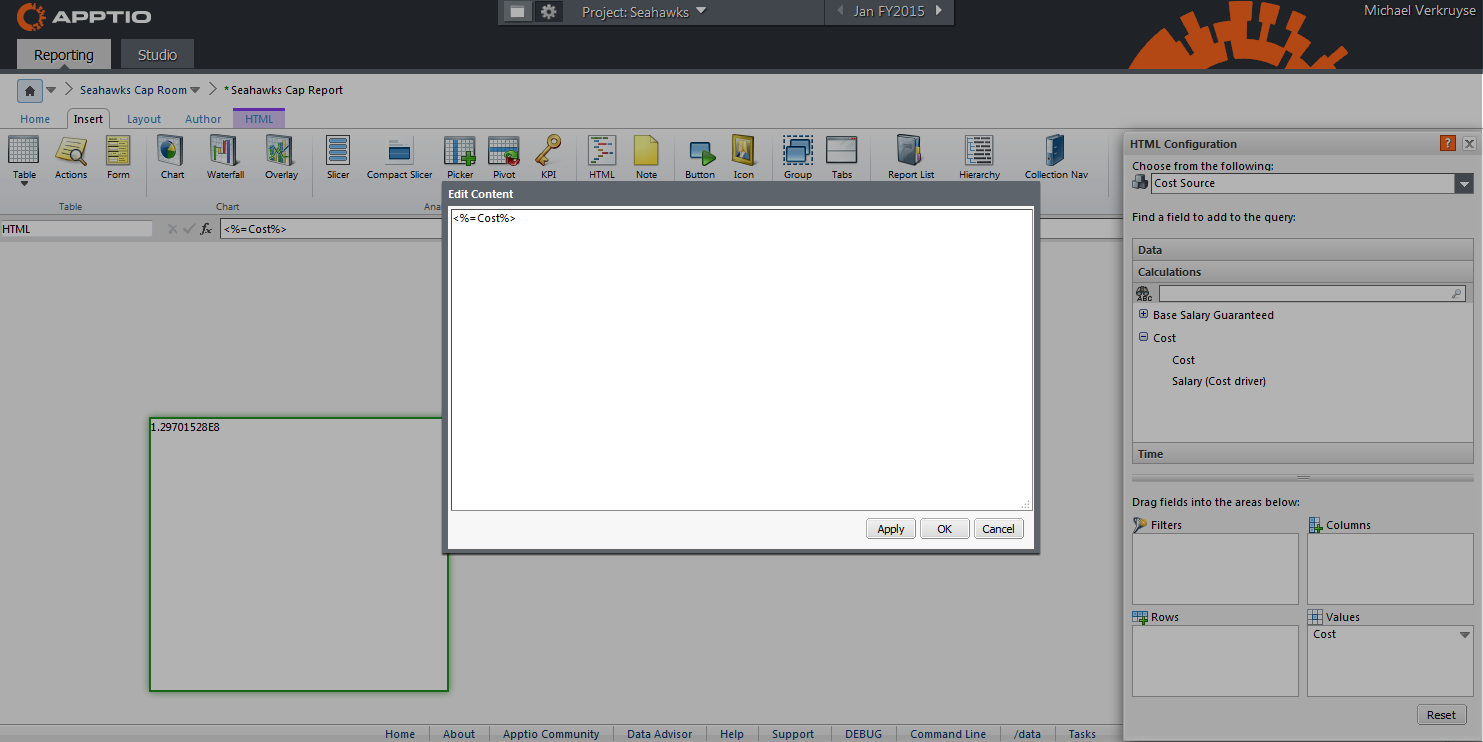
    However, we can also use data from our Apptio project in our HTML frame. Notice that I've pulled down the "Cost" calculation into the values box, this will allow us to use the metric within the HTML.
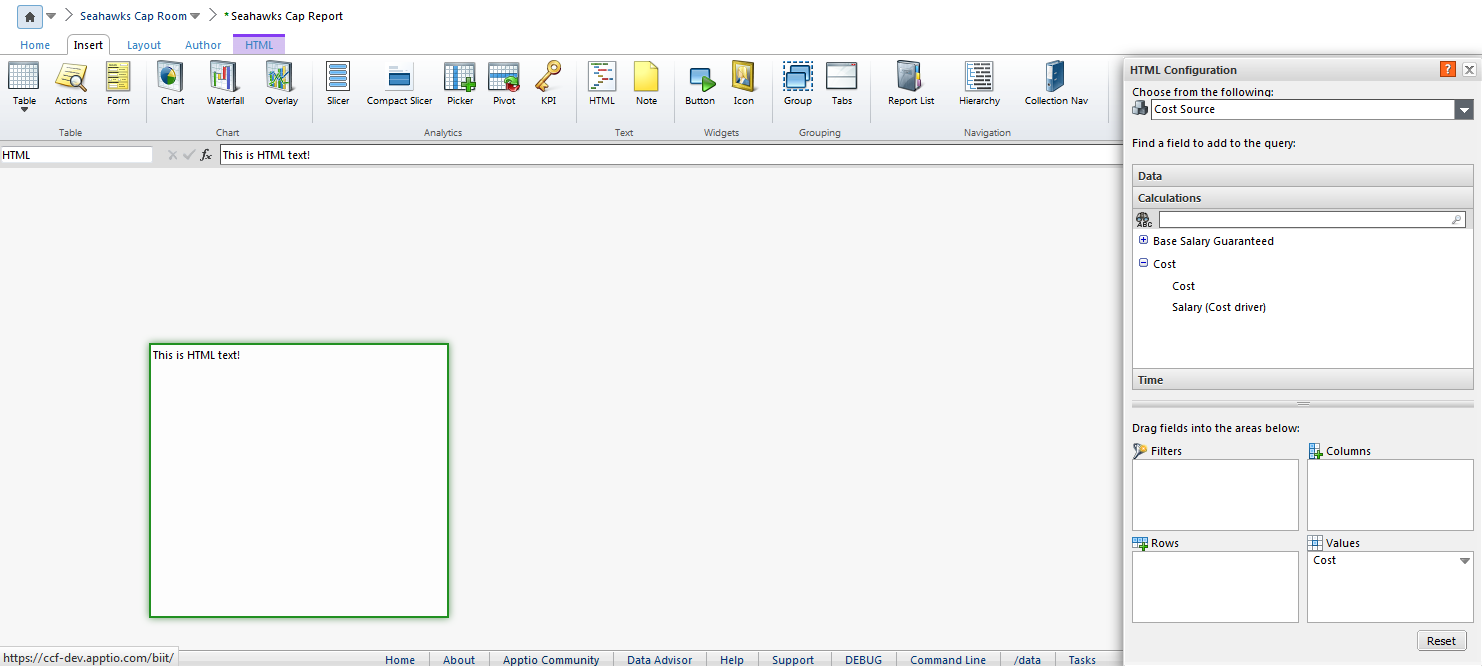
    2015-03-12 15_45_52-Apptio - (mverkruyse.apptio.com) Seahawks - Seahawks Cap Room _ Seahawks Cap Rep.png


    To do so, encompass the value that you wish to include as follows:

    <%VALUE YOU WISH TO INCLUDE%>

    Notice in the HTML box behind that the expression has evaluated as it would appear in the model for the selected period.
    2015-03-12 15_47_33-Apptio - (mverkruyse.apptio.com) Seahawks - Seahawks Cap Room _ Seahawks Cap Rep.png


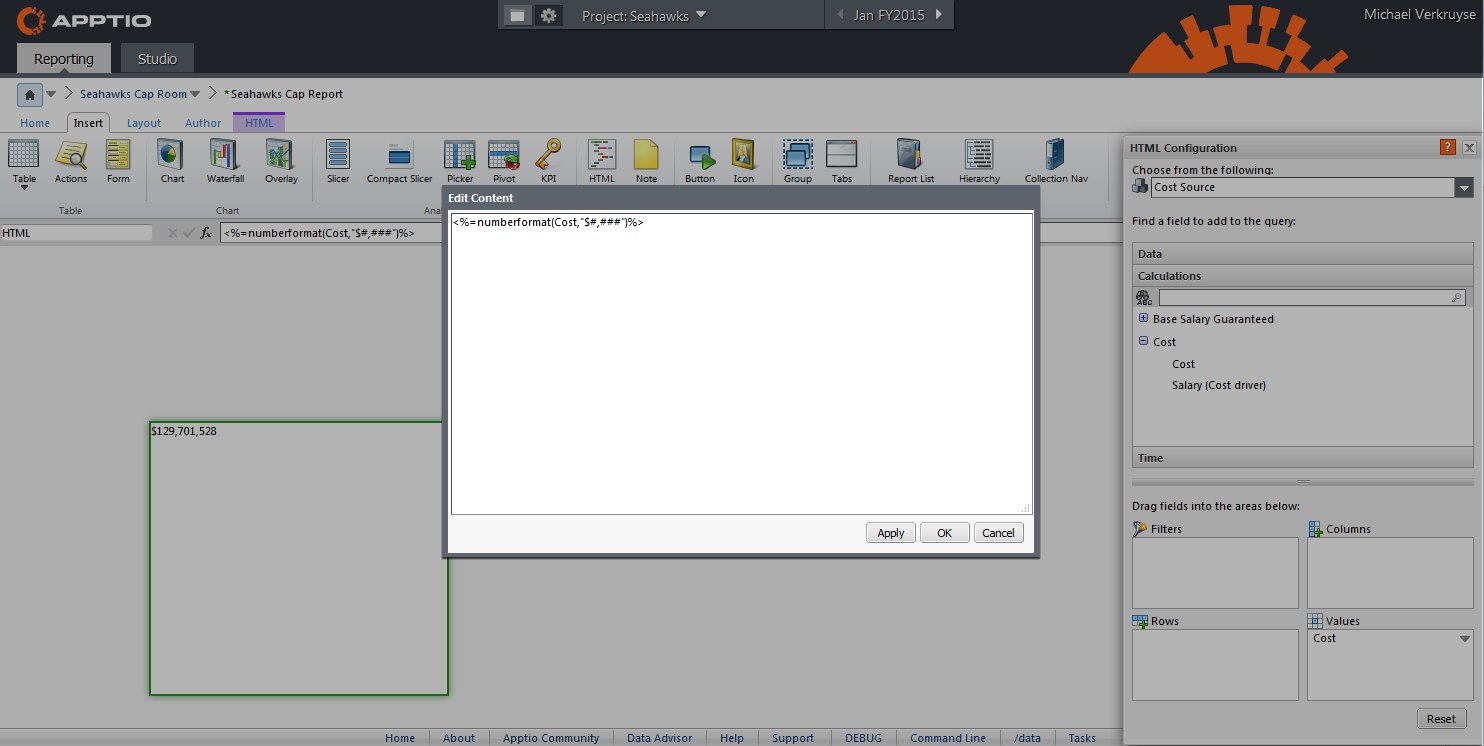
    You can also format your values as desired by using the numberformat() function (see Apptio "Help" section for more info on formula).
    2015-03-12 15_48_26-Apptio - (mverkruyse.apptio.com) Seahawks - Seahawks Cap Room _ Seahawks Cap Rep.png


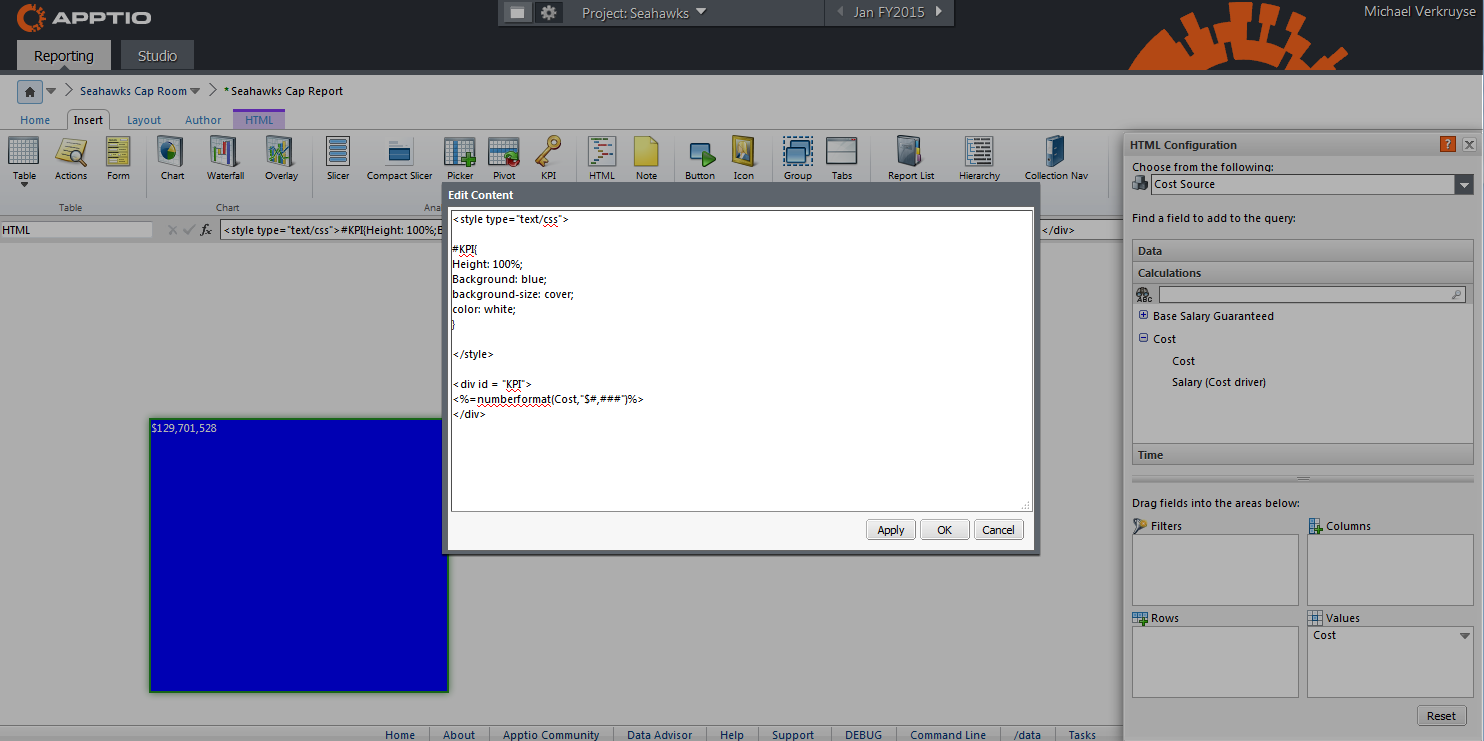
    Once you've formatted your value as desired, you can modify the HTML frame as you would a typical HTML document, including using CSS.
    2015-03-12 15_52_53-Apptio - (mverkruyse.apptio.com) Seahawks - Seahawks Cap Room _ Seahawks Cap Rep.png


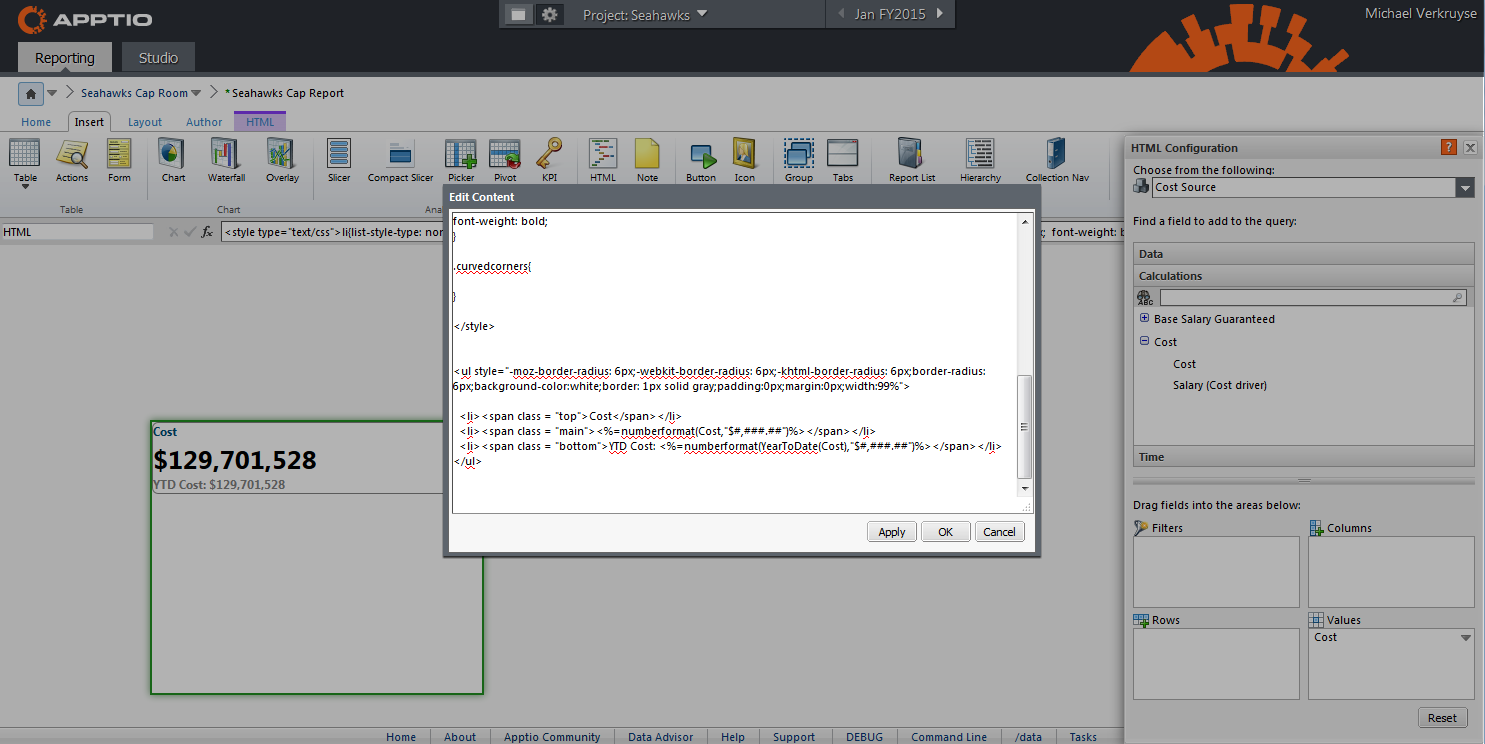
    A few modifications is all it takes to bring your HTML frame into the format of an Apptio KPI:
     

    2015-03-12 16_43_23-Apptio - (mverkruyse.apptio.com) Seahawks - Seahawks Cap Room _ Seahawks Cap Rep.png


    However, you can also make your own customizations, which allow you to make the HTML/KPI appear however you desire!
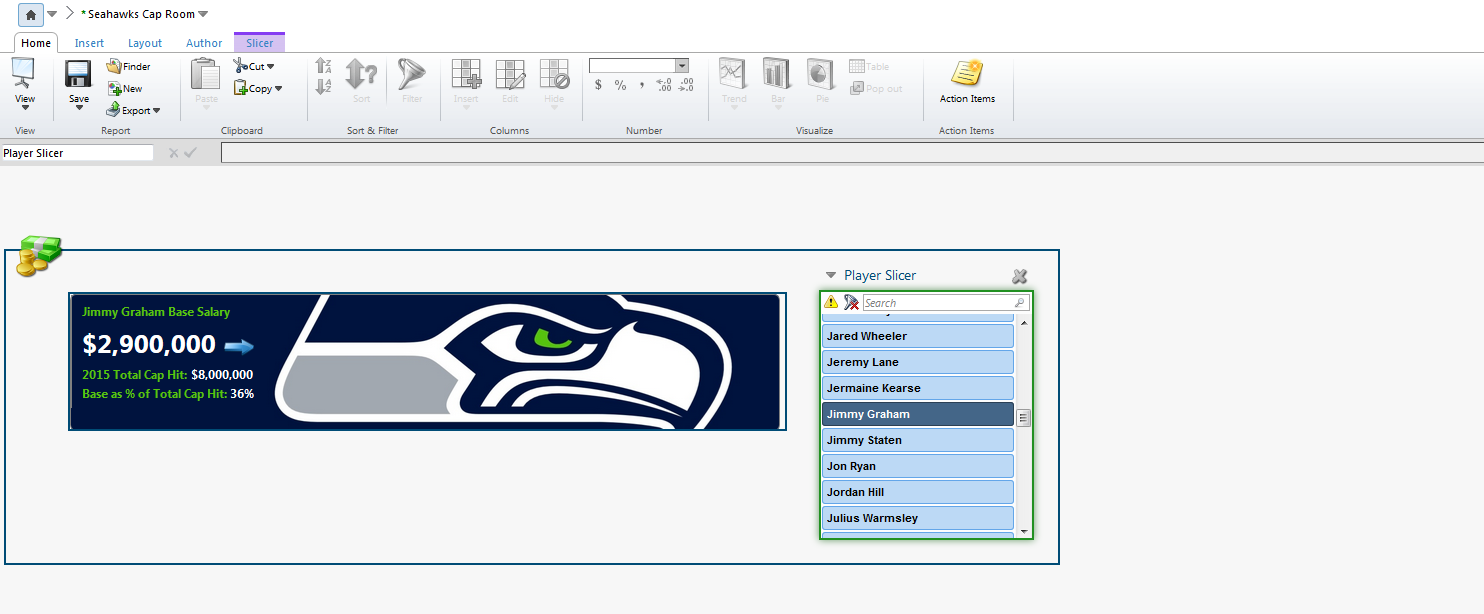
    2015-03-12 16_44_08-Apptio - (mverkruyse.apptio.com) Seahawks -.png


    I've included the basic HTML/CSS that I used to create the base KPI frame below:


    ---------------------------------------------------------------------------------------

    <style type="text/css">

    li{
    list-style-type: none;
    font-size: 13px;  font-weight: bold;
    margin-left: 5px;
    }

    .top{
    color: #004C76;
    }

    .middle{
    font-size: 26px;
    }

    .bottom{
    color: #808080;
    }

    </style>


    <ul style="-moz-border-radius: 6px;-webkit-border-radius: 6px;-khtml-border-radius: 6px;border-radius: 6px;border: 1px solid gray;padding:0px;margin:0px;width:99%">

    <li><span class = "top">Cost</span></li>
    <li><span class = "middle"><%=numberformat(Cost,"$#,###")%></span></li>
    <li><span class = "bottom">YTD Cost: <%=numberformat(YearToDate(Cost),"$#,###")%></span></li>

    </ul>

    ---------------------------------------------------------------------------------------


    -Michael Verkruyse


    #CostingStandard(CT-Foundation)


  • 5.  Re: [+] STUMPER: Fine-tune KPI in report

    Posted Fri March 13, 2015 10:11 AM

    Your solution worked.


    Using the code you provided, I made a few modifications and wound up just changing the border width:

    KPI adjusted.PNG


    And, it's nice to know I can use HTML and CSS to flexibly make other formatting changes if needed.


    As you mentioned in your reply, an HTML report component (much like an Ad Hoc Query table or chart) relies on us selecting a context and dragging at least one relevant field to the Values area. Otherwise, it won't know through which lens to report its metric values or its data table column values.


    In your example, you chose the Cost Source object as your HTML component's context, at the top of your configuration dialog. Then you dragged Cost from the perspective down to the Values area, which locks the HTML component to the Cost Source object.


    Thus, Cost metric seen in your KPI is the Cost value as seen through the Cost Source object in the Cost model.


    If instead we wanted Cost as seen from the Labor object, we could choose Labor as our context at the top of the HTML component's configuration dialog and then drag any relevant field.


    Long story short: HTML report components need to know their context.


    #CostingStandard(CT-Foundation)


  • 6.  Re: [+] STUMPER: Fine-tune KPI in report

    Posted Tue March 24, 2015 02:17 PM

    A lot of great content Michael.


    #CostingStandard(CT-Foundation)


  • 7.  Re: [+] STUMPER: Fine-tune KPI in report

    Posted Thu March 26, 2015 09:25 AM

    My only challenge with this response is clearly you are leveraging an non-winning sports team. We like to consider champions here at Apptio. This may be much more appropriate.


    #CostingStandard(CT-Foundation)


  • 8.  Re: [+] STUMPER: Fine-tune KPI in report

    Posted Tue March 24, 2015 06:39 PM

    Just a quick thing to consider here Michael when using HTML KPIs. Many people go down this route when using big data because they have always warmed better than OOTB KPI components, but the major caveat is there is a known bug with redaction where the KPI will show an all-up view rather than a filtered view when redaction is in place. A way around this was to use a table (when you have no other options) and manually code the KPI with slightly different syntax.


    Chris, do you know if there has been a recent fix for HTML KPIs and redaction?


    #CostingStandard(CT-Foundation)


  • 9.  Re: [+] STUMPER: Fine-tune KPI in report

    Posted Wed March 25, 2015 03:30 PM

    For now the issue you describe still exists, although it's scheduled to be addressed in an upcoming version release.

    Until then, stick with normal KPIs (not HTML KPIs) on any report whose content is partially redacted and depends on one or more view filters.


    #CostingStandard(CT-Foundation)