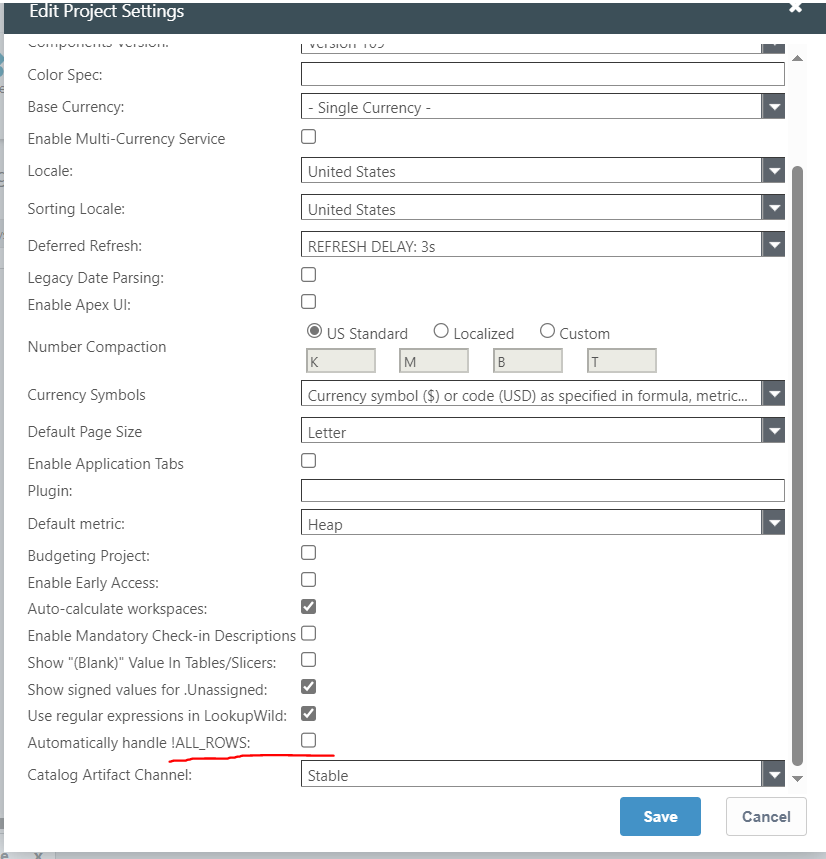
There is a very special way you have to make a perspective to do a ALL_ROWS that will include rows from the prior year, however, there is a new project setting that should just handle all of this automatically. I would suggest first trying this setting, and then seeing if it resolves your issue. This setting wil make it so you no longer need to think about or worry about ALL_ROWS, the system will determine a time spanning calculation is occurring and handle it automatically.
If this setting doesn't resolve the issue, then it is most likely a data issue where something is going to Various across time with respect to the identifier, the typical solution for this is to ensure all the columns in your groupby statement are included in your object identifiers.
If you can't get it sorted, please raise a support ticket, and follow up with me on the details.