Hi @Jenny Goodwin, @Pedro Silva,
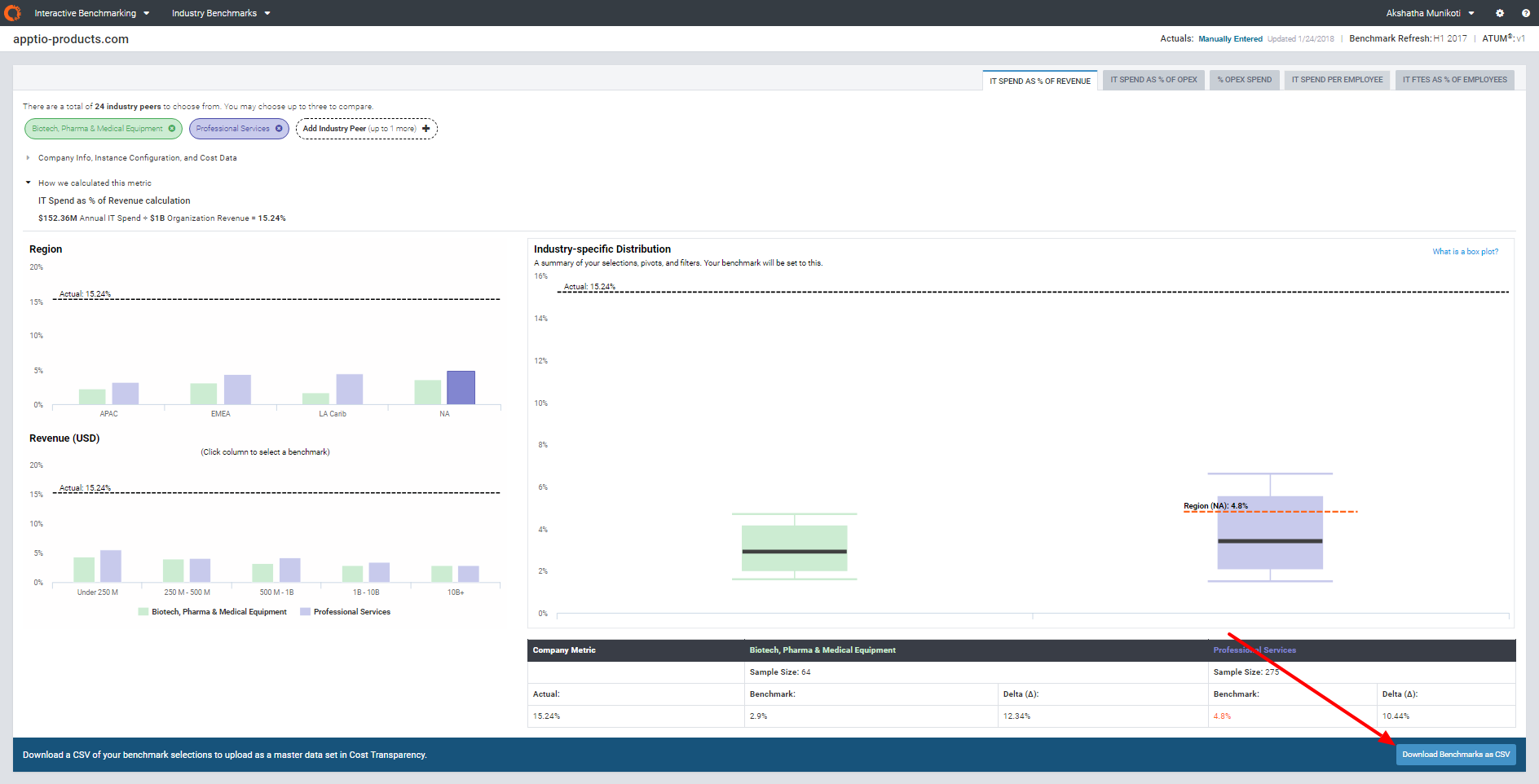
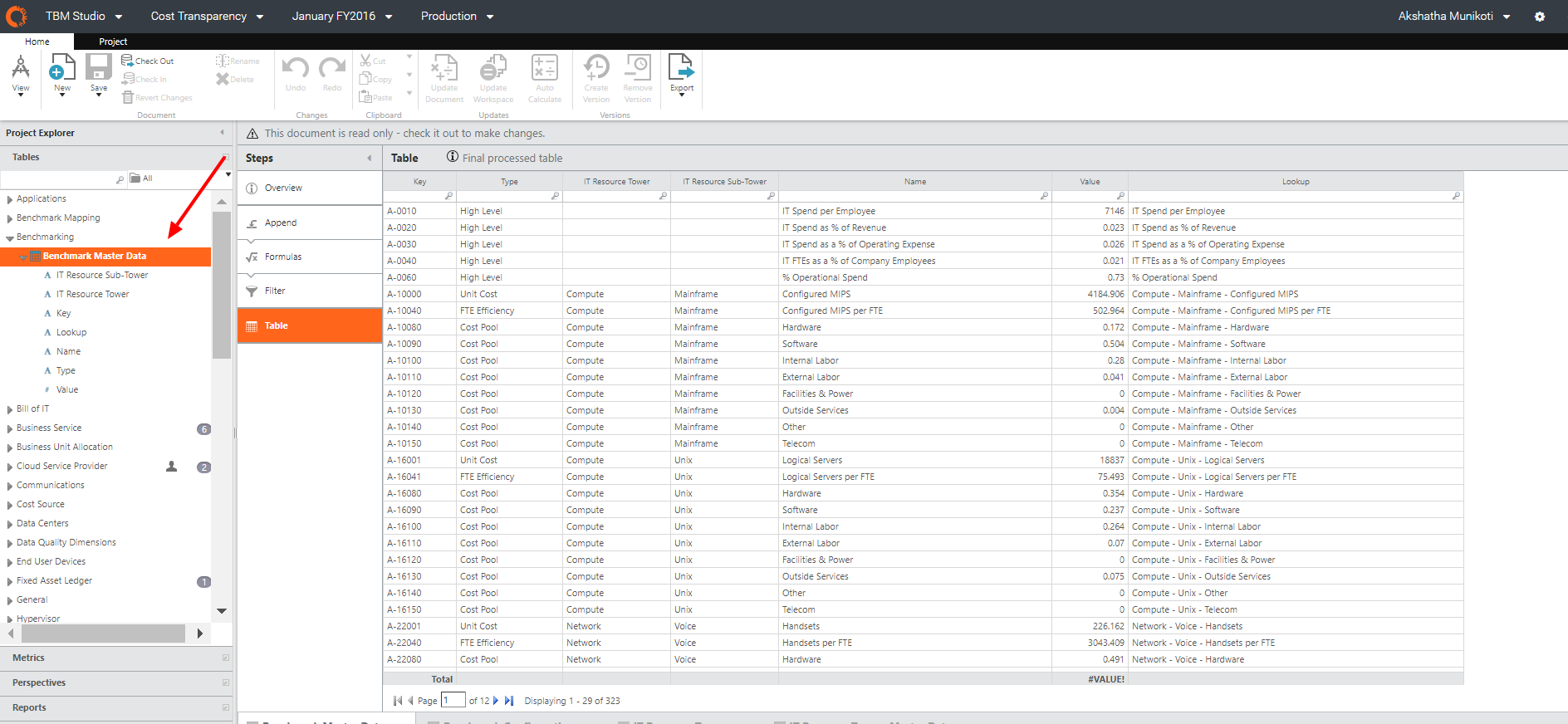
Historical benchmark information can be saved and used by downloading benchmark data from the Interactive Benchmarking module and uploading them as data set inside TBM Studio. Here is a step-by-step guide to do this:
1) Download Benchmarks by hitting on the ‘Download Benchmarks as CSV’ button:
2) Upload this file as a data set in your TBM Studio and append this table to the Benchmarking Master Data table:
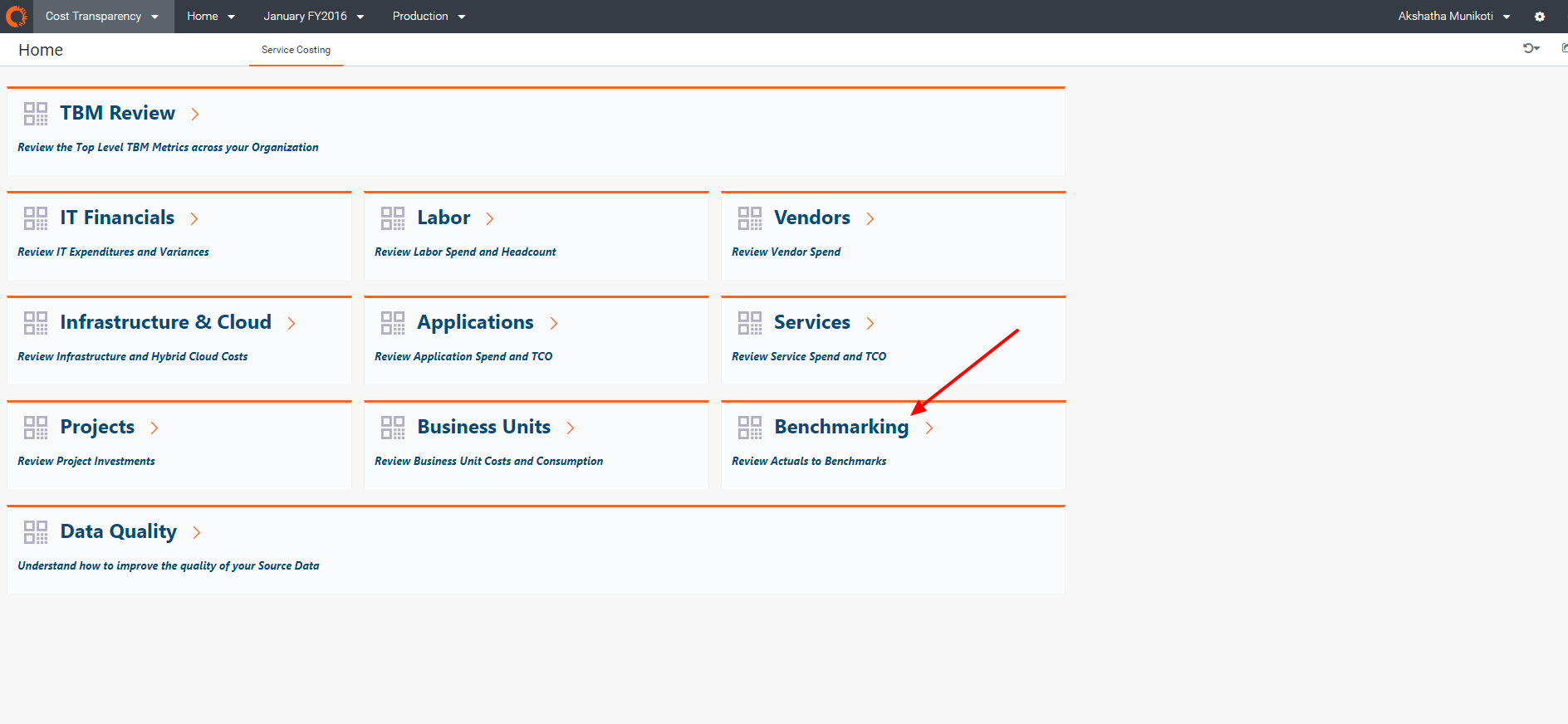
3) You can view the data you just uploaded by going to the Benchmarking module:
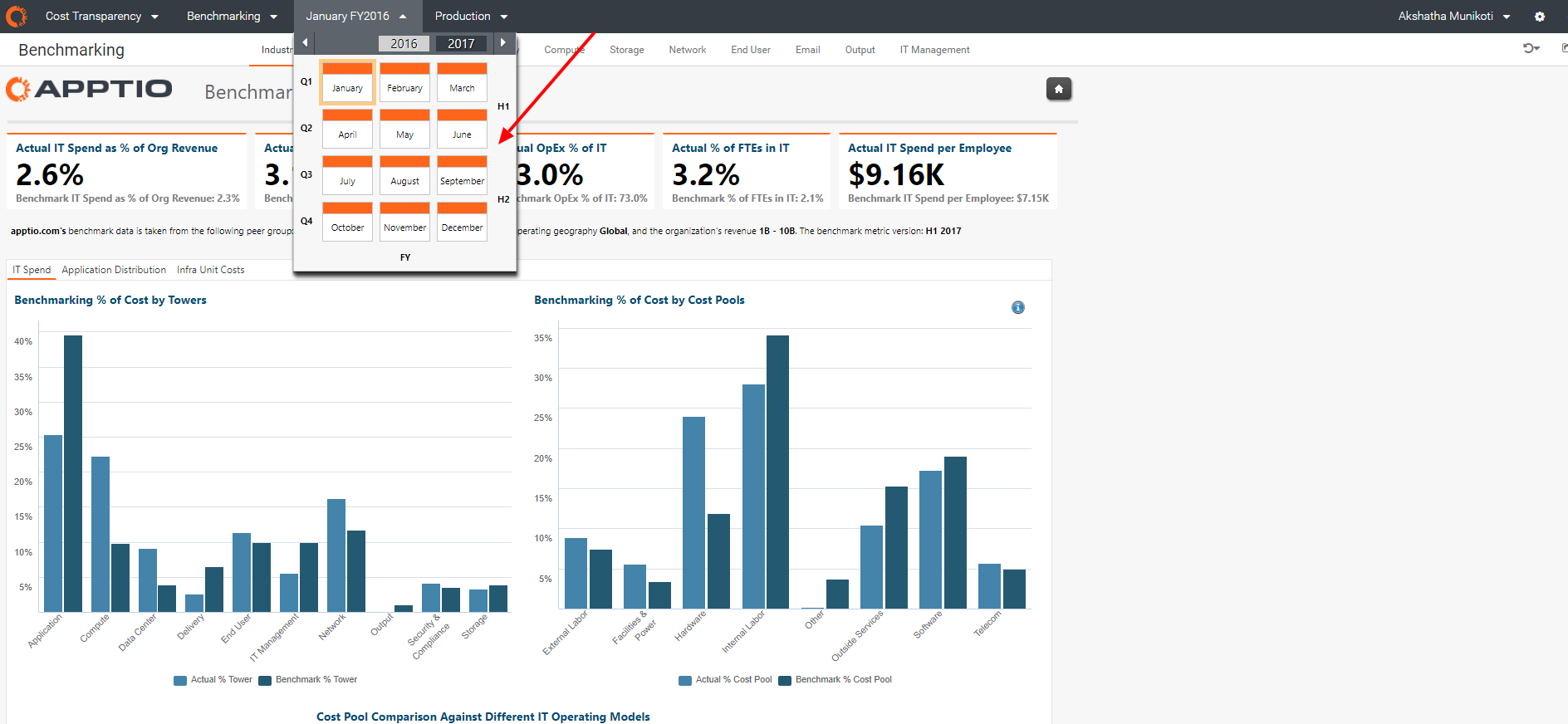
4) View benchmark data for the time period you are interested in by selecting a month as shown below:
It is currently on our product roadmap to improve this process and provide this capability inside the Interactive Benchmarking module by the second half of 2018.