In the worst case, yes, you'd have to version all tables you change in the future, if you don't want them to affect the past.
I would much rather go through the exporting data option described above. In our case, this means a report with 8 tabs => we need to update the tables behind the tabs once a year.
Then you can disable past periods and you would be safe from we might call the
reverse time travel paradox, when changing something in the future, would also alter the past 😁😁😁.
------------------------------
Regards, Guillermo
------------------------------
Original Message:
Sent: 11-24-2022 05:13
From: Mario Luque
Subject: How to freeze data?? How to change the year?
Thanks Guillermo
So, looks like that the unique solution is to create a version..... for all tables, ??? i mean if you have on CT a complex implementation, you will do a version of all the CT tables :-(, ..... not 5 minutes step :-(
Original Message:
Sent: 11-24-2022 04:07
From: Guillermo Cuadrado
Subject: How to freeze data?? How to change the year?
I run the following scenario, @Mario Luque:
- I created a test table with a single upload and a formula step that calculates budget = Users * 10:

- Locked DEC2021:
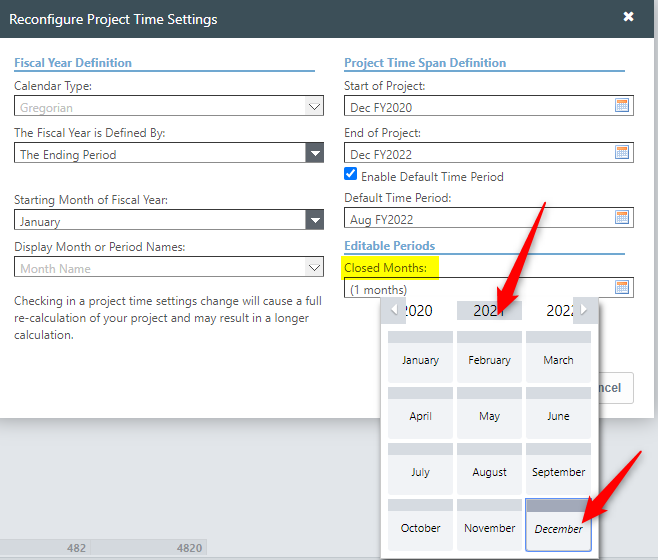
- Changed the formula in the current period (OCT2022) to Budget = Users*15
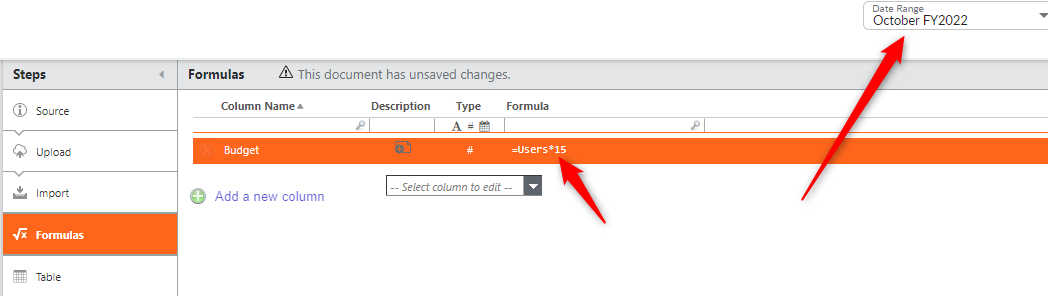
- Navigated back to DEC2021:
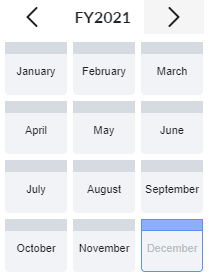
(The month appears grayed out, but I can select it)
- This is what I see:

Conclusion: Formula changes affect closed months.
Corollary: If you don't want to happen, create a version of the table in the period you want the formula to start taking effect. We sometimes do that, mostly on a January, although we try to get away with configuration files. This isn't always possible.
Good luck!
------------------------------
Regards, Guillermo
Original Message:
Sent: 11-23-2022 07:07
From: Mario Luque
Subject: How to freeze data?? How to change the year?
Gracias / Thanls Guillermo for your feedback
But if you close the month, if you change one formula, that data closed, will change?
Original Message:
Sent: 11-23-2022 06:59
From: Guillermo Cuadrado
Subject: How to freeze data?? How to change the year?
Hello @Mario Luque.
This topic came up relatively recently (e.g. here). I wrote the following blog post, explaining how we do it (link).
You can control two things:
1) In the Project Time Settings:
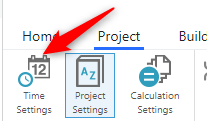
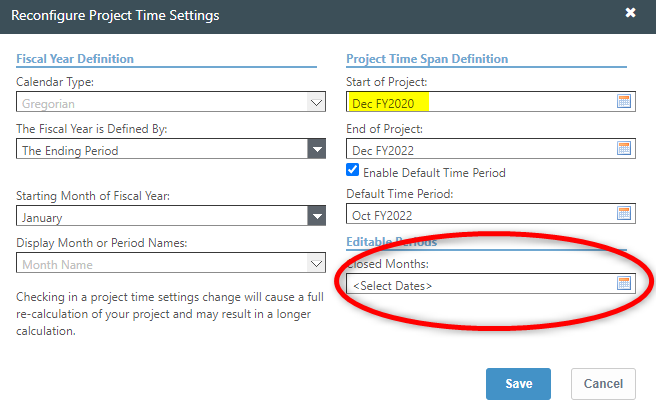 The Start of Project field controls the months that are online. You will not be able to select any period prior to that date:
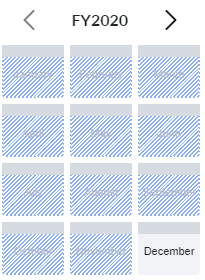 In our case, any month prior to DEC2020 appears grayed out.
You can also lock months (the field in the red bubble). This means you won't be able to load any further data, but I believe the system might still calculate them.
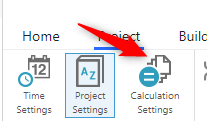
2) In Calculation Settings:
Here you can select the periods for which reports will be pre-calculated:
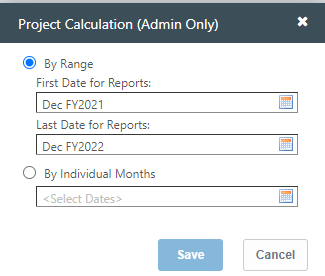
With those settings, I have about 2 years worth of data online, but if I want to go before DEC2021, Apptio will warn that it'll have to calculate in real time.
IMHO, three years is way too much. I would advise to export the data for the reports you need-those that give the actuals, budget, etc.-and load the data to a static table, as I explain in the blog post. Then you can move the Project Time Settings to something closer to the present.
------------------------------
Regards, Guillermo
Original Message:
Sent: 11-22-2022 11:43
From: Mario Luque
Subject: How to freeze data?? How to change the year?
Hello.
My current customer wants to have the CT data open for 3 years to be able to compare budgets/actuals etc from several years etc.
Any good practice to not calculate that information continuously? How can we take the information for a month / a year so that Apptio does not recalculate it? Any best practice to freeze the data?
Any good practice how to make a change of year? Jan 2023 in one month
Thanks for your help!!!
#CostingStandard(CT-Foundation)
#BillTheTBMGuy