Hi @Michael Shamsiev
Hope you are doing great. There is a workaround for your requirement mentioned above.
Let's say your depreciation raw data looks like this for the year of 2016.
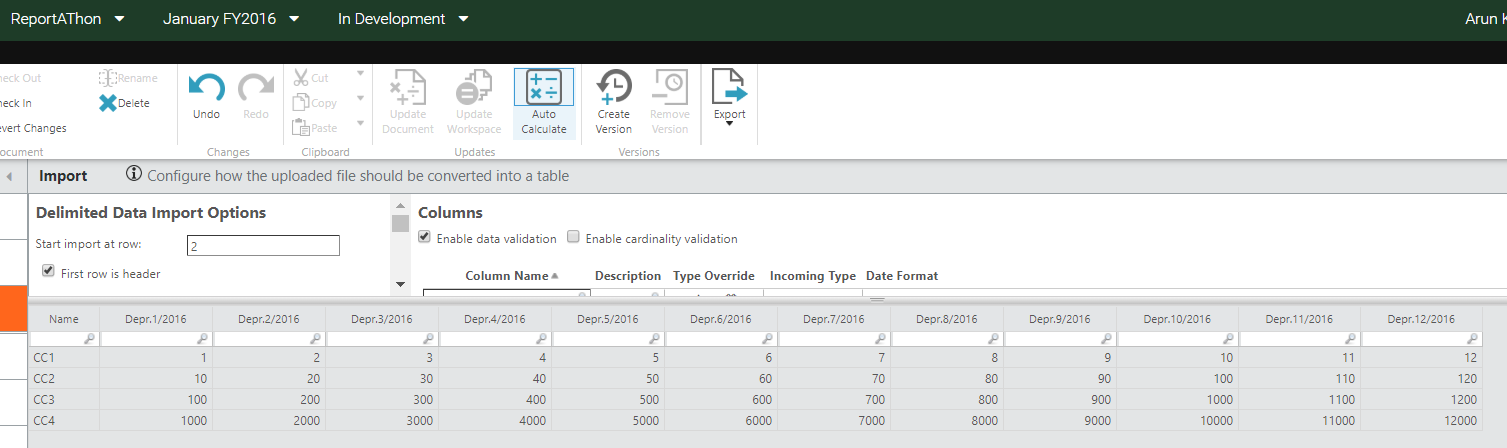
please use following steps to achieve the automated split of these monthly depreciation amounts irrespective of the year of reporting, I have used here 2016
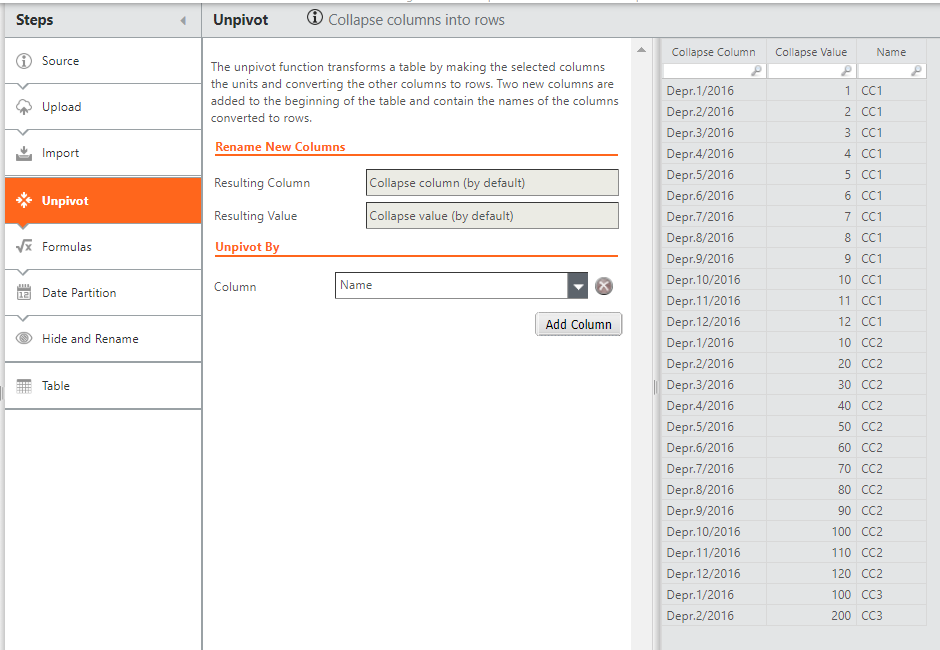
1. Un-pivot
Add an Un-pivot pipeline and select the label column to unpivot by, in this sample data I have taken it is "Name" column. so that result data looks like this
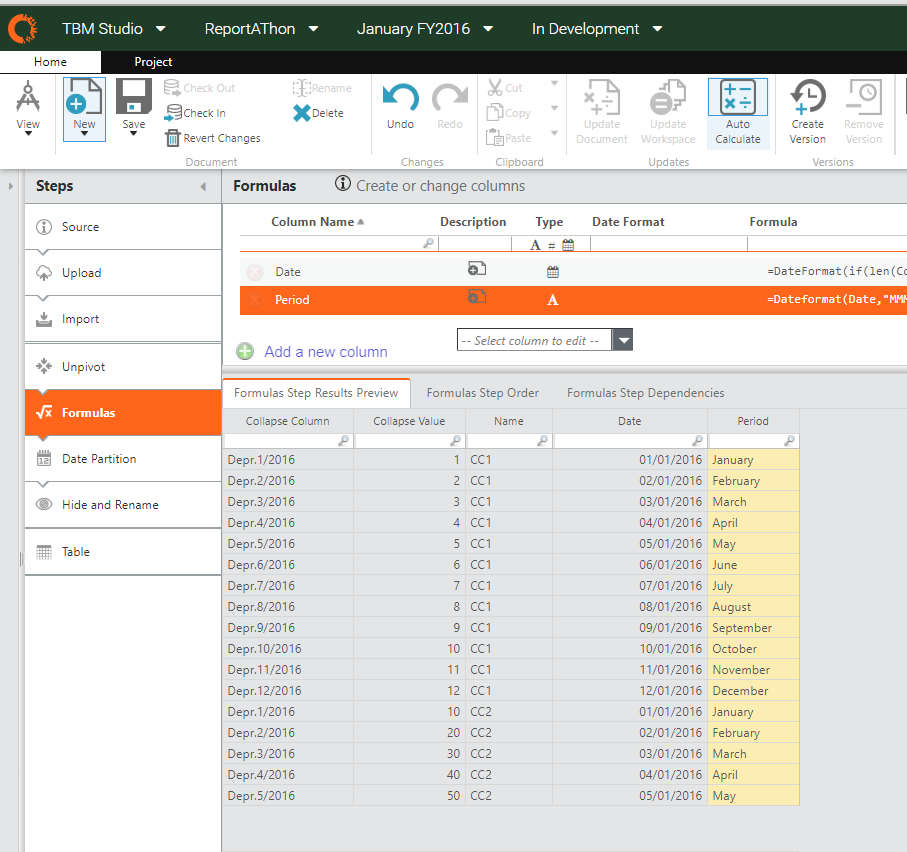
2. Generate the month value, out of the depreciation period column names "Depr.MM/YYYY". using below two formulas
- Date =DateFormat(if(len(Collapse Column)=11,"01/0"&(Right(Collapse Column,(len(Collapse Column)-5))),"01/"&(Right(Collapse Column,(len(Collapse Column)-5)))),"DD/MM/YYYY")
- Period =Dateformat(Date,"MMMM")
so, the result would look like below
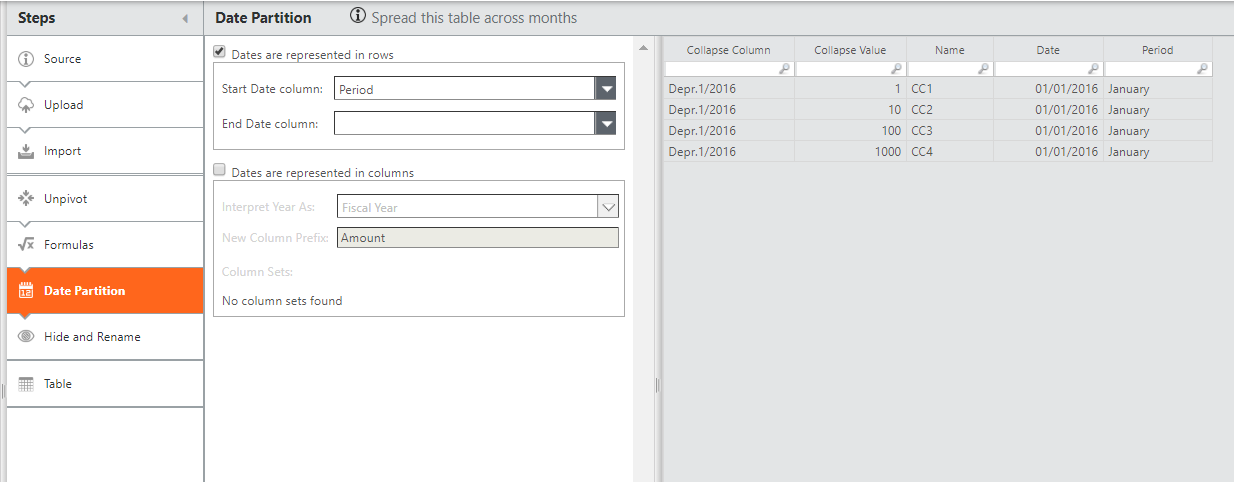
3. Apply date partition over the Period column generated earlier, which is basically the month of the financial year
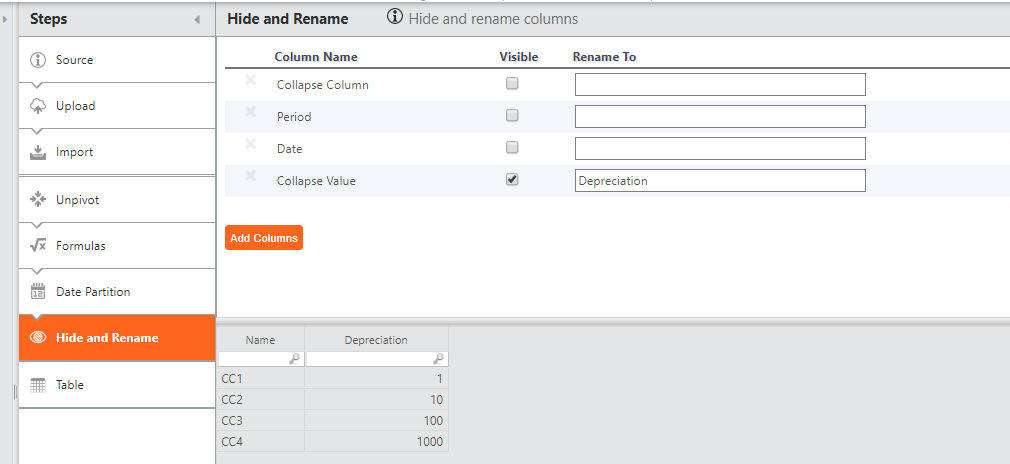
4. Hide the unwanted columns, and rename the collapse value to Depreciation
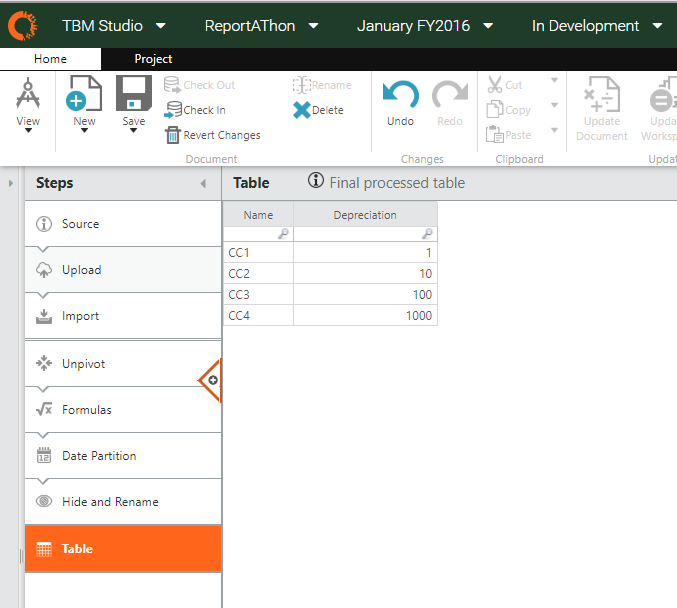
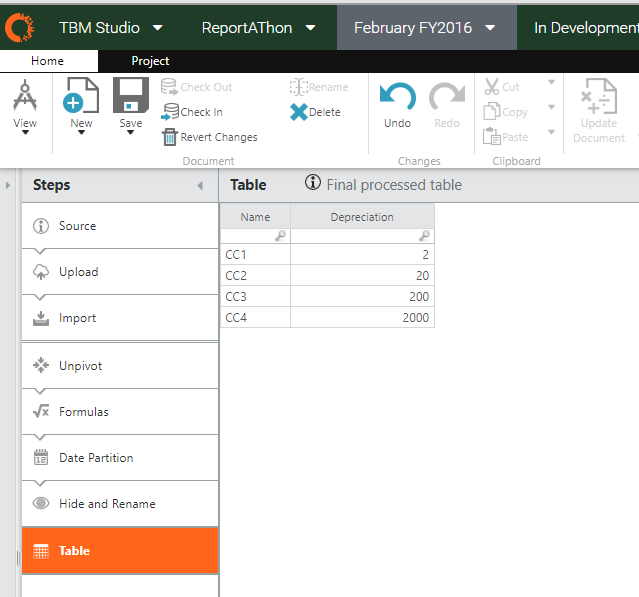
5. The final result would be
Jan'16
Feb'16
Hope this would help.
-Arun Kumar Bondu