IBM Apptio

Apptio

A place for Apptio product users to learn, connect, share and grow together.


#Aspera
#Apptio
#Automation
#FinOps
#Apptio
#ITAutomation
 View Only
  • 1.  HOW DO YOU CREATE A REFERENCE TABLE

    Posted 05/09/16 12:39 PM

    HOW DO YOU CREATE A REFERENCE TABLE


    #ApptioPlanning(ITP/ITFMF)


  • 2.  Re: HOW DO YOU CREATE A REFERENCE TABLE

    Posted 05/09/16 12:51 PM

    Each reference table has a default template, available by selecting Reference Data at top left:
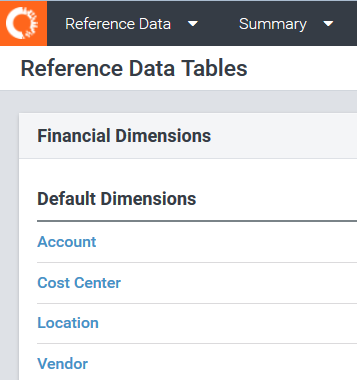
    reference_01.PNG


    This link has detailed examples of uploading cost centers.


    In addition to the existing default templates for financials, labor, contracts, and assets, you can create one or more custom dimensions by uploading additional reference tables.This link has additional details.


    #ApptioPlanning(ITP/ITFMF)


  • 3.  Re: HOW DO YOU CREATE A REFERENCE TABLE

    Posted 05/20/16 02:49 AM

    To create a reference table (also known as a custom dimension), first create a new custom dimension, then click on the dimension to edit its schema (add columns).  Once done creating the table, you can populate it with values by uploading a CSV file. 


    Don't forget to Publish your reference table (dimension) after you're done making changes - otherwise it's not visible to the rest of the system!


    dim.png


    #ApptioPlanning(ITP/ITFMF)