A place for Apptio product users to learn, connect, share and grow together.
I'm trying to add a custom column to the Vendors Master Data, so that I can pull in the appropriate information from the three source data sets. However, Apptio (R11) will not let me create a new custom column in the master data. The "New Column" button is greyed-out (image below). Even going back to the time period when the master data was created, the button is not available. How do I add this custom column to Vendor Master Data?
Unmaster the data set. Add the column and then remaster,
You could un-master it but this is generally frowned upon.
Better still, the column you want should instead be in one of the tables that append to the master data table.
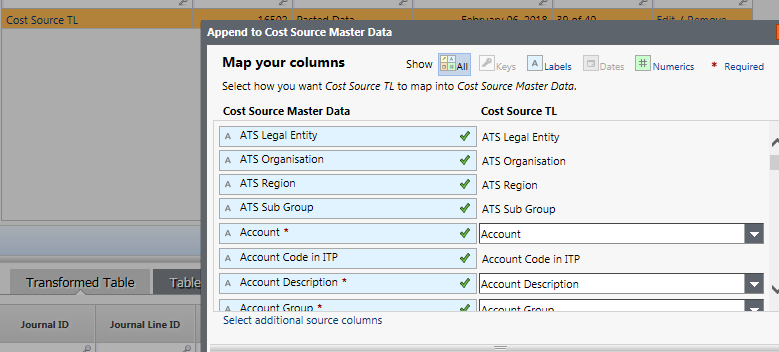
Click the "Select addtional source columns" link to open and choose.