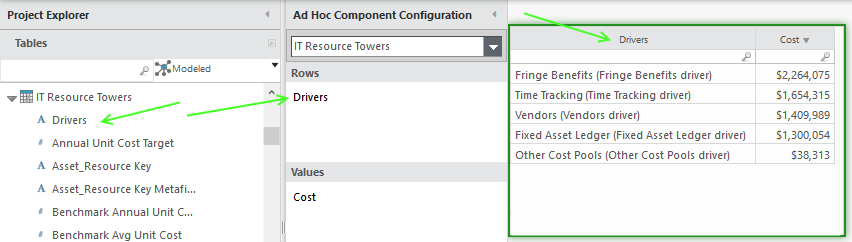
OPTION 1: All drivers in one table (one driver per row)
(top) Ribbon > Report > Table.
(left) Project explorer > Tables > Applications > Drivers: Drag to Rows.
(left) Project explorer > Metrics > Cost: Drag to Values.
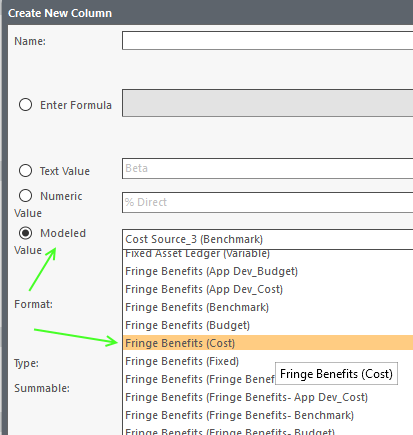
OPTION 2: Select individual drivers (one driver per column)
(top) Ribbon > Report Table.
(left) Project explorer > Metrics > Cost: Drag to Values.
(top) Ribbon > Data > Insert > Insert formula column.
(center) Modeled value: Locate entries ending in (Cost).