Agree that this should be added to the Apptio ideas section, since it'd be nice to specify the marker shapes within the report studio.
For the time being, here's a trick that may be potentially useful:
Apptio is delivered as a SAAS application, which means that to view it you have to use a web browser. Most major web browsers (IE, Firefox, Chrome) have a tab for web developers to use, which contains a scripting console which allows the user to modify the page using Javascript. In this example I'll use Firefox as the browser, but the content should hold constant for other browsers as well.
1) Navigate to the page which contains the graph you would like to modify.
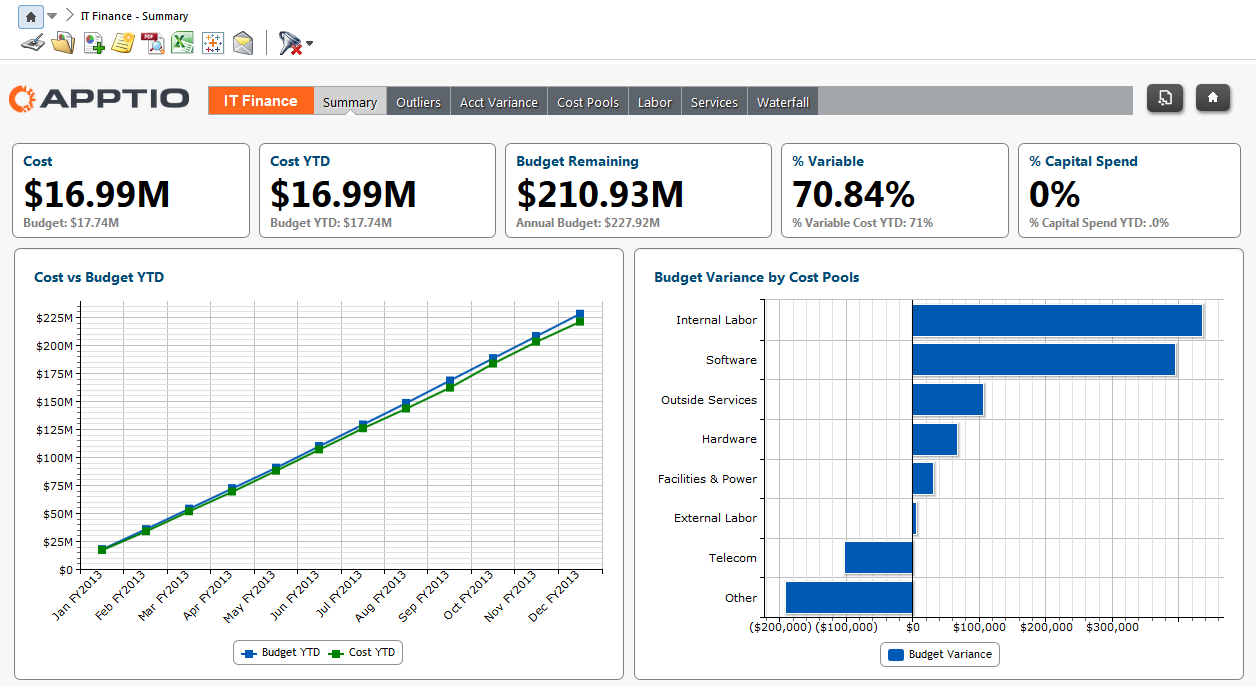
2) Match the color of the graph that you are trying to modify--some tips to do that are here:
[+] STUMPER: Exact color match in report
Also, the default Blue/Green used in Apptio out of the box reports (and seen in the example) are:
Blue: #0059b3
Green: #008000
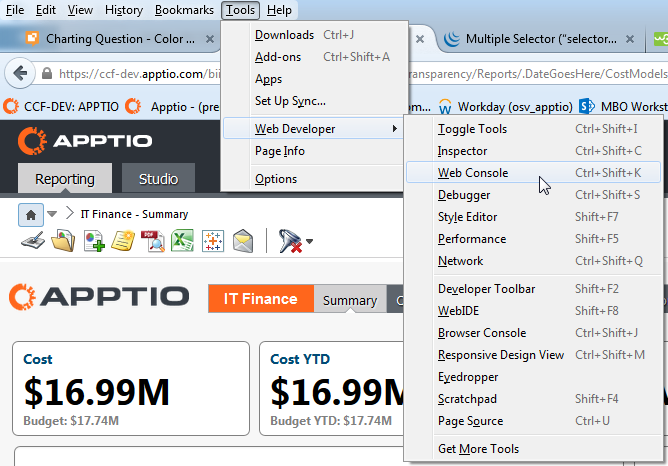
3) Open up the web console (In Firefox it's listed under Tools -> Web Developer -> Web Console, you can also press "CTRL + SHIFT + K")
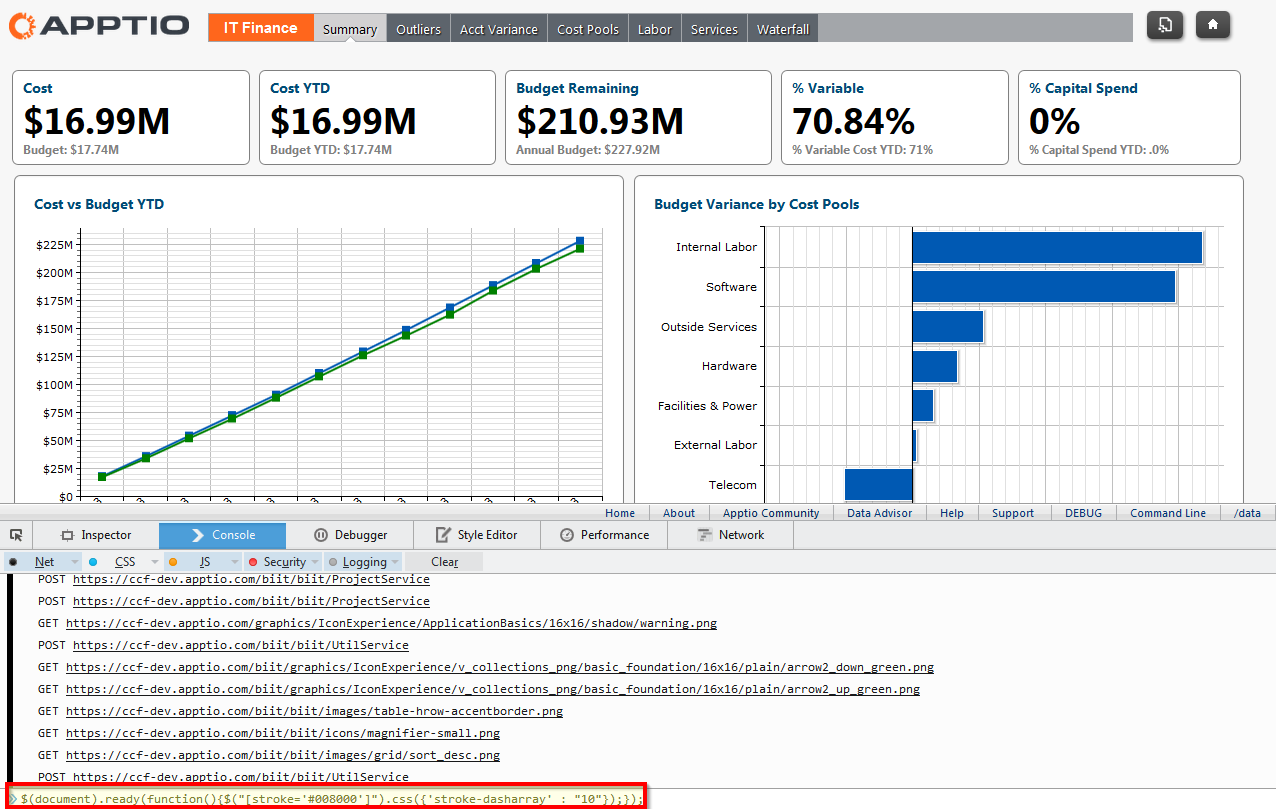
4) Paste the following JQuery scripts to modify the graph, then hit "ENTER":
$(document).ready(function(){$("[stroke='#008000']").css({'stroke-dasharray' : "10"});});
The text highlighted in red are the pieces that will change the line, the first is the hexadecimal value to find the line to change, and the second is the thickness of the new dashed line.
$(document).ready(function(){$("path[fill='#0059b3']").css({'fill' : '#000000', 'stroke-width': '3', 'stroke': '#0059b3'});});
The text highlighted in red are the pieces that will change the markers, the first is the hex value to find the markers to change, the second is the new color of the marker (if you want it to remain the same, keep it as the first hex value), the second is the size of the new border, and the last is the color of the new border).
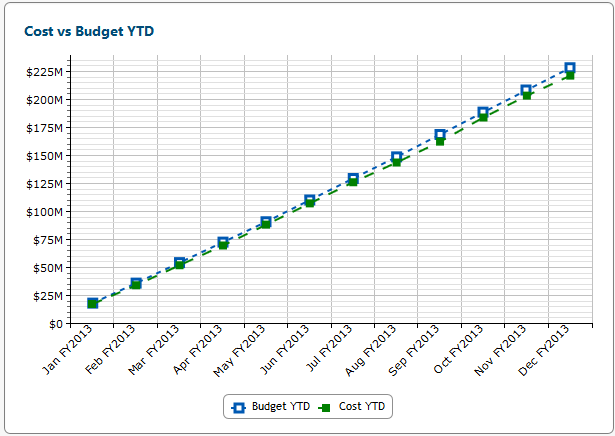
5) Not a perfect solution, but now there is some definitive differences in line visibility that should be more accommodating to the color-blind. Note that these changes will not be saved once the page is left.
Hope that helps at least in part!
-Michael Verkruyse