Kyle,
Depending on how you would like to see the costs you could do the following. I am assuming based on the comment that you pushed other costs to the Servers Object (i.e. Storage, Data Centers, and Delivery) you could do it a couple of ways.
1. You could create a report starting at the Servers object and drill down to the IT Resource Tower \ Sub-Tower to show the breakup of costs for each server. This way it will show the Data Center, Storage, and Delivery costs (not to mention the compute costs).
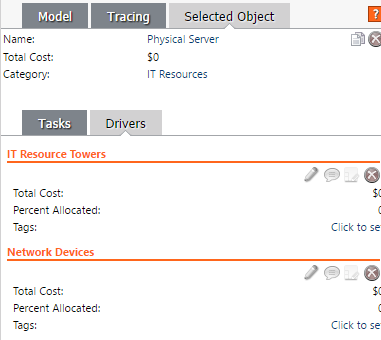
2. If you wanted to see which costs were coming to each object without drilling to the IT Resource Towers you could pull in the Drivers (and pull in the Storage driver, Data Center Driver, and Delivery Driver (from the IT Resource Towers)
Here is where you can find the driver. If you select the object (i.e. Servers) you can see all the drivers that are sending cost into it.