Molly,
Even though you can put the "TRUE/FALSE" values into one template with all of your line items, ITP is looking for them to be uploaded via 2 different methods currently.
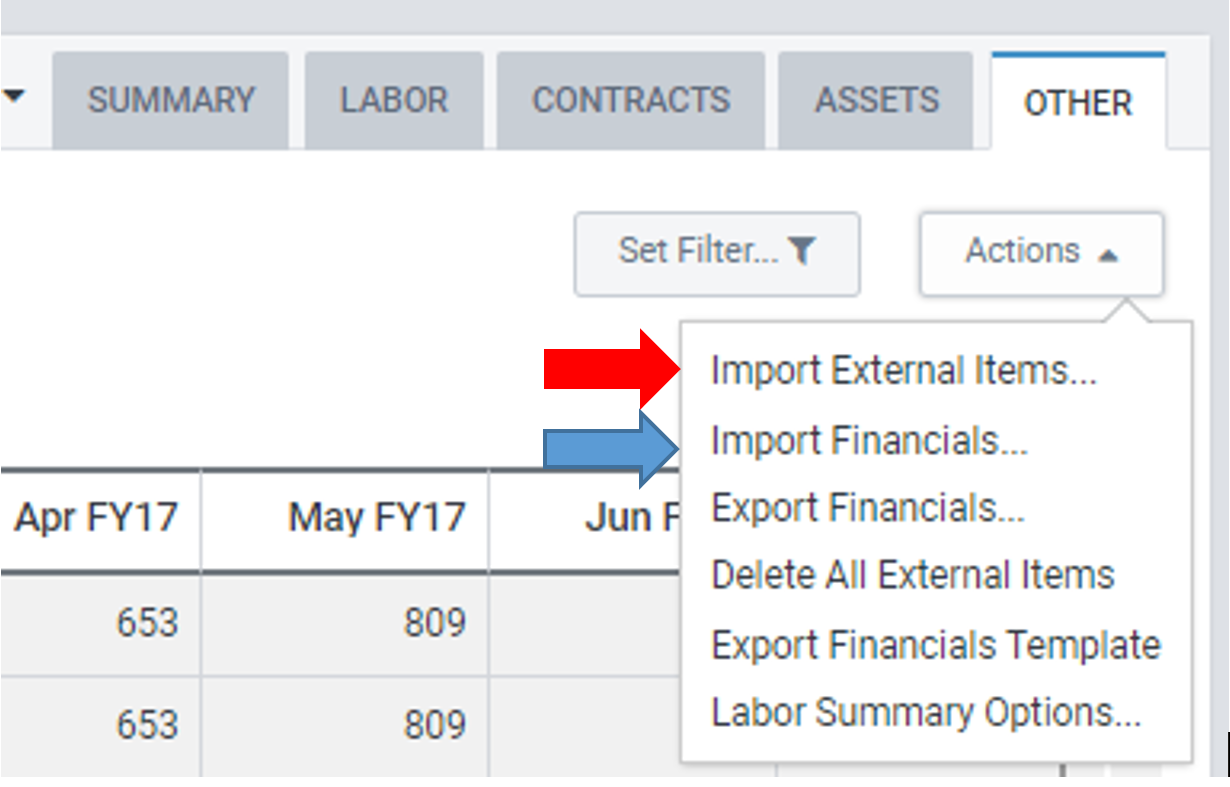
You can import all of your line items with that field marked "FALSE" using the "Import Financials" option (Blue Arrow). You will still get the error saying "Items marked as External will be omitted" but this will get all of your editable lines into ITP.
Now you can import all of your line items that are marked "TRUE" using the "Import External Items" option (Red Arrow). This will give you a similar error as to what you got before but this time it will say that it is omitting items marked as Non-External.
One thing to keep in mind; make sure you are appending your data and not replacing all data. You don't want to loose anything that you have already uploaded.
Hope this helps!