Once your function returns some data, you might want to publish a datatable in your post-process script.
In addition to that, it might be a good idea to create a menu item for your datatable. For example, a menu item to create an artifact based on the selected row of the datatable.
These are the steps to create a menu item like that.
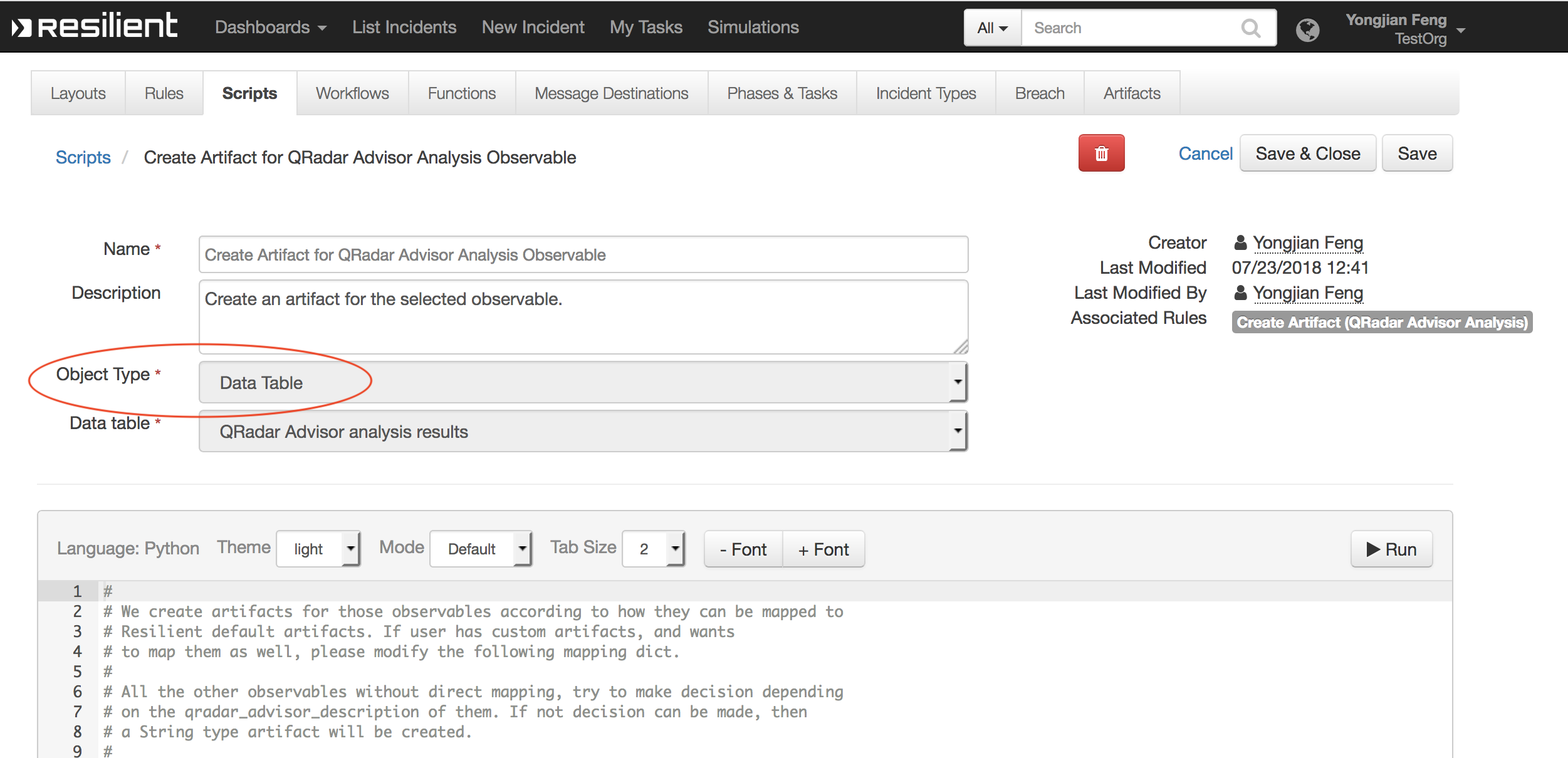
- create a script, and select object type to be datatable. In this script, you specify what you want to do when the menu item is clicked. For this particular example, an incident will be created based on the selected row.
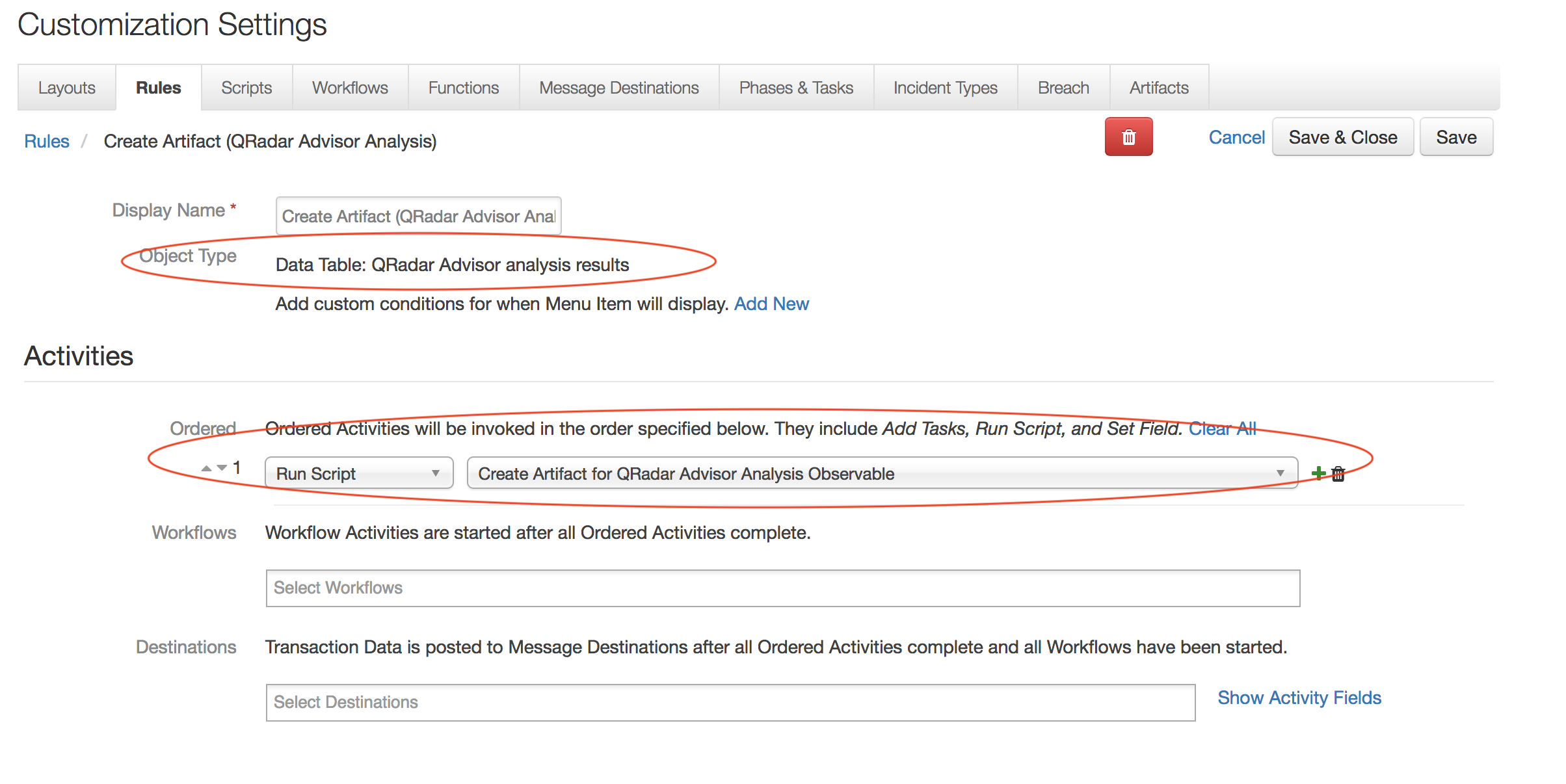
- create a rule, with Object Type = Data Table, and pick the datatable name of the datatable you want this menuitem for. Then add an Ordered (activities), and select "Run Script". Pick the script you created above.
- Once you publish the corresponding datatable in the post-process, a menu item will be added automatically.
------------------------------
Yongjian Feng
Software Engineer - IBM Resilient
------------------------------