Hi Lacey,
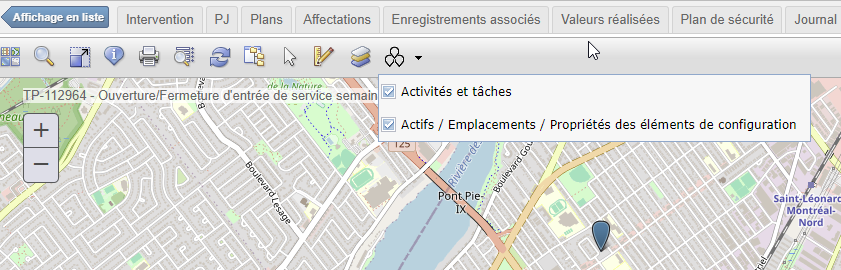
Yes, I have already checked that box in the application designer for the WOTRACK application.
The button for the fonctionnality appears on the map tool bar, but it does not do anything.
As you can see, both boxes are checked:
But no pins are displayed for the assets:
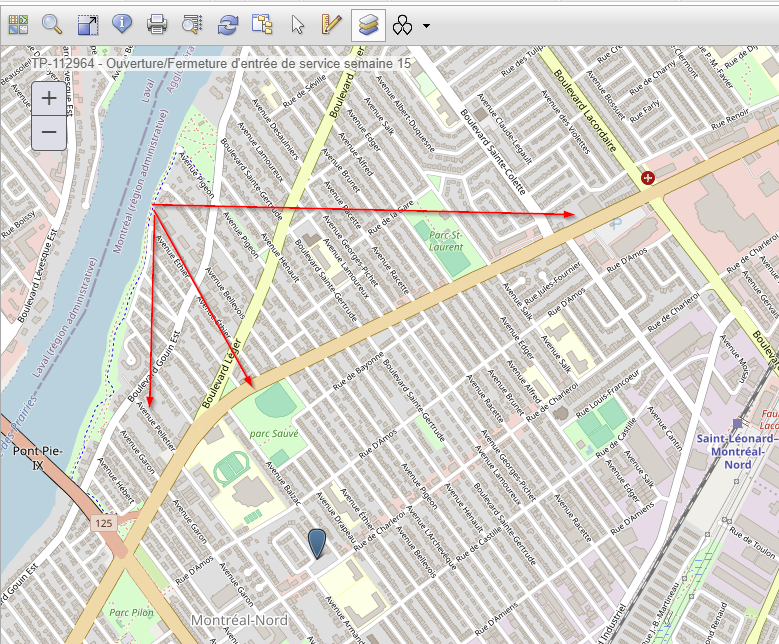
If I look at the assets from the Asset application's map, I see that they should have a pin where I added the red arrows.
The pin that we see is associated to the service address of the worklocation on the work order.
I'm wondering if we are missing some configuration somewhere.
Thank's again for your help.
------------------------------
Gaétan Savard
------------------------------
Original Message:
Sent: Mon March 04, 2024 09:27 PM
From: Lacey Lurges
Subject: New Map Tool - WORelatedRecordsTool
Let me research why the Configure Map Tools option doesn't appear in Map Manager. I have had this happen in some of my environments as well. I believe there is a script that didn't get run during a past upgrade. I'll reply back with an update. We added this ability to Configure Map Tools in the Map Manager application in the past few years.
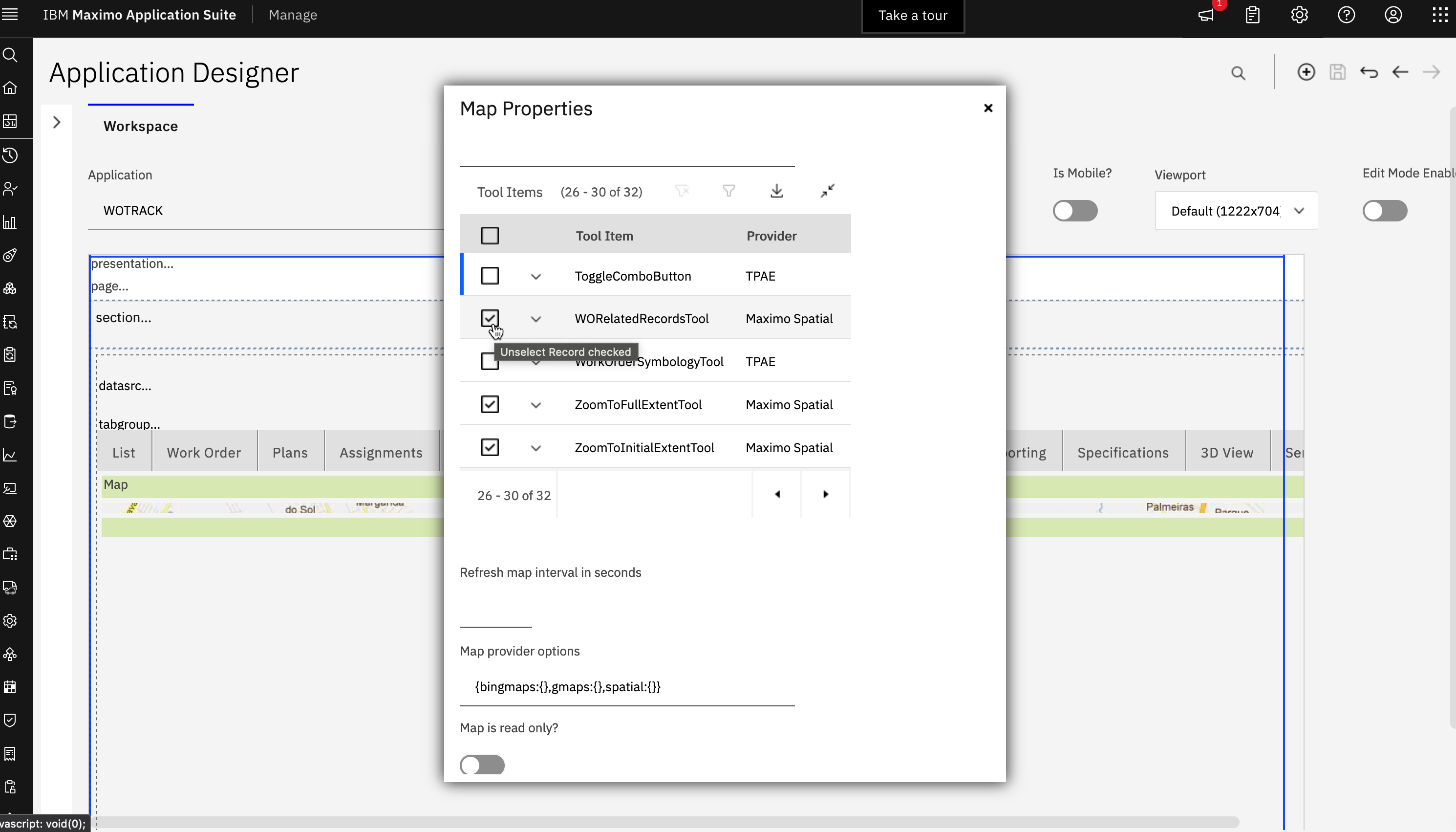
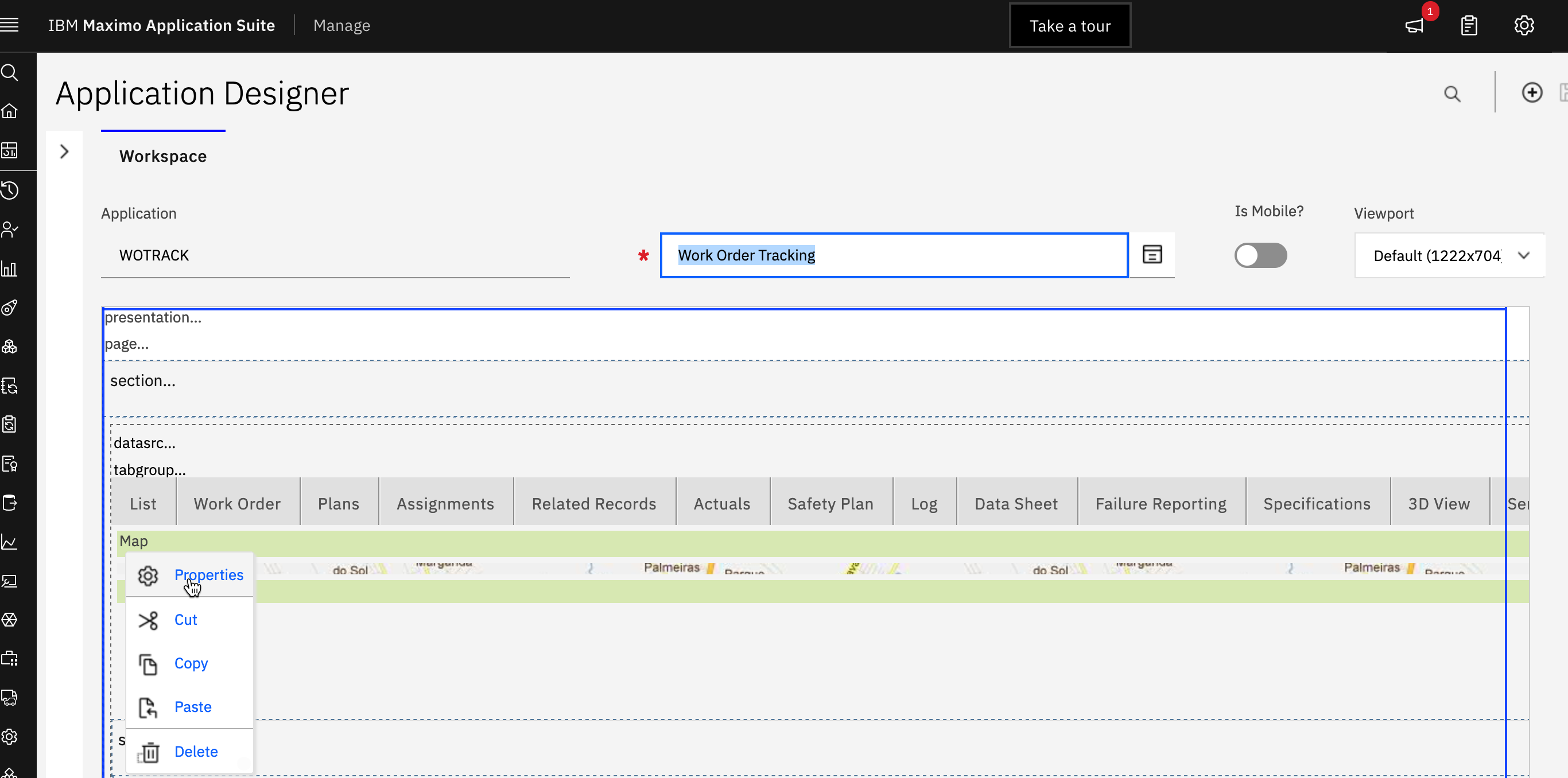
For now, you can enable map tools in Application Designer - this is where you originally had to complete this task before we also added it to Map Manager to make it easier. Open the XML for the Work Order Tracking application. Open the Map tab. Left click on the Map control then right click and select Properties. In the Map Properties dialog, scroll down until you see the Tool ITems. Turn on WORelatedRecordsTool and save your application XML. You should now see the new tool in the Map toolbar when you go to the Work Order Tracking application.
------------------------------
Lacey Lurges
------------------------------
Original Message:
Sent: Mon March 04, 2024 04:23 PM
From: Gaétan Savard
Subject: New Map Tool - WORelatedRecordsTool
Hi Lacey,
Here is the version of Spatial we have in one of our test environments, wich is at Maximo 7.6.1.3, Spatial 7.6.1.1:
IBM Maximo Spatial Asset Management 7.6.1.1-20240116-1849 Build 20220818-2016 DB Build V7611-24 HFDB Build HF7611-21
I'm looking for this 'Configure Map Tools' option in the Map Manager, but I can't find it:
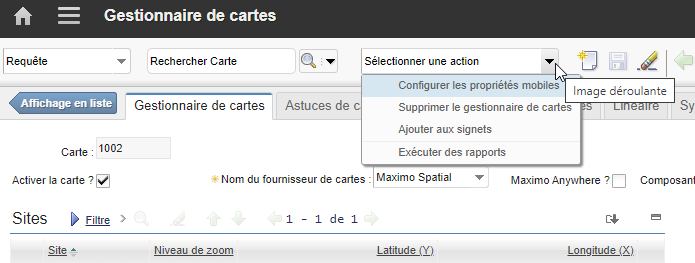
I verified the MAXADMIN security group and it has every single security option checked for the Map Manager application.
Can you tell me the name of this SIGOPTION, so I can verify if it is missing.
Thank you for your help.
------------------------------
Gaétan Savard