Hi
@Ray Williams,
Cognos also offers complex filtering using Query filters.
Most of the advanced users prefer to use this option.
High level steps -
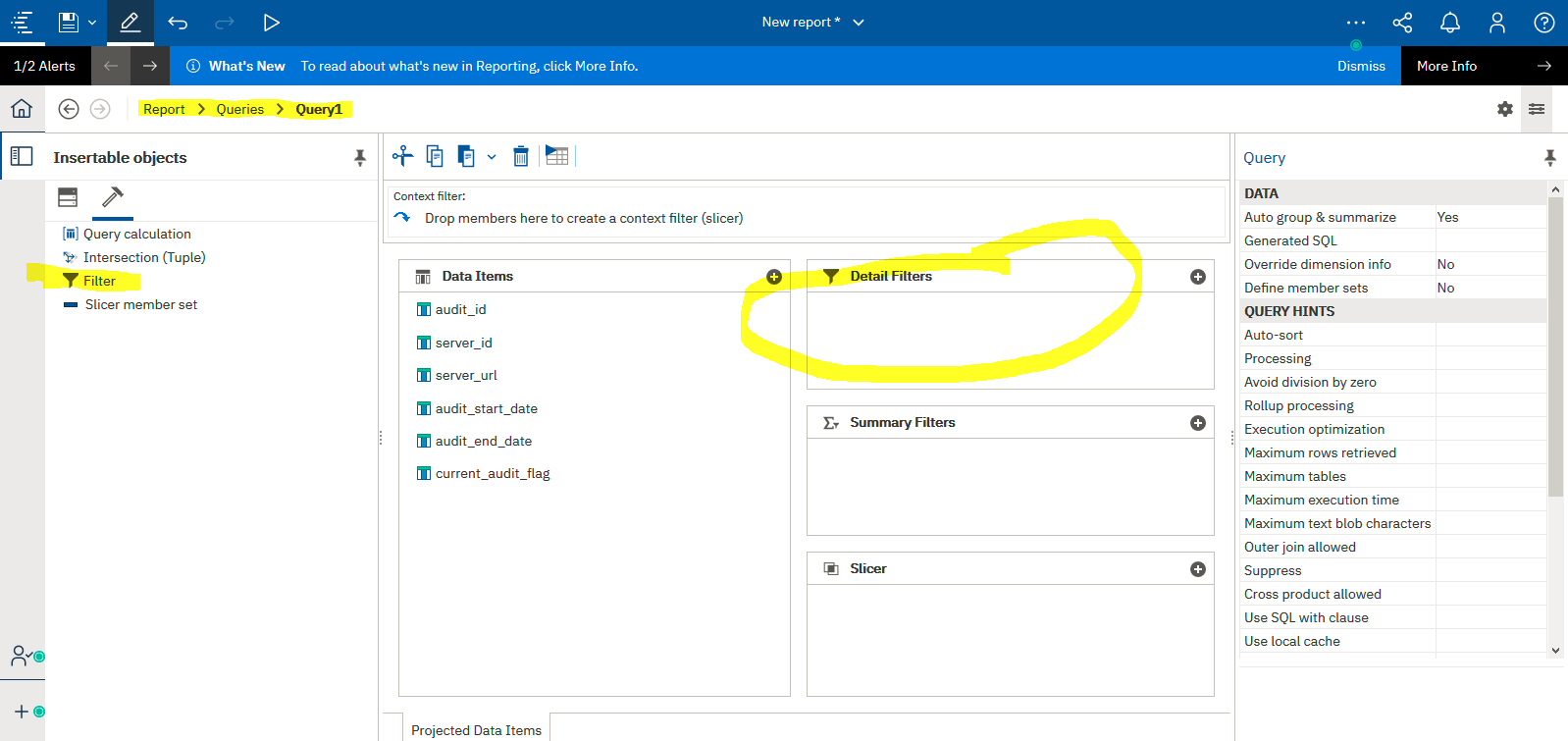
1) Go to Query Explorer
2) Double Click your Query
3) Drag and Drop "Filter" option from tool bar to Filter section
Please see screenshots for your reference.
PS - The screenshots have been captured from CA 11.1.6.
UI may differ in your environment if you are using any older version.
------------------------------
Dinesh K. Dhiman
BI Architect,
IBM Data and AI Experts Labs | India Software Lab Services
------------------------------
Original Message:
Sent: Tue July 14, 2020 10:25 AM
From: Ray Williams
Subject: Looking for Quick References - Background in BusinessObjects
Makes sense. I do have a specific question. In both BusinessObjects and Cognos Reporting they have report Filters that work in similar ways, however in BO you can also implement more complex filters using Query Filters (Edit Data Provider -> Query Panel -> Query Filers). Is there an equivalent functionality in Cognos Reporting?
Thanks
------------------------------
Ray Williams
------------------------------
Original Message:
Sent: Tue July 14, 2020 08:44 AM
From: Jonathan McKnight
Subject: Looking for Quick References - Background in BusinessObjects
Google will probably be your best friend for a while. It would be difficult to do any kind of a cheat sheet because the two platforms are quite different, so it may be better to ask more specific questions.
------------------------------
Jonathan McKnight
4x IBM Champion, Data and Analytics