Hello Jayakumar,
For your use case, there are two steps.
1. Create a script to do what you want. This can be done by going to Customization Settings->Scripts. Click "New Script". It is a python script that you will create. Most likely you want to generate a report based on the incident being closed, and then attach it to an email to a person? If this is what you want, we can discuss it further. Note here we call this script "test".
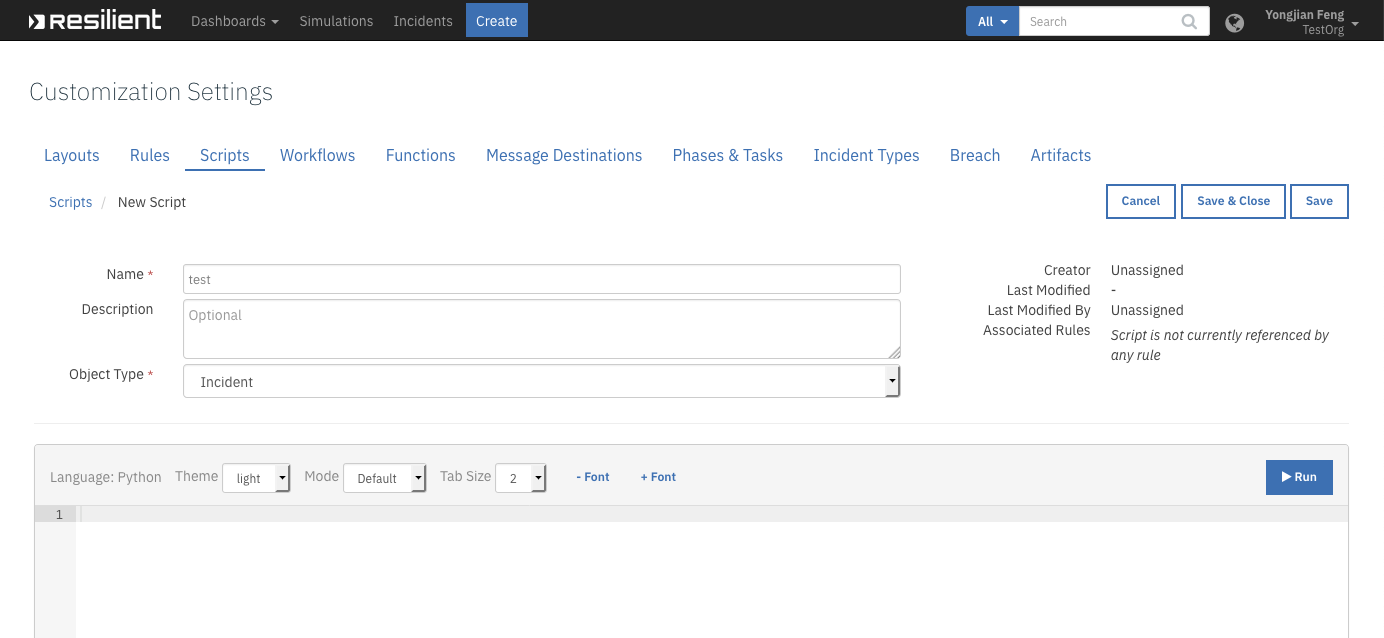
2. Create an automatic rule that will be triggered when a severity High incident is closed. This can be done by going to the Customization Settings->Rules, and then New Rule->Automatic:

Make sure it is an "Incident" Object Type. Then under Conditions, click "Add New":
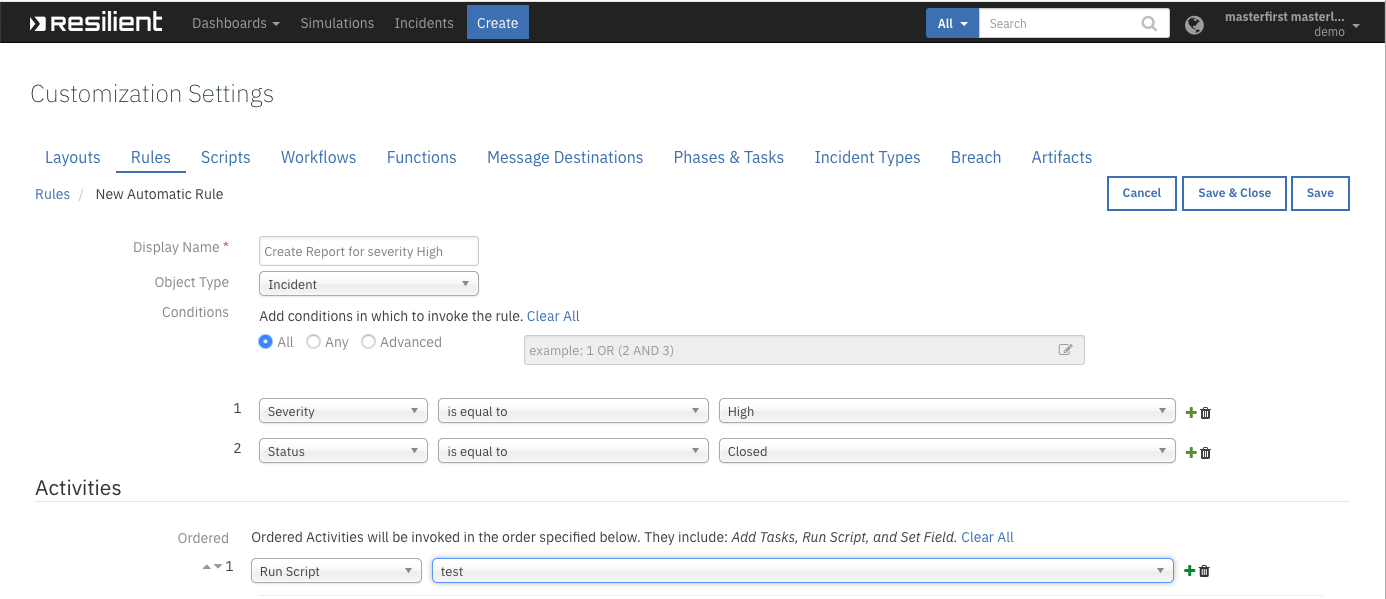
Then in under Activities->ordered, click "Add New", and then select "Run Script". Then you can select the script you created. In the above example, when a High severity incident is closed, it calls the "test" script we created above.
Thanks,
------------------------------
Yongjian Feng
------------------------------