♦ Applies to: Apptio TBM Studio R12.2+, v12.3+
 | Apptio Uplifted Content This topic was contributed by Apptio expert and Technical Engineer @George _. |
You may want a table that combines system-generated data with data that is entered or edited. This is called an Enriched Table or Generated Table.
To create a Generated Table
- In TBM Studio.
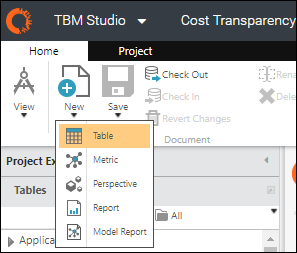
- On the Home tab, in the Document group, click New, and then click Table.
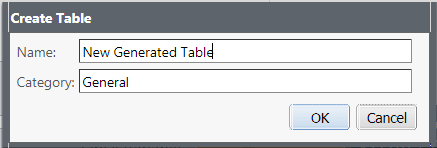
- In the Create Table dialog box, name the table and then click OK.
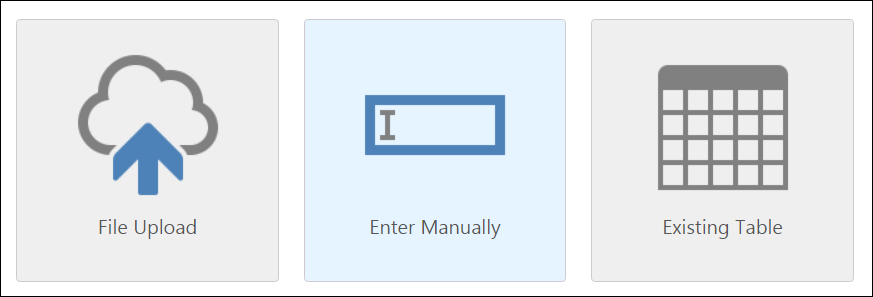
- After the new table opens, Enter Manually in the Source step
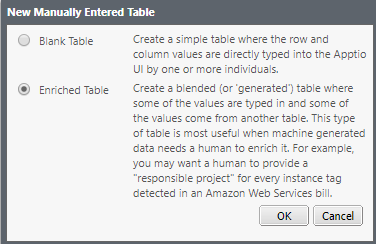
- In the New Manually Entered Table dialog box that appears, click Enriched Table and then click OK.
- Select the the Source Data Set, Primary Key Column, and Columns to Include values you want.from the source table.
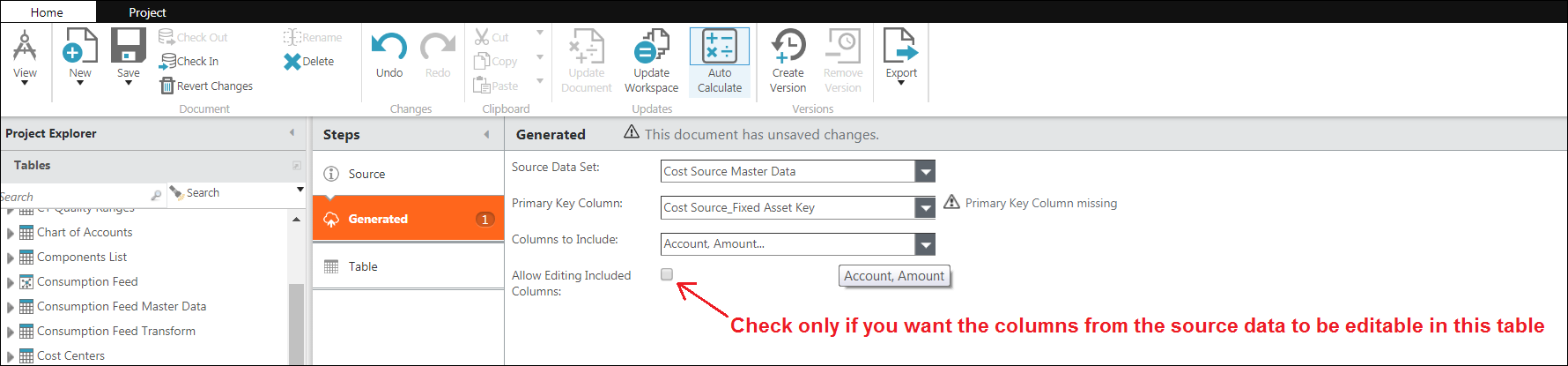
- Now, you may edit the table as needed.
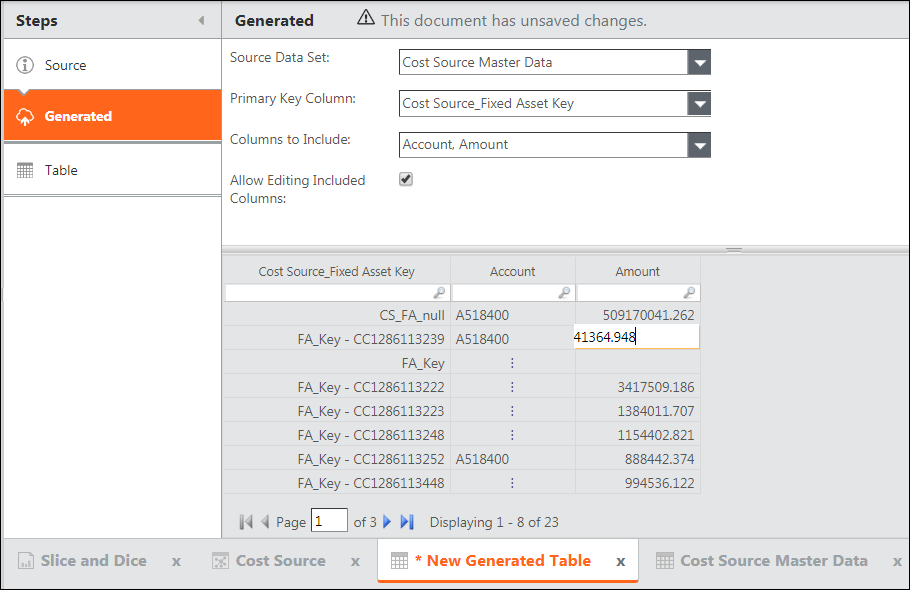
To add editable columns to the generated table
- On the Generated step, right-click on one of the columns and select Insert Editable Column.
- Name the column, and then click OK.
NOTES
- The "Advanced" caret will display the Expose for GRIDWEIGHT option. This is an advanced option used for complex allocations. Please check with your Apptio consultant for more information.
- Use Generated Tables with care. Your goal should always be to keep your data progressing forward from its source so that new data, entered at the GL level, will continue to flow up the model.
- Be mindful of the update flow:
IF YOU START WITH tables and reports that are dependent on the data in columns of a source table for your generated table, and you have made edits to the data in source table (uploaded new data),
AND YOU make edits to that data in the generated table,
THEN the tables dependent on the columns in the generated table will not be updated with the new data in the source table.