Hello Prashant,
This is now covered by the built-in documentation feature in Canvas since version 9.3.1.
You can create a unified HTML or PDF document containing multiple DMN models from Canvas in BAMOE. This enhancement improves usability for projects with complex decision models composed of several DMN files.
Procedure
To generate unified documentation:
-
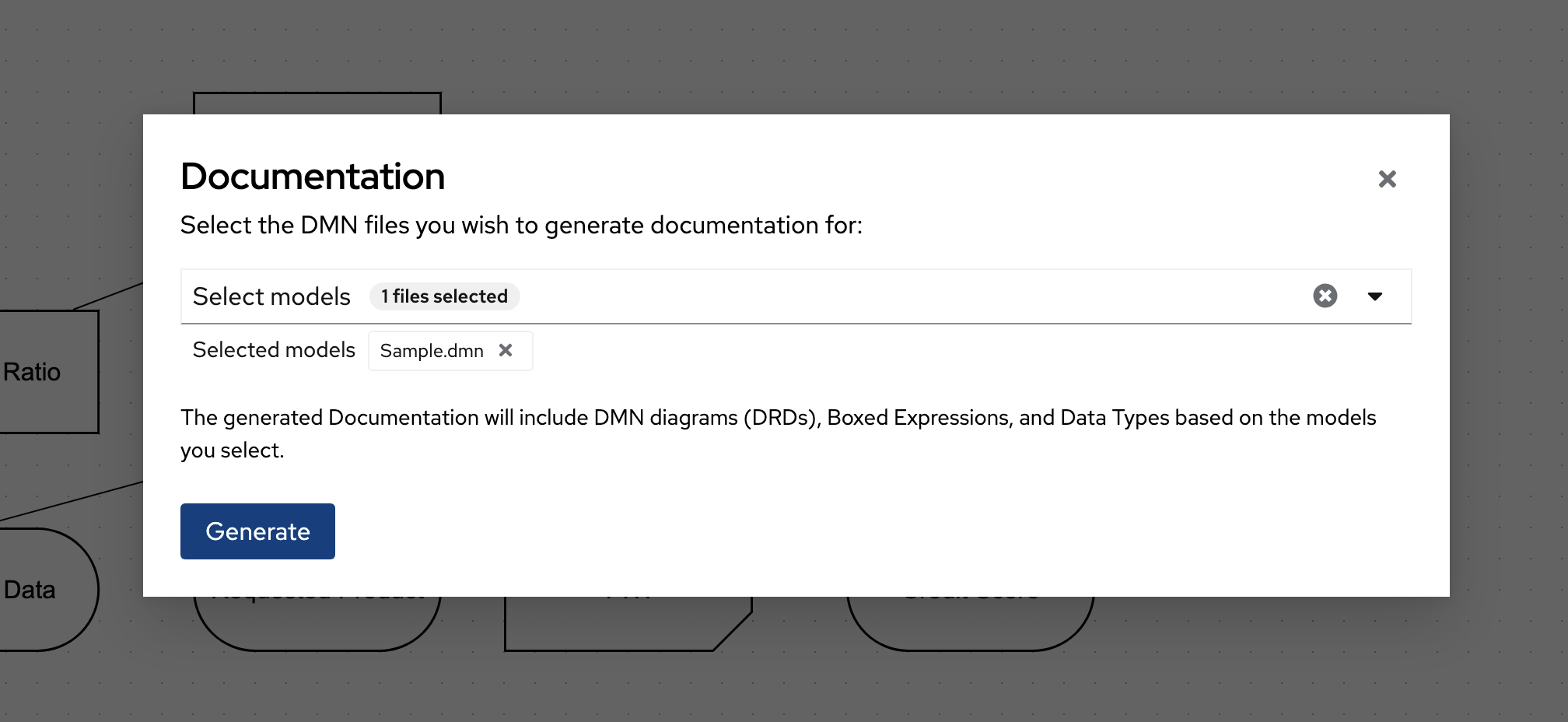
Open the DMN editor and select Documentation from the Share dropdown in the toolbar.
This action launches a dialog that lists all DMN models in the current project.
-
Select one or more DMNs to include in the document.
The Generate button becomes active once you select at least one file.
-
Click Generate to open a new browser tab with an HTML preview of the document.
The preview displays visual representations of all DRDs for each selected DMN, arranged sequentially with their expression language and namespace. Below the DRDs, the preview shows boxed expressions from decision and BKM nodes. These expressions cannot be editable and duplicate expressions are removed for clarity. Each node includes questions, allowed answers, and documentation links. The document also lists all data types with their corresponding type and constraints in a structured format.
-
To export the document, use the Print button located at the top-left corner of the preview page.
You can print the document or save it as a PDF using the print functionality. The generated document will include DMN diagrams, boxed expressions, and data types, compiled from the files you select. Each selected file contributes its content to the final documentation.
https://www.ibm.com/docs/en/ibamoe/9.3.x?topic=scenarios-authoring-decisions-dmn#pdf-docs