Apptio for All

 View Only

 Model Allocation Capabilities

Jump to  Best Answer
  • ApptioforAll
Apptio Community Member's profile image
Apptio Community Member posted Fri July 15, 2022 09:02 AM
Hey everyone,

I'm doing some strategy work around optimal allocation strategies and and was wondering what your experiences are.  

What is an acceptable row count to have pushed through the model (Pre - Post) that still offers high performing? Other than reducing granularity, what have you been able to do to imrpove model performance?  


#ApptioforAll
Renee Daignault's profile image
Renee Daignault  Best Answer
Hello Mac - @Jenny Franklin is spot on! 

I do have some additional information for optimal allocations. 

  • Apptio best practice is to keep allocation rows under 500k. There are many reasons for this. 
    • Allocation lines without data relationships and/or over 500k are problematic. Calculations based on source row count X destination row count. Even if you have a filter on the to and from it does not affect the calculations across rows. The 2 ways to affect the calculation on rows is granularity or data relationships. Granularity can play a huge factor here but depending on the object, other allocation lines and reporting needs objects are not always as simple as reducing the granularity. In situations like where you cannot change the granularity, I would would introduces keys to help consolidate the counts wherever possible. 
    • Reports and drill reports can cause huge calculation spikes because Stage and Production are pre calculated. If you have an allocation of over 500K and a drill through that specific allocation line it will drastically increase your calculation time and cause the report to load incredibility slow in dev or to changes made in the model or report. Especially depending on the amount of time a project has open. 
      • If you have 3 years open and 1 drill path is taking 1 minute to calculate per month. It is taking 36 minutes for 1 report. Not including any other reports or models. 
    • Instead of having 1 really large allocation that is many to many. Try to break down into multiple allocation lines.
  • If Statements with nested lookups can cause huge performance issues. 
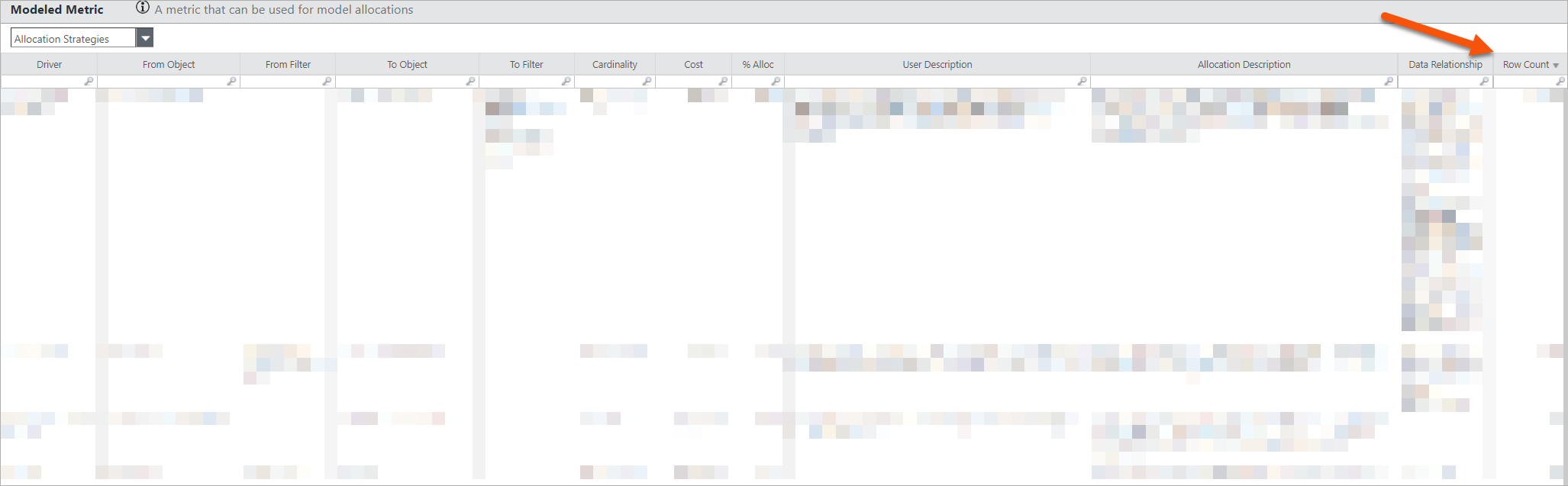
  • Modeled Metrics - It is easy to only think of Cost when we are troubleshooting model performance. Depending on a client and the components installed there could be several modeled metrics. There could be an OOTB allocation line lighting up causing a crazy allocation. Ensuring all allocations for different modeled metrics is key for model performance. Attached is a picture of the reference project and OOTB Metrics. 
  • Data Refresh Cycles - This one might be obvious, if key data sets are set to Ah Hoc but are used monthly in allocations Apptio will see it as data and still run the data. Even if it is for months in the future for the current time period open. 

Hope this helps! Curious to what other folks have experienced!

Renee​
#ApptioforAll
Jenny Franklin's profile image
Jenny Franklin

Hi @Mac Jones, what I usually do is go to the Cost metric, and then select 'Allocation Strategies', which you probably have already done - just adding additional info in case someone needs it...
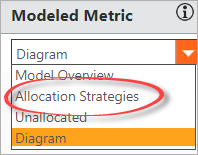

Once you get there, ​sort the Row Count column in descending order, and then target those areas with > 100k rows.  

#ApptioforAll
Jenny Franklin's profile image
Jenny Franklin

@Mac Jones as far as additional tips to improve performance, here's a list of things to check:

  • Number of Allocations (I like to keep it to OOTB as much as possible)
  • Allocation Rowcount (keep it under 100k rows)
  • Blank Data Relationships (ensure you have proper data relationships for your allocations)
  • LookupEx / Tablematch / SplitEx Formulas (keep these in separate Formula steps - one per)
  • Missing Identifiers (ensure all objects have object identifiers - even where a Model step was added for reporting purposes)
  • Object RowCount Reduction

Regarding that last one, I'm not sure of the threshold (maybe someone can hop on and let us know).  But one thing I heard recently was for clients who had >10k rows in a month for Cost Source, their environments were particularly slower than those who had <10k rows.  That may be applicable to all objects (probably), but just heard it in relation to Cost Source at the time.


#ApptioforAll
Jenny Franklin's profile image
Jenny Franklin
Thank you, @Renee Daignault!  Mark Nealy chimed in as well over here - we're getting ​lots of awesome info! 🤩🙌😎
#ApptioforAll
Apptio Community Member's profile image
Apptio Community Member