Platform

 View Only

 Custom Time Periods

Jump to  Best Answer
  • TBMStudio
Steve Bennett's profile image
Steve Bennett posted 07/18/24 10:50 AM

Hi, 

I've searched high and low but no luck, How do I create custom time periods?  I've seen the standard months, quarters, halves etc and what I think are a few customisations, see picture below.

Time section of CT
There's nothing in the Help section either. 
For example say I wanted to create a rolling Year to date comparator, You've got Years(-1,1), but I dont think Year to Date(-1,1) works or even how to create it?
Any insight or help from the Community out there would be hugely appreciated!
THanks
Steve B, 

#TBMStudio
Jenny Franklin's profile image
Jenny Franklin  Best Answer

Hey Steve - you could create a calculated metric - or copy an existing one and modify.

YearToDate function (apptio.com)

Calculated Metrics (apptio.com)

Example: =TimePeriod(Cost YTD,-1)


#TBMStudio
Guillermo Cuadrado's profile image
Guillermo Cuadrado

Hello @Steve Bennett.

Not sure if this is relevant, but there was a vaguely similar question a few days ago: link.


#TBMStudio
Kristine Klein's profile image
Kristine Klein

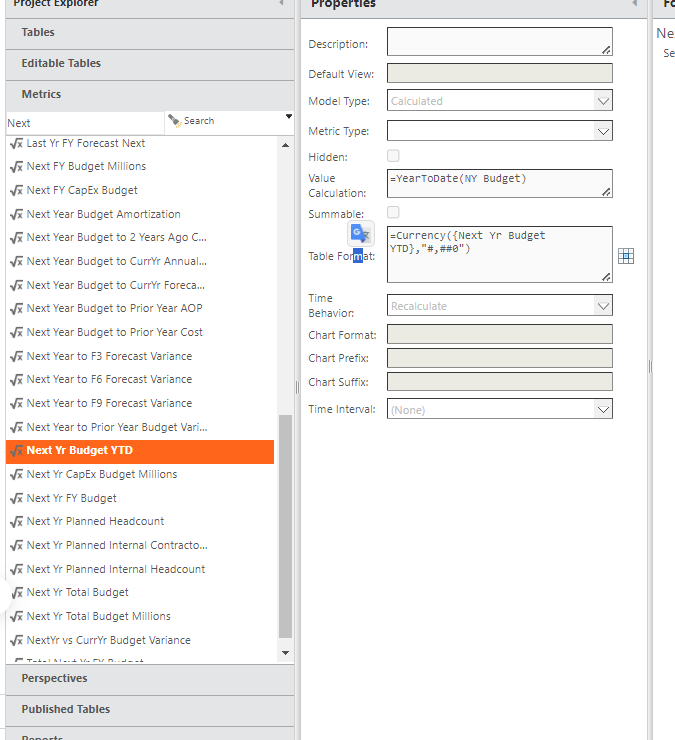
I use metrics as well. For example, I set up metrics for next year because I have custom reporting on budget when it is open. 

#TBMStudio