I understand your concern, and it's a valid point! The concept of Default View is unique to Cloudability users, which can lead to confusion. We will explore various options to improve the user experience, such as implementing tooltips, adjusting terminology, updating Help Center documentation, and more.
Original Message:
Sent: 06-27-2023 14:15
From: Eugene Girolimetto
Subject: Sharing with Optimized Data Source Selection in Apptio BI
Ah, OK, that makes sense, but... "Default View" in this sense is confusing when one considers the "Default View" that appears under the "Views" button at the top of the report, and further the "Default View" preference for each Cloudability user. Some form of disambiguation would be helpful, or perhaps just use separate terminology for the three different contexts.
E.
Original Message:
Sent: 06-27-2023 11:01
From: Curtis Michael
Subject: Sharing with Optimized Data Source Selection in Apptio BI
Hi Eugene, this is by design. The Default View is what you define when making the selection on the dropdown. We used the "Default View" wording because in the future, we look to have the option for users to include report filters when sharing via URL, thus setting the default view for the report URL. It is also encompassing of other data versions, like ApptioOne Plans, so if your report contains Cloudability data and ApptioOne - Plan data, it will allow you to include the View and Plan in the URLs Default View. 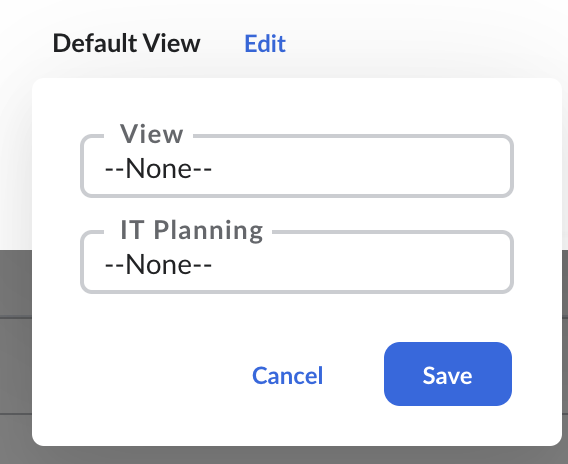
Original Message:
Sent: 06-27-2023 05:07
From: Eugene Girolimetto
Subject: Sharing with Optimized Data Source Selection in Apptio BI
@Connor Kinkead Something is not quite right with this feature (or equally likely I misunderstand how it should work). Using this with Cloudability data source, I click "edit" and I select a view and I save; it ALWAYS displays "Default View" no matter what I select. If I examine the hyperlink, I can see it changes with each selection, ending with "?cost=#####", the View ID being the right one for what I chose.
Thus, the sharing works as intended for the recipient; but the UI is confusing for the one doing the sharing. I tried this in different browsers, clear the cache, etc. etc. Bug or feature? 😉