Hi again Nigel,
I have now uninstalled IBM RPA, removed everything related to older versions of IBM RPA, downloaded the latest version through our tenant in the SaaS environment, and installed it again.
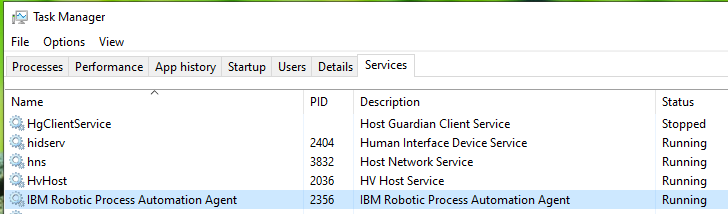
The IBM RPA Agent service is up and running.
But when I try to start IBM RPA Studio I get the message that I'm out of licenses, still. I have then restarted the IBM RPA Agent, but get the same result.
Any suggestions what to check next?
Thanks
Anders
------------------------------
Anders Lundberg
------------------------------
Original Message:
Sent: Wed August 17, 2022 04:07 AM
From: NIGEL CROWTHER
Subject: Problem with connecting to https://localhost:8099 after I upgraded to the latest version (21.0.3-IF001)
HI Anders,
Is your agent running? You should see this in Task Manager:
------------------------------
NIGEL CROWTHER
------------------------------
Original Message:
Sent: Wed August 17, 2022 03:06 AM
From: Anders Lundberg
Subject: Problem with connecting to https://localhost:8099 after I upgraded to the latest version (21.0.3-IF001)
Hello Angelo,
Thank you for your reply.
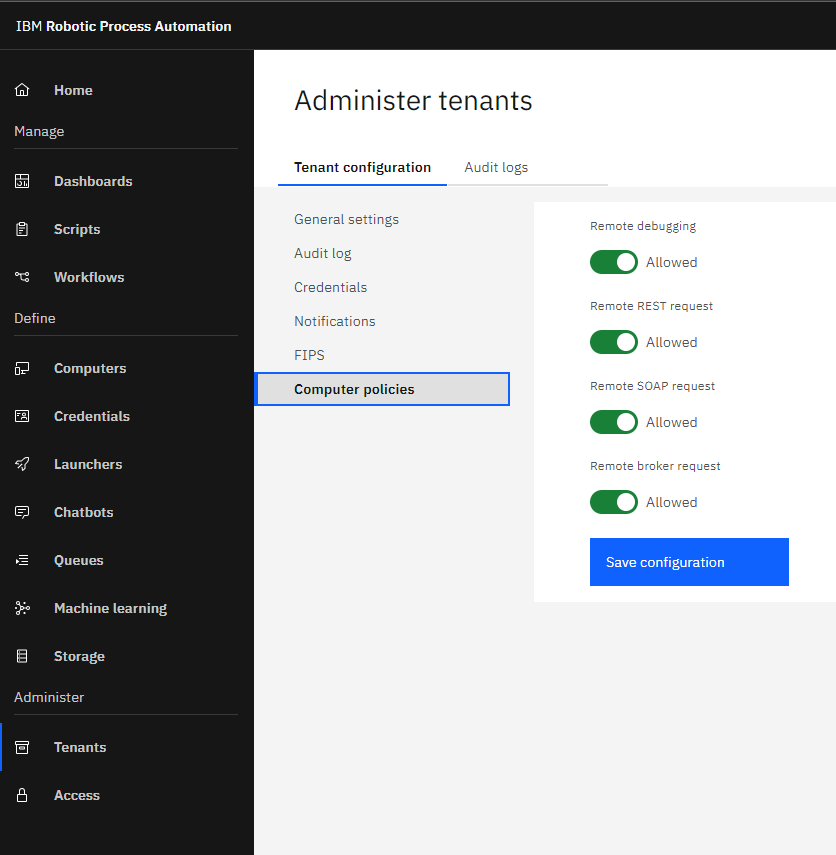
All computer policies where already set to "Allowed" though. So it didn't help to solve my problem.
/Anders
------------------------------
Anders Lundberg
Original Message:
Sent: Tue August 16, 2022 03:15 PM
From: Angelo Alves
Subject: Problem with connecting to https://localhost:8099 after I upgraded to the latest version (21.0.3-IF001)
Hello Anders,
Please, check if "remote debugging" is allowed. This feature came out in some of the earlier versions.
------------------------------
Angelo Alves
WW Elite Team IBM RPA