Vedran,
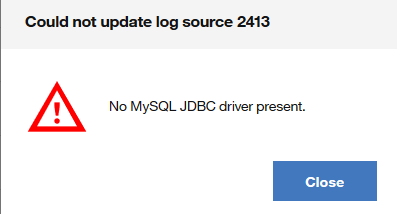
My guess here is that is this error message is due to the fact that you are on QRadar 7.3.1 and using MySQL for JDBC and ecs-ec-ingress does not have a reference to the jar file. This was logged as an issue and I'll include some steps on how you can resolve this issue.
Why am I seeing this error?
Code to determine if MySQL is available looks in /opt/qradar/jars/ and not in the ecs-ec-ingress directory. If you create a MySQL log source through our JDBC protocol, the service will look for the jar and display a driver not found error because ingress doesn't have a copy if you are on 7.3.1 or later. The step to add the file to the ecs-ec-ingress folder was logged and corrected in the documentation for QRadar 7.3.1.
Is there a workaround?
Yes, you can address this issue by downloading the MySQL JDBC driver. You will need to have root access to resolve this issue to copy files in the command line. This procedure requires a service restart for Tomcat and event collection services. It is recommended that you have a maintenance window scheduled to make this change.
Required files
1. Navigate to http://dev.mysql.com/downloads/connector/j/.
2. From the Operating System list, choose Platform Independent.
3. There will be two files provided that you can choose to download (a zip and a tar.gz file). You can download either as they are the same, but my step-by-step instructions will cover the TAR archive download.
Example screen capture of what you'll see:

How to install the MySQL Connector/J file for QRadar 7.3.1
The JAR file for the MySQL Connector/J must be present on the QRadar appliance that is making the connection to poll for the MySQL data. If this is an All-in-One, then you just need to have the JAR file on the Console. If you have multiple appliances, the JAR file must be copied to the ecs-ec-ingress folders on the managed hosts.
1. Using any secure method (SCP or WinSCP), copy the file to your QRadar appliance in a folder such as /tmp or /.
2. To extract the TAR archive, type: tar -zxvf mysql-connector-java-8.0.13.tar.gz
3. The extracted file will contain some folders, but there is a Java archive (.jar) file that will need to be copied to the QRadar appliance that is making the JDBC connection to the MySQL database called: mysql-connector-java-8.0.13.jar
4. This file needs to be copied to the following directories:
- /opt/qradar/jars
- /opt/ibm/si/services/ecs-ec-ingress/eventgnosis/lib/q1labs/
NOTE: The commands below will log off users, stop exports in progress/reports, and can interrupt data collection in QRadar 7.3.1. It is advised not running these commands, unless you are within a maintenance window.
5. To restart Tomcat, type: systemctl restart tomcat
6. To restart the ecs-ec-ingres, type: systemctl restart ecs-ec-ingress
Results
After services restart, you can log in to the Console and see if you continue to get the error message from the Log Source Management app.
If you are not using QRadar 7.3.1, but another version let me know. I can provide specific instructions for other versions, if required.
------------------------------
Jonathan Pechta
-----------------
QRadar Support Content Lead
------------------------------
Original Message:
Sent: 11-16-2018 05:25
From: Vedran Goricki
Subject: Log Source Management App Error
Hi,
I have notice when You try to create or disable/enable existing log source for MySQL - protocol configuration JDBC that You get a error message No MySQL JDBC driver present when I use Log Source Management App.
Same features for that log source works normal when You use classic web log source page. I can create/change/disable/enable log source from web just not from an app.
I haven't try for other log sources that uses JDBC only for MySQL.
Have any notice that ?
------------------------------
Vedran Goricki
------------------------------