IBM QRadar SOAR

IBM QRadar SOAR

Join this online user group to communicate across Security product users and IBM experts by sharing advice and best practices with peers and staying up to date regarding product enhancements.

 View Only
Expand all | Collapse all

Adding Fields to Task Created by Script

  • 1.  Adding Fields to Task Created by Script

    Posted Mon September 19, 2022 10:18 AM
    When I created a Task from "Phases & Tasks" in the Customization Settings.I have the liberty to to add Incident fields that go inside the Task. Example. Like this.
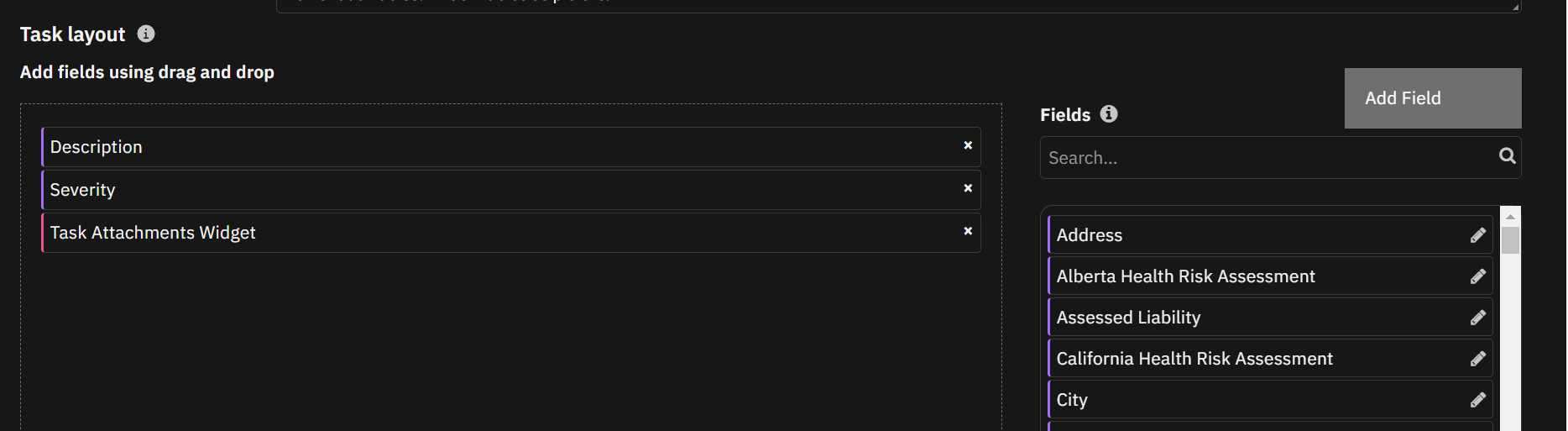
    Inside the Task I can View the fields I have added in the task layout
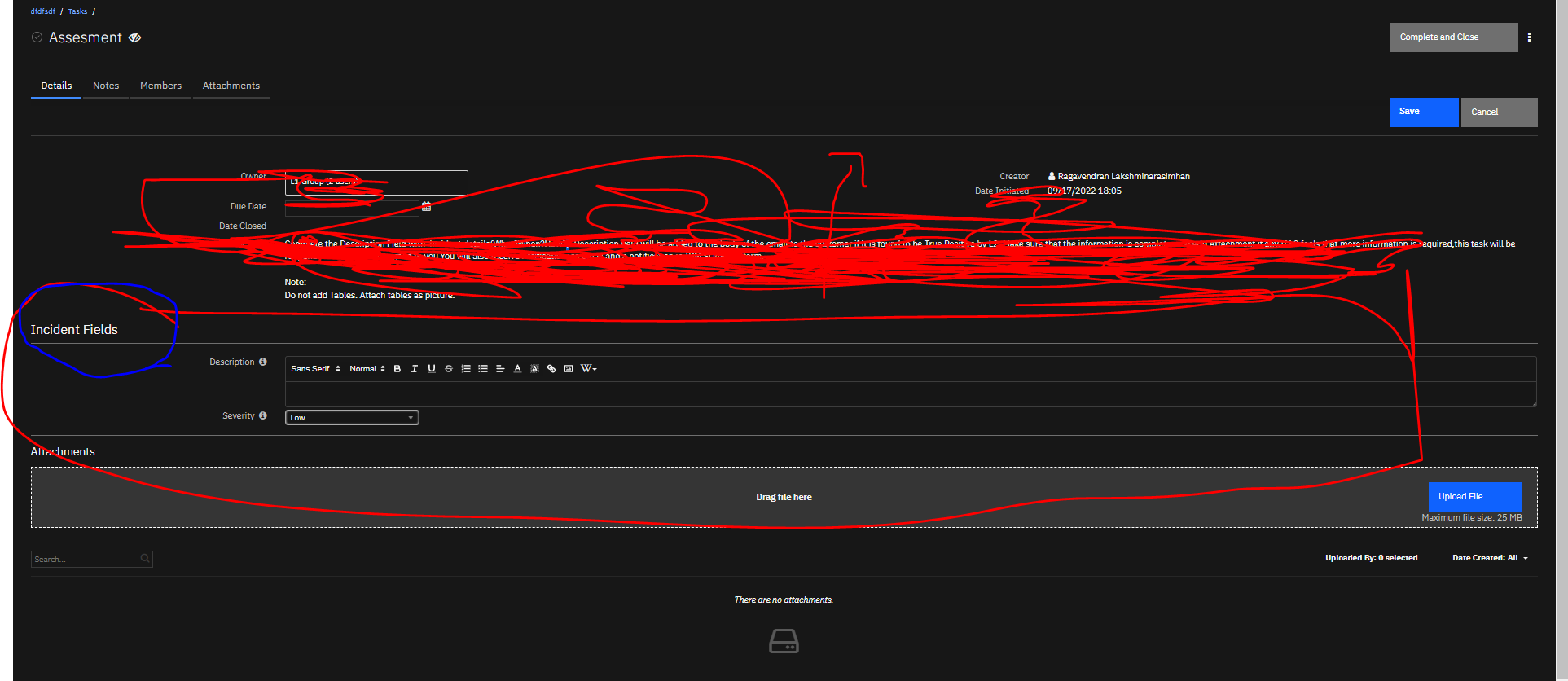

    However,When I add Task from script I am not able to do so.

    task.addField() is not working.

    ------------------------------
    Ragavendran Lakshminarasimhan
    ------------------------------


  • 2.  RE: Adding Fields to Task Created by Script

    Posted Fri September 23, 2022 10:32 AM
    Hi Ragavendran,

    There is no capability to add fields to a task with a script. The steps that you have shown in your screenshots is the best way to go about doing this. Here is some more documentation on the task operations for more information - https://www.ibm.com/docs/en/sqsp/45?topic=scripts-task-operations.
    If you'd like to set or update the value of the parent incident's custom fields (from a script that runs on a task) you can access the incident object and its properties with something like `incident.description =`.

    Hope this answers your question.

    Priya Sapra


    ------------------------------
    Priya Sapra
    ------------------------------