Originally posted by: AilbheCashell
Configuring IBM Spectrum Protect Snapshot for Oracle just got a whole lot easier.
When you install IBM Spectrum Protect™ Snapshot for Oracle V814, you can configure the product for all your Oracle database instances by using the new Configuration Wizard.
The Configuration Wizard makes it much easier to change parameters on-demand, update the profile quickly without rerunning the entire process, and propagate the changes for all your Oracle databases managed by that instance of Snapshot.
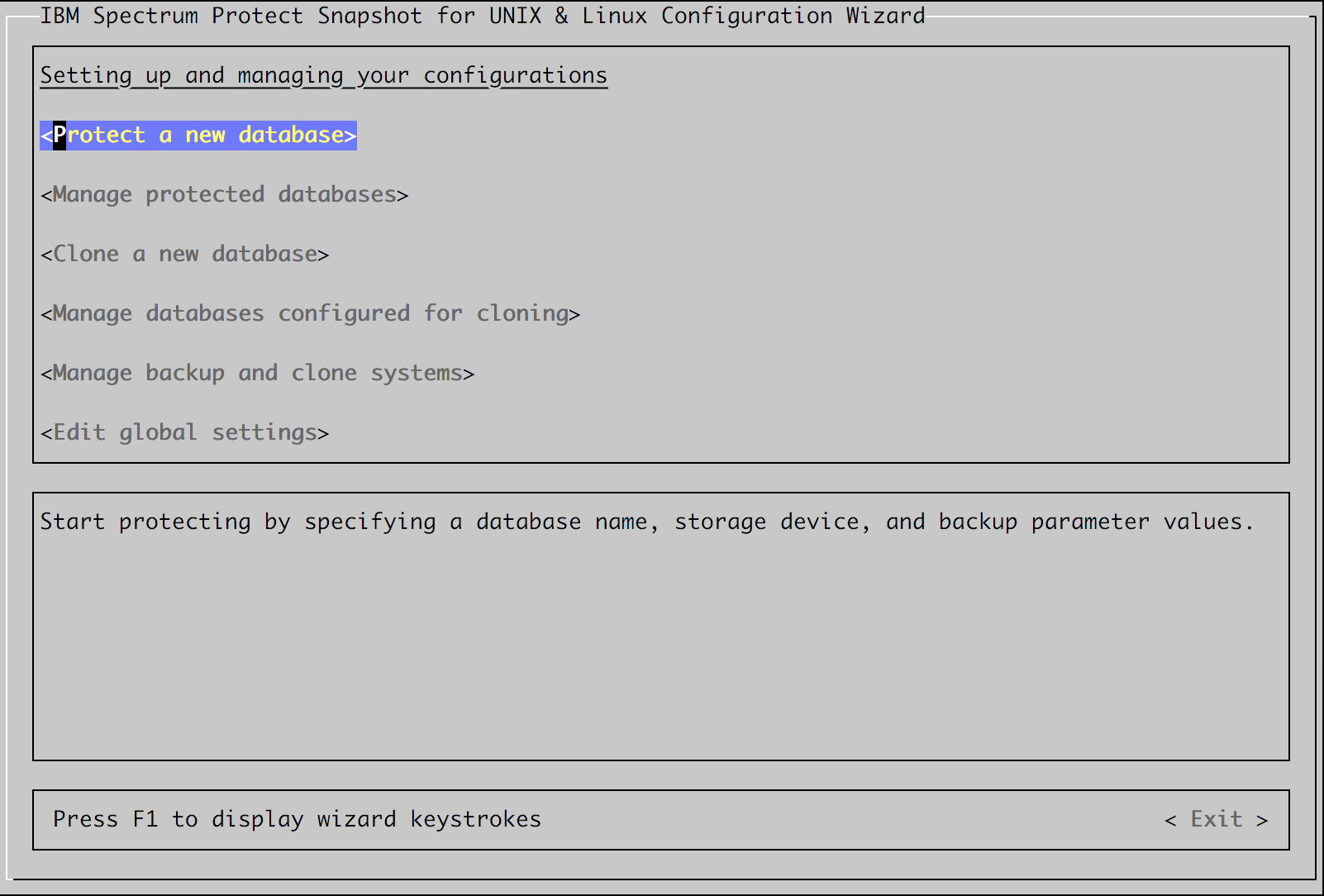
With the Wizard you, the Administrator, configure all your Oracle databases with one single copy of IBM Spectrum Protect™ for Snapshot. All the binary files are copied into a subdirectory of the home directory for that user. All database instances share the copy of the product at that version, the overall configuration (profile), repository, and processes.
Use this Wizard to configure database parameters, storage configuration, offload options, as well as cloned database parameters, including password management. Recall the wizard at any time to change parameter settings, manage passwords, stop or restart processes, or to update IBM Spectrum Protect™ Snapshot from the production system.