In IBM Spectrum Scale v 4.2.2 and later, the problem determination framework (available via the mmhealth command) was further extended to support in total 22 different system components (compared to 15 in v 4.2.1). It automatically performs over 150 different checks of the components functionality, generating over 500 different events for it.
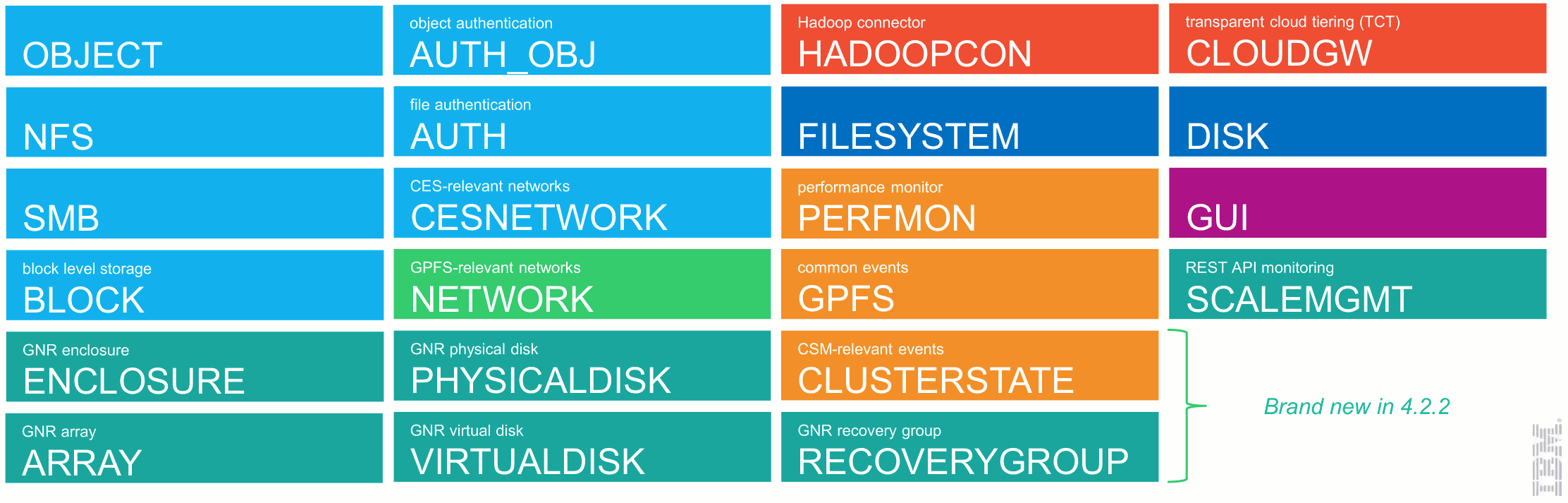
Furthermore, the mmhealth command was extended with a subcommand cluster, allowing you to see the state of your whole cluster at a glance! If any monitored component on any IBM Spectrum Scale cluster node fails one of the checks, you can now find it out immediately, without having to execute (and keep in mind) hundreds of corresponding commands. This allows you to make sure, your cluster is working fine and if not, that you are informed about the corresponding issues.
[root@ch-41 ~]# mmhealth cluster show

Component           Total         Failed       Degraded        Healthy          Other
------------------------------------------------------------------------------------------
NODE                    5              0              1              4              0
GPFS                    5              0              0              5              0
NETWORK                 5              0              0              5              0
FILESYSTEM              1              0              0              1              0
DISK                    2              0              0              2              0
CES                     2              1              0              1              0
PERFMON                 3              0              0              3              0
The “drilling down” process was extended by a cluster stage, enabling you to get from an abstract and compact representation of the whole cluster to a detailed analysis of the relevant component on a relevant node just in a few keystrokes:
[root@ch-41 ~]# mmhealth cluster show ces

Component                Node                     Status            Reasons
------------------------------------------------------------------------------------------
CES                      ch-41.localnet.com       HEALTHY           -
CES                      ch-42.localnet.com       FAILED            ces_network_ips_down, nfs_in_grace, nfsd_down
The
node view of the mmhealth command was further enhanced in the IBM Spectrum Scale 4.2.2 to show you when the last state changing event occurred. This can be extremely useful to pinpoint the reason of the corresponding problem:
[root@ch-41 ~]# mmhealth node show -N ch-42

Node name:      ch-42.localnet.com
Node status:    DEGRADED
Status Change:  10 min. ago

Component      Status        Status Change     Reasons
------------------------------------------------------------------------------------------
GPFS           HEALTHY       7 days ago        -
NETWORK        HEALTHY       8 days ago        -
FILESYSTEM     HEALTHY       7 days ago        -
DISK           HEALTHY       7 days ago        -
CES            FAILED        9 min. ago        nfsd_down, ces_network_ips_down, nfs_in_grace
PERFMON        HEALTHY       8 days ago        -
The event subcommand, also introduced in the IBM Spectrum Scale 4.2.2, provides you on demand with a detailed description of any detected problem and suggestions about the ways to fix them:
[root@ch-41 ~]# mmhealth event show nfsd_down
Event Name:              nfsd_down
Event ID:                999167
Description:             Checks for a NFS service process
Cause:                   The NFS server process was not detected
User Action:             Check the health state of the NFS server and restart, if necessary. The process might hang or is in a defunct state
Severity:                ERROR
State:                   FAILED
To learn more about using IBM Spectrum Scale’s problem determination framework take a look at:
#Softwaredefinedstorage#IBMSpectrumStorage#IBMSpectrumScale