Reporting Tab (Any Report)
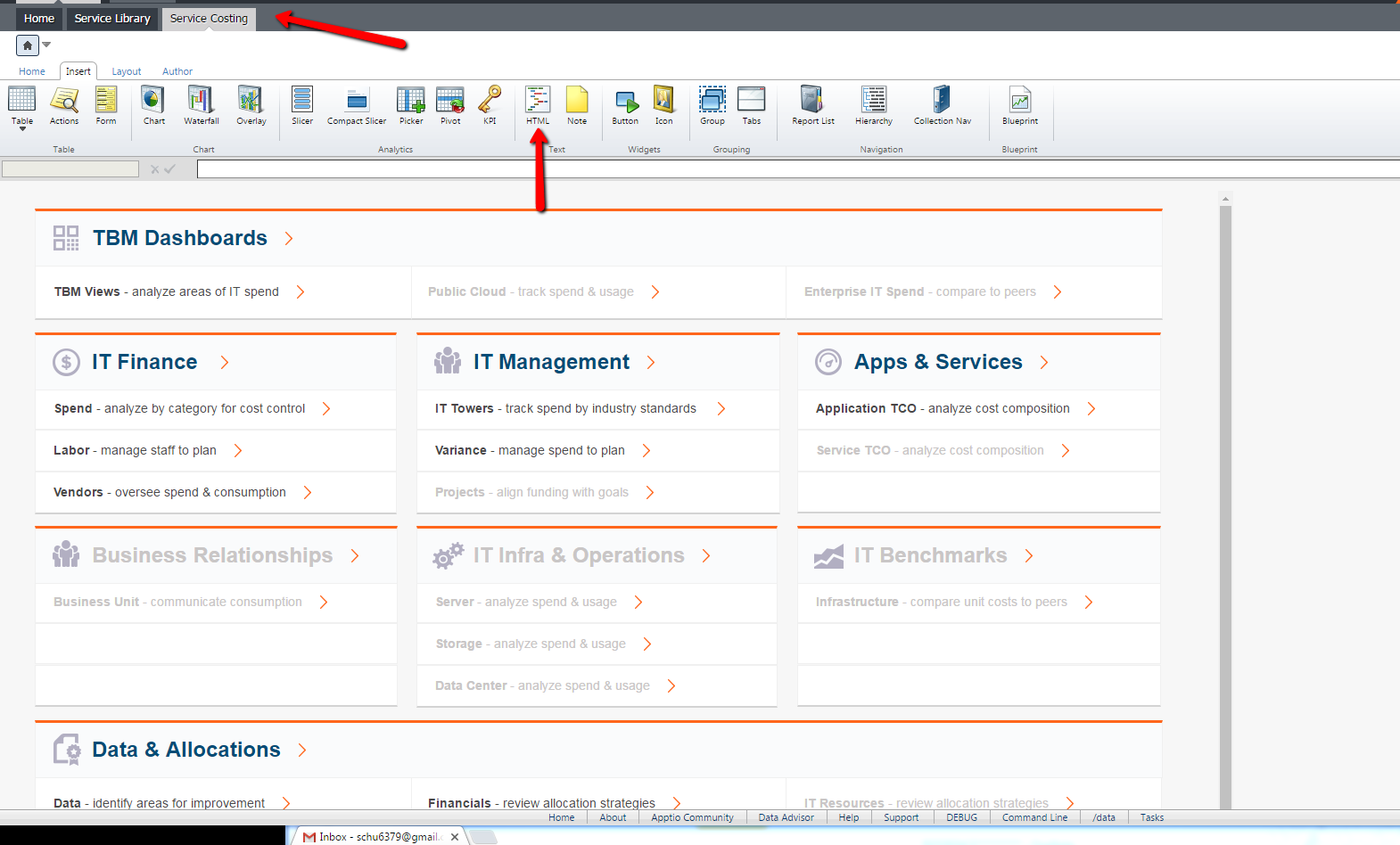
Application: Login messages are used to either notify/warn users of a particular pain point or message that should not be ignored. Traditionally, this can be done by editing the login message via Project Time Settings, but using an html object is just as effective. For this example there will be an html text overlay object on the Service Costing landing page when opening the project “Service Costing.” The message will say “TEST” to illustrate how the user would see end results.
*Note: This change will need to be made in dev and promoted up to production
Step 1 (Choose a Project/Report):
- Navigate to the project in mind and go into edit mode
- Choose “HTML” within the ribbon from the “Insert” tab
Step 2:
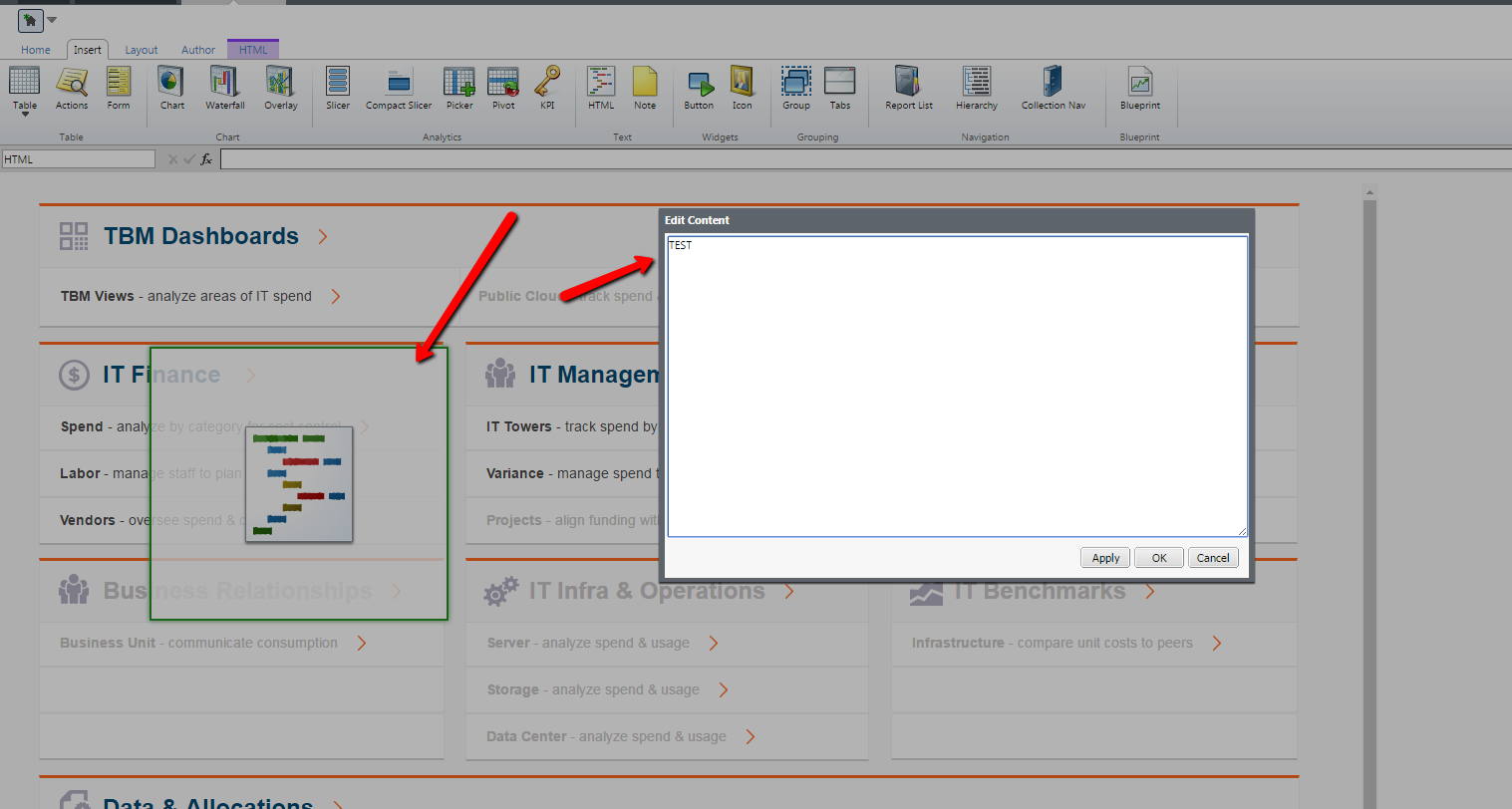
- Type in message that should be displayed for users
o In this case it will be “TEST”
- When desired results are keyed in press “OK”
Step 3 (Altering HTML):
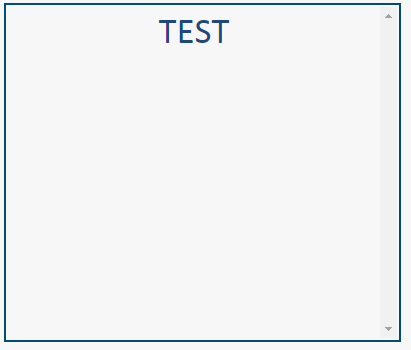
- Basic code changes to customize message
o <div style="overflow-y:scroll; height:100%"> (Creates a scroll-bar)
o <center><span style="font-size: 28pt;font-family:'Calibri'; color:#1F497D">TEST</span></center> (Centered message and uses font/color/size parameters
Step 4 (Promoting Config):
- The last steps involves promoting the configuration of the said project from dev to stg, then stg to production to see the changes in all instances.