IBM Planning Analytics Workspace 3.1.11 and 2.1.24 bring two meaningful updates to the IBM Planning Analytics Agent that expand what you can do with AI-assisted planning—whether you're generating automated analysis reports or building your own custom AI experience.
Richer exploration analysis reports
The exploration analysis report is one of the most tangible outputs of the IBM Planning Analytics Agent. In a single click, it produces a time-stamped PDF packed with natural language narratives and charts drawn directly from your data view—no manual storytelling required.
With this release, we've raised the bar on what that report looks like and what it says.
What's improved:
- More robust insights. The report surfaces a broader range of meaningful patterns in your data, going deeper than surface-level observations so your planning conversations start from a stronger foundation.
- More intuitive language. Narrative descriptions are clearer and more business-ready, using language that's easier to share with stakeholders who don't live in the numbers every day.
- Better document formatting. The PDF now includes a table of contents, proper page breaks, and overall layout improvements that make the report easier to scan, read, and distribute.
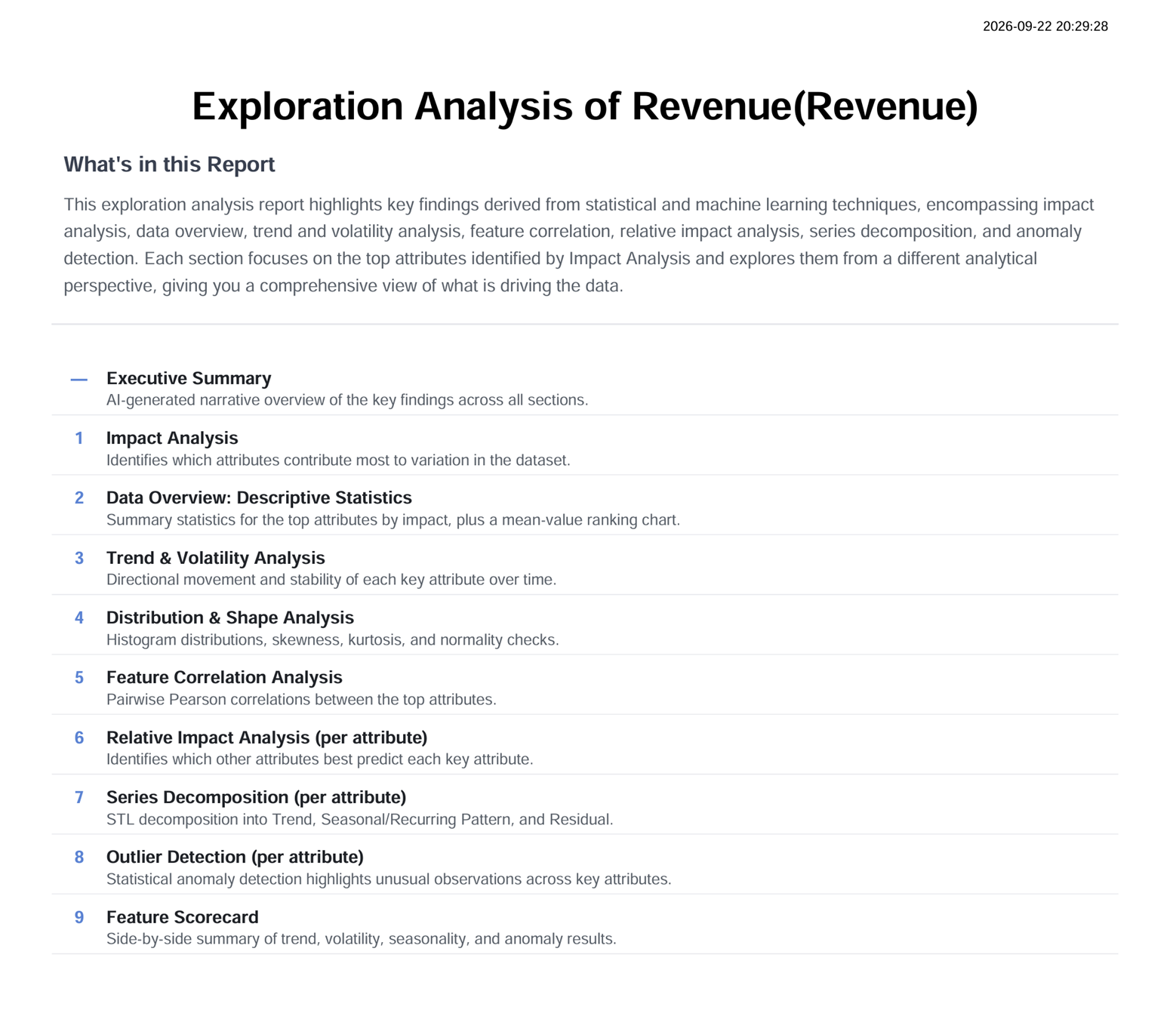
Whether you're sharing analysis with a finance committee or reviewing a cube before a planning cycle, the exploration analysis report now delivers a more polished, professional output—automatically.
Mix IBM-managed and customer-managed AI
This is the update many Planning Analytics customers have been waiting for.
Previously, the IBM Planning Analytics Agent operated in one of two modes: fully IBM-managed or fully customer-managed. If you wanted to bring a custom agent—built in watsonx Orchestrate, for example—into Planning Analytics Workspace, you had to supply your own large language model for every IBM Planning Analytics feature as well. There was no middle ground.
That changes with this release.
You can now use a custom agent alongside IBM-managed Planning Analytics AI features—without having to choose one or the other.
Here's what that means in practice:
- Build a custom agent in watsonx Orchestrate tailored to your business's specific workflows, terminology, or data sources
- Bring that agent into Planning Analytics Workspace
- Continue using IBM-managed AI for built-in Planning Analytics Agent capabilities—exploration analysis reports, outlier detection, impact analysis, and more—without needing to configure or supply your own LLM for those features
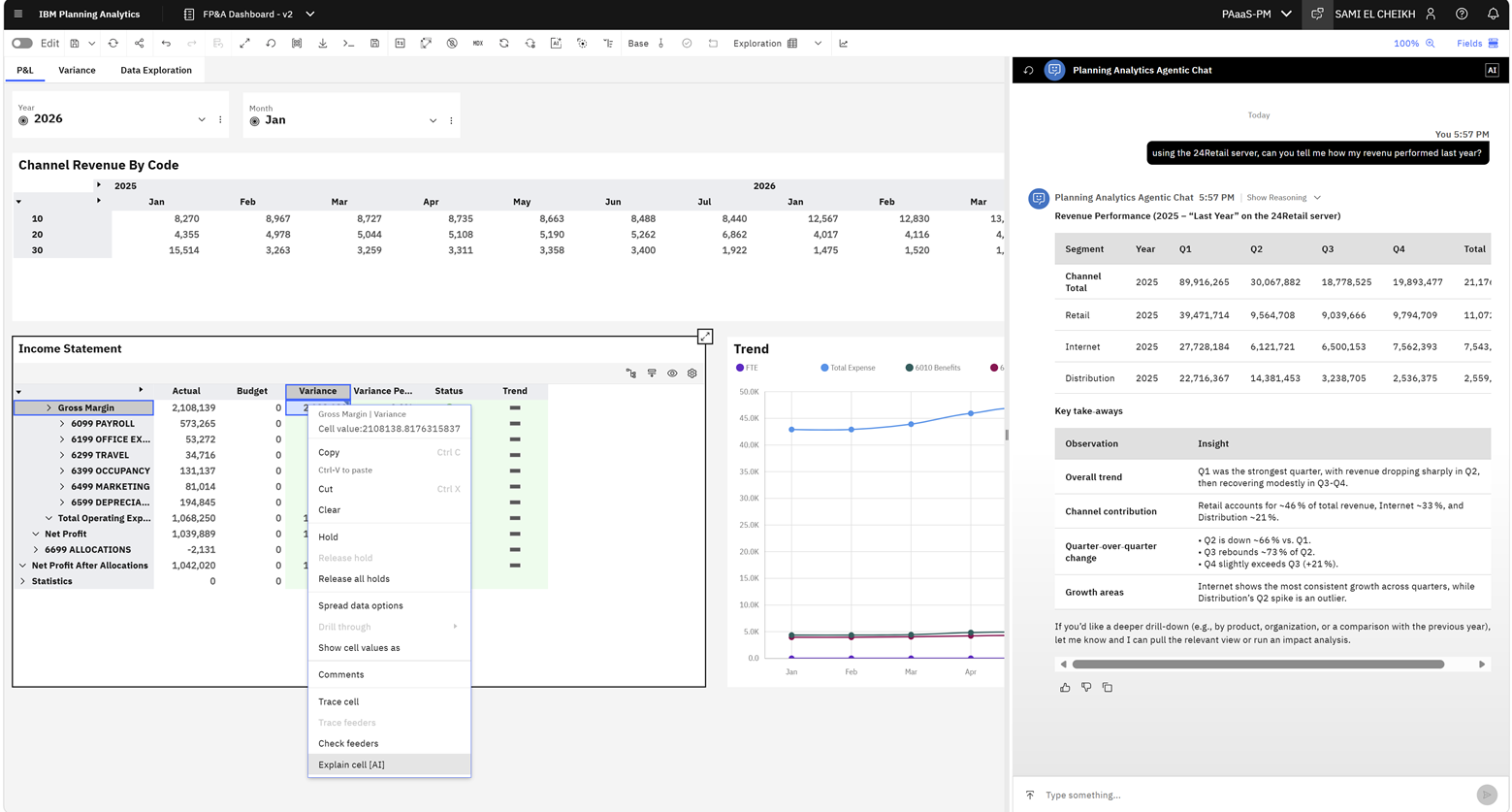
This cross-pollination model gives planning teams more flexibility without sacrificing the depth of IBM's purpose-built planning AI. Customization and IBM-managed intelligence are no longer mutually exclusive.
Support for this hybrid model extends to Planning Analytics Workspace now, with Planning Analytics for Excel support coming soon.
Getting started
These updates are available in IBM Planning Analytics Workspace 3.1.11 and 2.1.24. If you're using the IBM Planning Analytics Agent today, both improvements are available without additional configuration.
For teams looking to build a custom agent and connect it to Planning Analytics Workspace, watsonx Orchestrate is the recommended starting point. From there, you can route your agent back into Planning Analytics while keeping IBM-managed AI features active for the platform's native analytical capabilities. Alternatively, you can leverage the Planning Analytics Agent MCP tools with virtually any agentic platform that supports remote MCP servers and Open Authentication (Oauth).