AI from ISPF panels? Absolutely! In Db2 Administration Tool, you can now open an AI Assistant directly from the panel you're working in by issuing the new AIHELP command (or its alias, AIASSIST). The AI Assistant is aware of your current context, allowing you to ask questions about the task at hand, learn more about Db2 Admin Tool functions, or get answers to general Db2 questions.
For example, I can ask a question about the information on the Tables, Views, and Aliases panel (panel ADB21T):
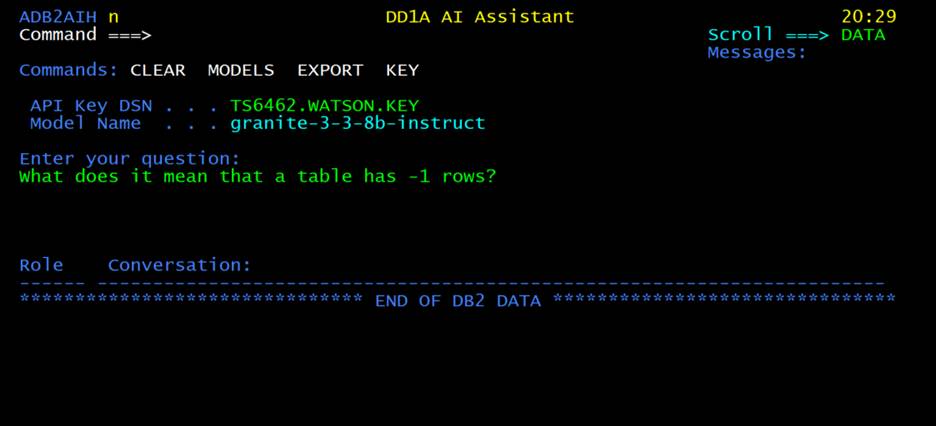
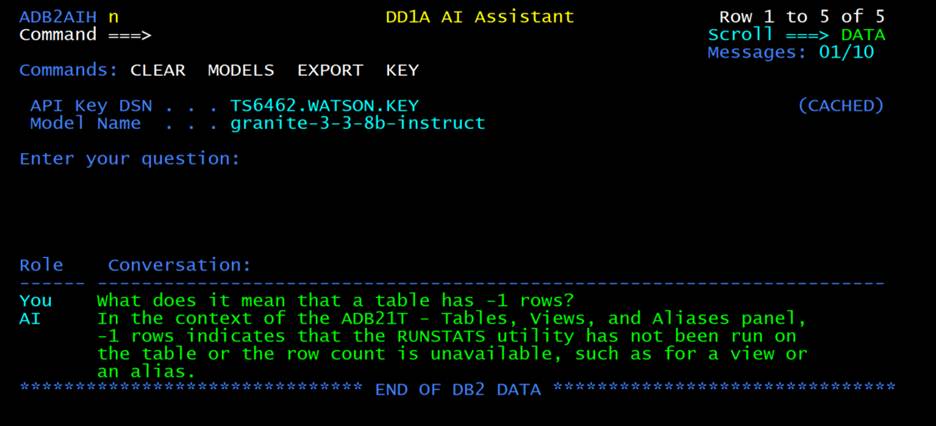
The AI Assistant explains:
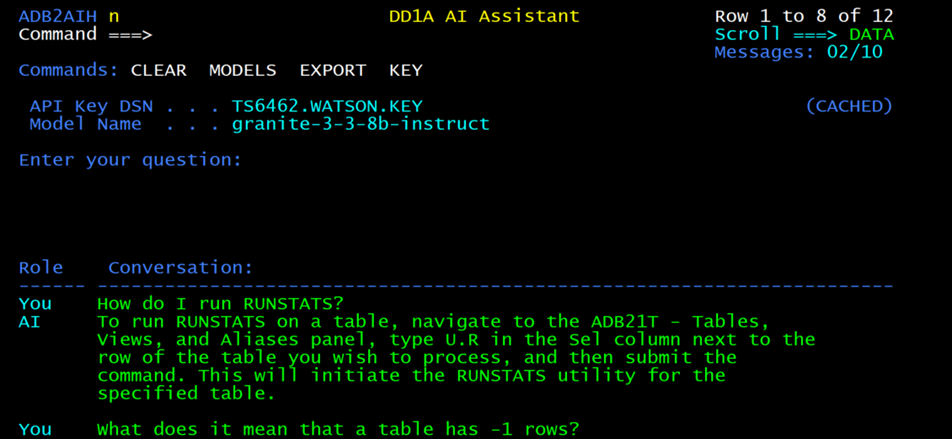
I can continue to ask follow-up questions:
The AI Assistant answers user questions using AI models provided by IBM watsonx Assistant for Z or IBM AI Optimizer for Z and LinuxONE. You can choose which model provider you want to use.
Your conversation persists across panels and Db2 Admin Tool sessions until you clear it (by using the CLEAR command) or log off your ISPF session. Each time you open the AI Assistant, the context of the current panel is automatically loaded, allowing the conversation to continue with awareness of your current task.
In this example, if I switch to the Specify Utility Options - RUNSTATS (TS) panel (panel ADB2USR), the updated context is reported:
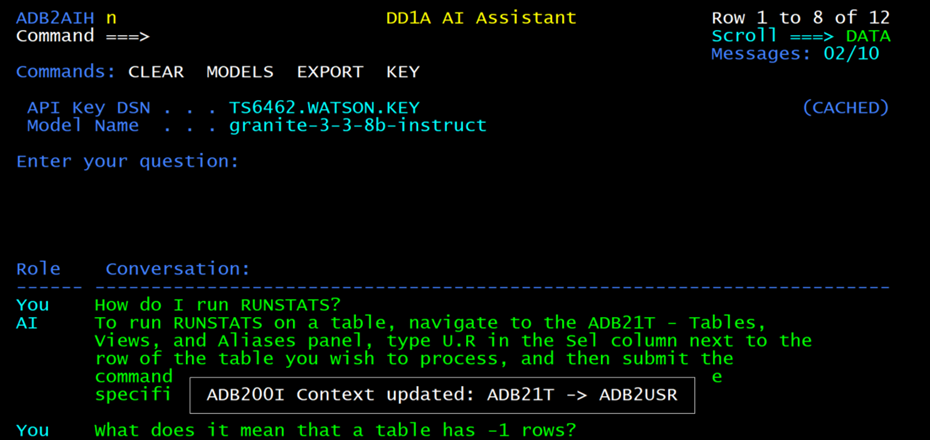
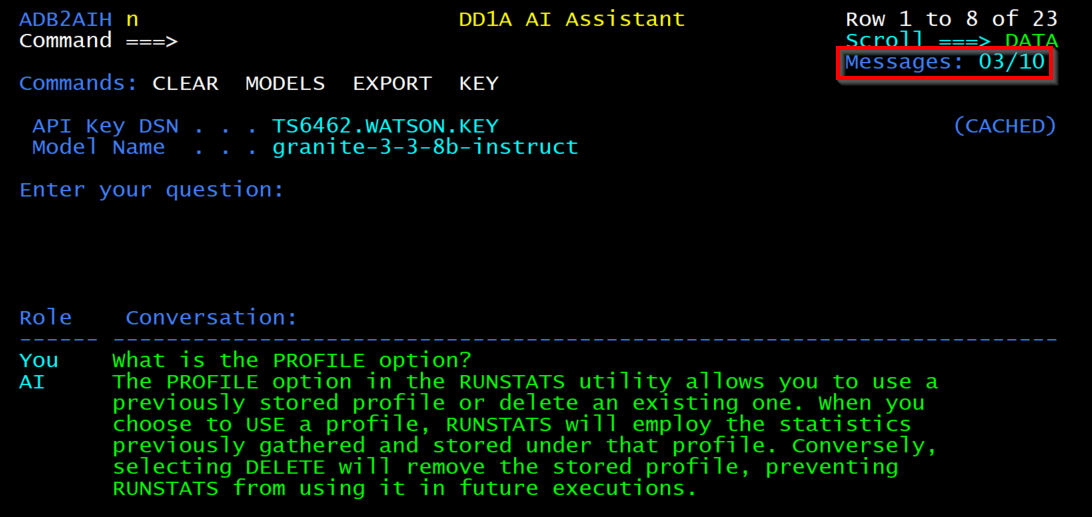
And I can continue my chat. Notice that the number of messages (question and answer pairs) is tracked in the upper right:
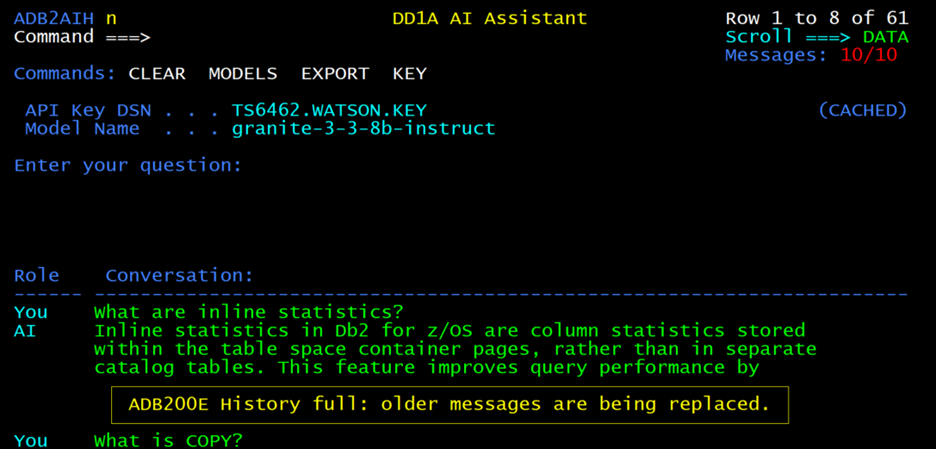
When I reach 10 messages, I am warned that the previous history will be overwritten:
If you want to save the current conversation, you can export it to data set by using the EXPORT command. The messages and model used are saved in JSON format.
Of course, it’s good AI practice to always clear the conversation when you want to start a new topic thread. This helps minimize hallucinations.
Set up
To set up the AI Assistant, you must:
- Apply the required PTFs:
UO09593 (PH73219)
UO09594 (PH73220)
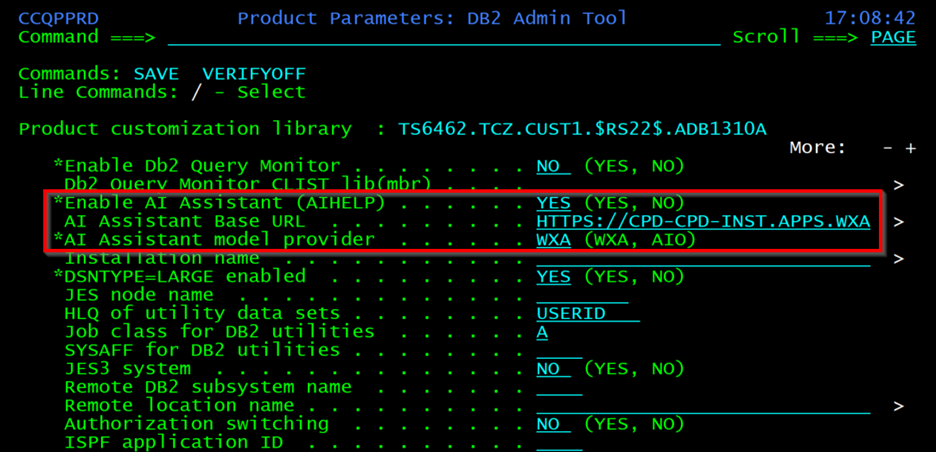
- Enable the AI Assistant feature in Tools Customizer (TCz) by completing the following fields on the Product Parameters panel:
- Create a data set containing the API key used to connect to watsonx or AI Optimizer.
Db2 Admin Tool can create this data set for you. From the AI Assistant panel, issue the KEY command to invoke key management. For detailed instructions, see Creating your API key data set for the AI Assistant.
Additional information
For more detailed information about the AI Assistant, see Interacting with the AI Assistant.
For a video demonstration, see https://video.ibm.com/channel/24061261/video/aihelp.