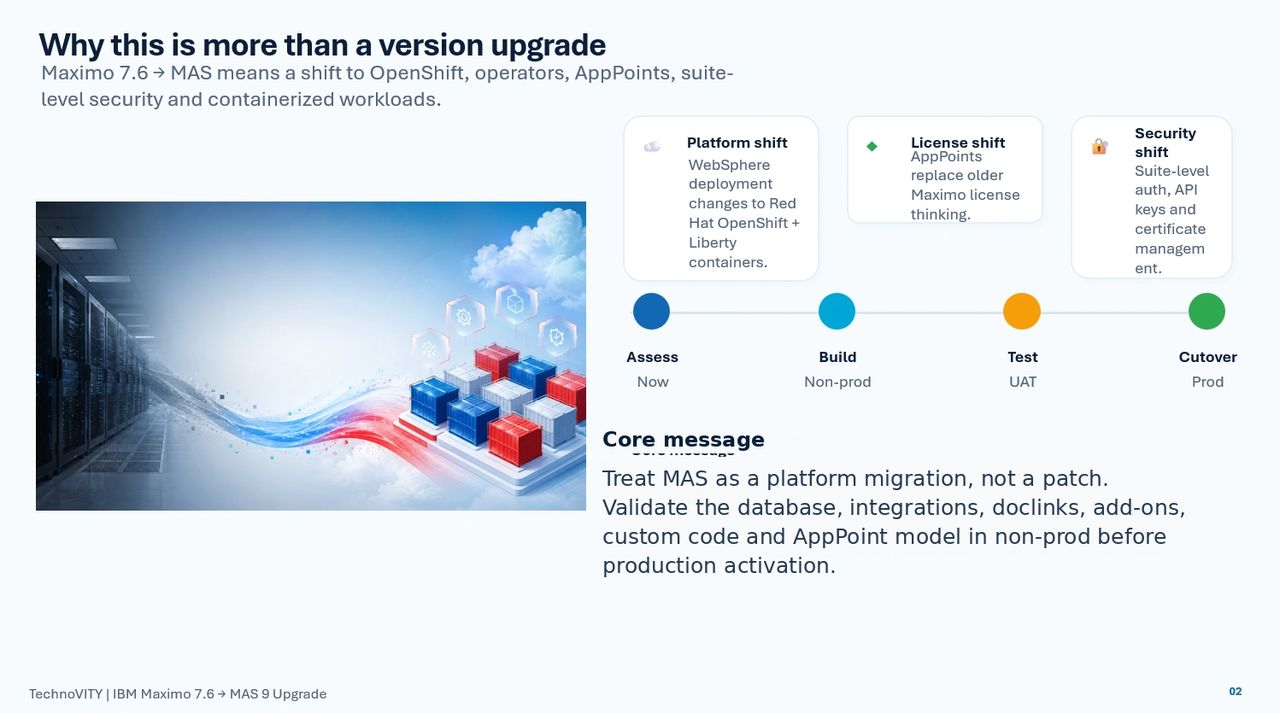
Upgrading from IBM Maximo 7.6 to IBM Maximo Application Suite 9 is not only a product upgrade. It is a platform transformation. Maximo Manage now runs inside MAS on Red Hat OpenShift, with containerized workloads, suite-level security, AppPoint-based licensing, new deployment patterns, and a different approach to customizations, integrations, storage and operations.
The safest way to approach the move is not to start with production installation. Start with readiness, sizing, database validation, integration inventory and a repeatable non-production upgrade run.
1. Start with a readiness assessment
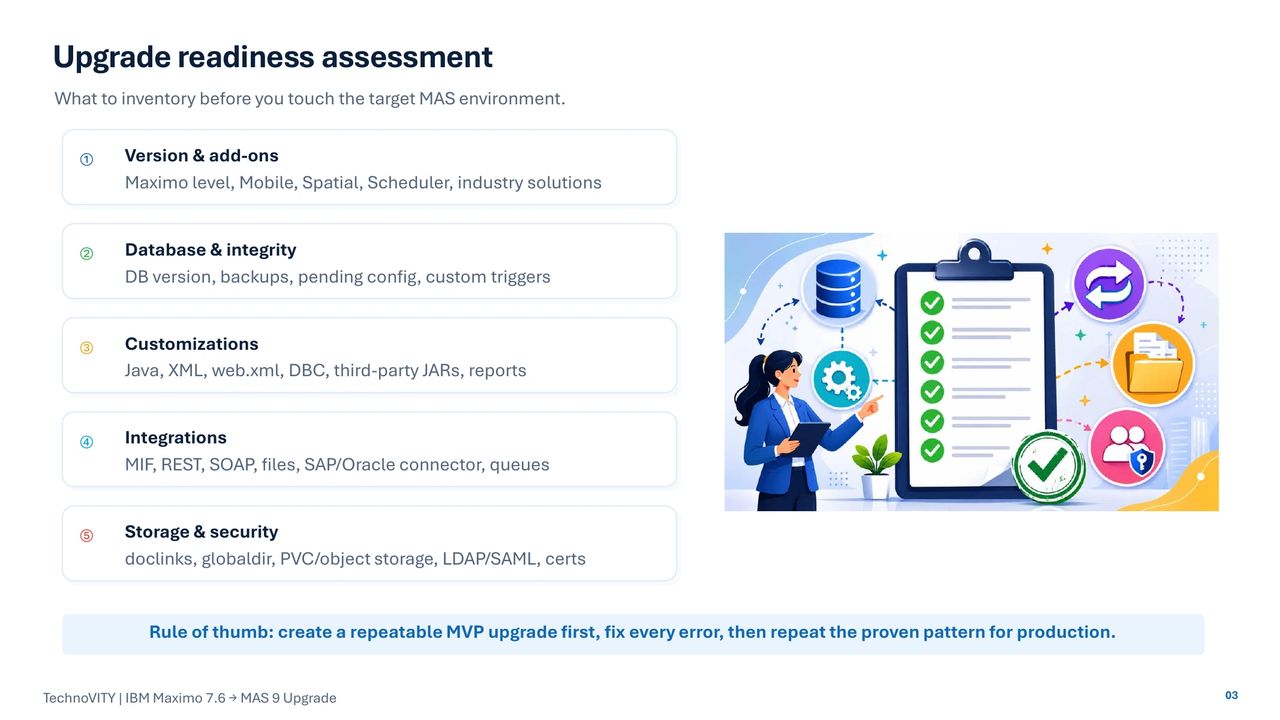
Before building the target MAS environment, capture the current Maximo footprint. This should include Maximo version, database platform and version, Mobile, Spatial, Scheduler, industry solutions, cron tasks, automation scripts, Java customizations, BIRT reports, integration framework objects, document links, LDAP/SAML, certificates and filesystem dependencies.
Key readiness checks include:
- Confirm Maximo 7.6.1.2 or 7.6.1.3 as the practical upgrade source level.
- Validate the target database version against the MAS 9 compatibility matrix.
- Run Integrity Checker in report mode and fix errors before activation.
- Confirm there are no pending database configuration changes.
- Disable custom database triggers before the database upgrade.
- Prepare a customization archive for Java, XML, web.xml, DBC scripts and third-party JARs.
- Inventory integrations and decide how authentication, queues and file paths will work in MAS.
2. Design the OpenShift and MAS architecture
MAS runs on Red Hat OpenShift, so cluster design is part of the upgrade. Control-plane nodes, worker nodes, storage classes, ingress/routes, certificates, MongoDB or DocumentDB, Suite License Service, and external database connectivity must be planned together.
For production, use a production-grade OpenShift design with high availability, monitoring, backup, disaster recovery and controlled change windows. A non-production or MVP environment can be smaller and disposable, but it should still be close enough to production to expose real upgrade issues.
Use IBM’s MAS sizing calculator as the starting point, then adjust for real workload: number of users, integrations, cron load, reports, Mobile usage, document storage, logs and growth. Single Node OpenShift may be useful for demo or lab use, but it should not be treated as the default production architecture unless the business clearly accepts the resiliency limitations.
3. Follow a repeatable upgrade flow
A practical upgrade sequence is:
1. Assess the current environment.
2. Prepare database backups, Integrity Checker results and the customization archive.
3. Build OpenShift and install MAS Core prerequisites.
4. Deploy Maximo Manage with required add-ons and industry solutions.
5. Connect to the cloned Maximo database and activate Manage.
6. Validate business processes, integrations, reports, documents and performance.
This sequence should be rehearsed in a test environment before production. Every error found in the MVP run should become an action item: fix data, fix database readiness, rebuild the customization archive, update integration configuration, or adjust OpenShift capacity.
4. Treat database activation as the critical path
The Manage activation step upgrades the existing Maximo database. Do not start this step with dirty data, unresolved Integrity Checker errors, unsupported database versions or pending configuration changes.
Important checks:
- Full database backup and SMP/config backup are complete.
- Integrity Checker has been run and repaired until clean.
- MAXOBJECTCFG and MAXSYSINDEXES pending-change checks return zero.
- Custom database triggers are disabled and documented.
- The database platform and version are supported for the target MAS release.
- Database certificates and JDBC details are ready if SSL is required.
5. Plan AppPoints, add-ons and environments before production
MAS uses AppPoints for application entitlement and access. For customer-managed MAS, common user entitlement values are:
- Self-Service: 0 concurrent / 0 authorized AppPoints
- Limited: 5 concurrent / 2 authorized AppPoints
- Base: 10 concurrent / 3 authorized AppPoints
- Premium: 15 concurrent / 5 authorized AppPoints
Actual consumption depends on application access and user entitlement. Review security groups and access before cutover so users are not accidentally assigned broader access than required.
Required industry solutions and add-ons should be planned before connecting and activating the upgrade database where possible. This gives a cleaner and more controlled first activation.
6. Validate business outcomes, not just green pods
A successful upgrade is not finished when pods are running. It is complete when the business can prove that Maximo works.
Post-upgrade validation should cover:
- OpenShift pods, routes, PVCs and logs
- MAS Core users, license service, SMTP and certificates
- Maximo Manage UI, cron, report and MEA/server bundles
- Assets, Locations, Work Orders, Inventory, Purchasing and Contracts Core Business Functionalities validation
- BIRT reports
- Inbound and outbound integrations
- API keys, queues, file-based exchanges and connector behavior
- Doclinks and attachments
- Maximo Mobile login, sync, inspections and work execution
- Performance, search, start centers, reports and database statistics
Final takeaway
The safest Maximo 7.6 to MAS 9 upgrade follows a phased model:
Assess -> Size -> Build OpenShift -> Install MAS -> Deploy Manage with add-ons -> Activate database upgrade -> Validate -> Cut over.
TechnoVITY recommends running a controlled MVP first: clone the Maximo database, validate the database and customizations, deploy MAS/Manage in non-production, activate the upgrade, document every error, rebuild the customization archive, and only then repeat the proven process for production.
TechnoVITY can help you plan and execute your Maximo 7.6 to MAS 9 upgrade with a practical, phased approach:
- MAS upgrade readiness assessment
- OpenShift and MAS architecture planning
- Maximo database and integrity-check preparation
- Customization archive review and migration support
- Integration, doclinks, PVC and storage planning
- MAS Manage activation and post-upgrade validation
- Production cutover and hypercare support
Contact TechnoVITY today to discuss your IBM Maximo / MAS upgrade journey.
https://technovity.ai/blogs/f/ibm-maximo-76-to-mas-9-upgrade-readiness-sizing-and-cutover
Email: info@technovity.ai